
Amend Employee Details – Contribution Amounts and Status Changes
Select the group name

Under “New and Existing Members ” click on either “Change Amounts” or “Change Member Status”button
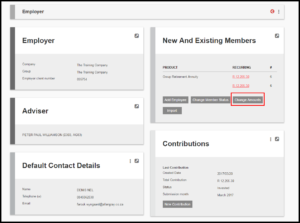
The following screen will appear
Click on the 3 dots and select edit
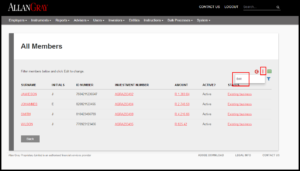
The following screen will appear
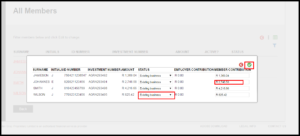
Click on the member contribution amount for the member you wish to change the amount for
Click on the drop down arrow for the member you wish to change the status for
- Suspended
- Resigned
- Retired
- Deceased
Scroll to the top of the page and click Save
Click on “Back” to return to the “Employer” screen
Last Updated on 4 years ago by Antoinette Van Meyeren