
Capturing Exchange Rates
Exchange Rates are captured under the System main menu, in thee possible ways.
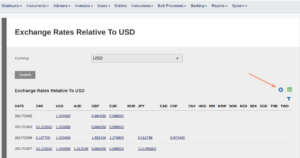
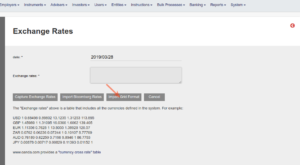
Option 1 (Capture Exchange Rates)
Load the Exchange Rates in the box, before capturing:
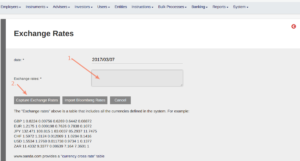
The format to use for loading would be as if a header row with the currency names in the same order as the currency names on the left was included at the top:
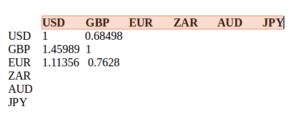
Place a space between the rates when loading and do not include the top row of currency names.
Load the exchange rates to read from the left, e.g. 1 USD = 0.68498 GBP, 1 EUR = 1.11356 USD
Option 2 (Import Bloomberg Rates)
Import the Bloomberg rates as supplied to subscribers in csv format:
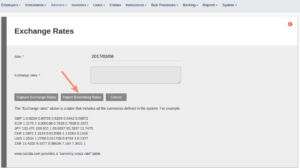
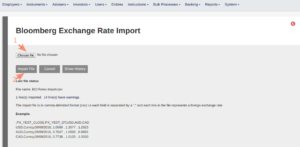
Example of an import file (convert to csv file) BCI Forex import
Option 3 (Import Grid Format)
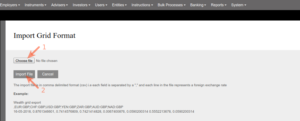
Example of an import file (convert to csv file) Grid Format
Exchange rates can be sources from xe.com
Last Updated on 2 years ago by Antoinette Van Meyeren