
Making an existing person a user
If the person already exists in the system (this can be confirm by searching for the person), the person can be made a user by selecting View Details on the person card.
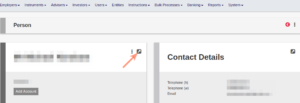
And then More Actions under the details of the person.

The system will ask for additional user information and, on saving, a warning message will appear that a different user must activate the user for security purposes.
Follow the procedure in Activating a new user to complete the process.
Last Updated on 5 years ago by Antoinette Van Meyeren