
The split on the model can be seen as the Proposed Split. Once you are satisfied with the split, you can generate an Instruction to the Platform Provider by selecting the “Create Instruction” button on the model.
If you have played around with the Split, the proposed split will now differ from the last instruction send to the Platform Provider. The screen will show you how the proposed split differs from the platform provider’s split. If there are no instructions to the platform provider the “Provider” column will not be displayed.

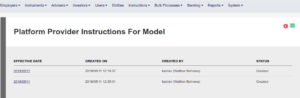
To view a list of previous instructions to the Platform Provider, click on “Platform Provider Instructions” on the model. Each instruction has an effective date that will be used in the comparison.
Last Updated on 8 years ago by Antoinette Van Meyeren