
Bulk Investment Overview List
- Functionality for Employers has been added to show Investor accounts with the Status (New Business) and that does not have an Overview document attached to the account.
- Only Active Employers will be reflected on the list, therefore Inactive Employers will not be reflected i.e. Quote Status, Pending, Inactive and Declined
- “List on bulk investment overview” needs to be set on the Investor account to have the account listed on the Bulk Investment Overview. When an Overview is uploaded the “List on bulk investment overview” will be unselected automatically.
- Functionality for an Investment Overview to be generated externally has been added; to be set in the System Configuration: “Investment Overview generated externally”
- Investment Overview can also be enable on product level; to be set on System -> Product: “Can upload overview”
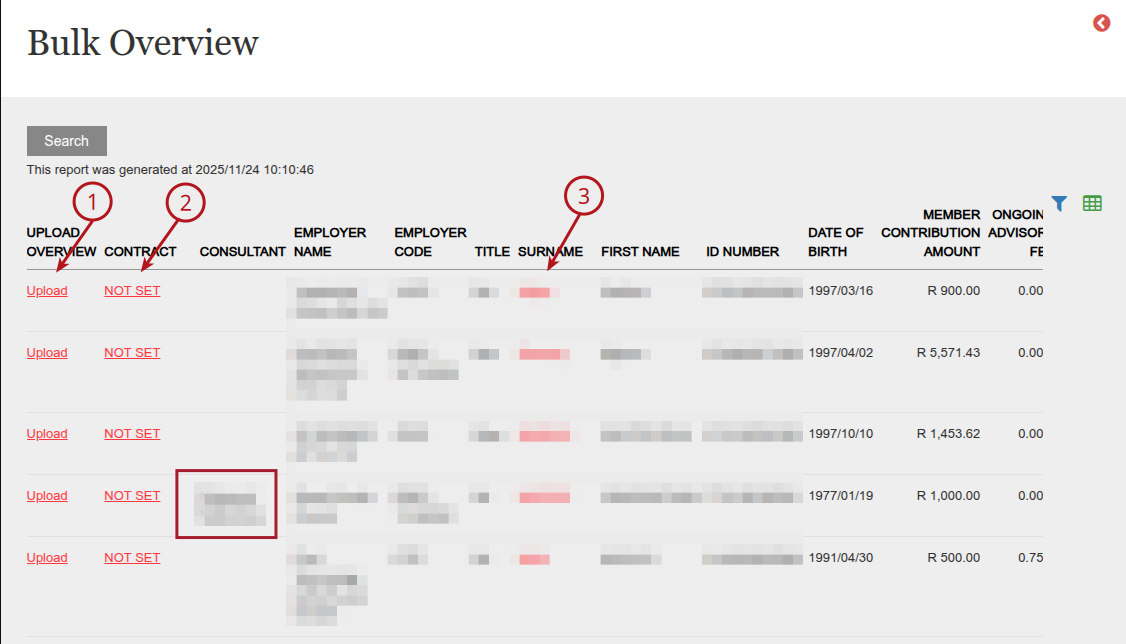
Select from the Main Menu, (1)Bulk Processes and then (2)Bulk Overview

The following links have been added for easy access:
- (1)UPLOAD OVERVIEW: Link to Upload Overview Document
- (2)ACCOUNT: Link to the Investor Account.
- (3)SURNAME: Link to the Person
The Consultant linked to the workflow on the active instruction will be displayed in the ‘Consultant’ column.
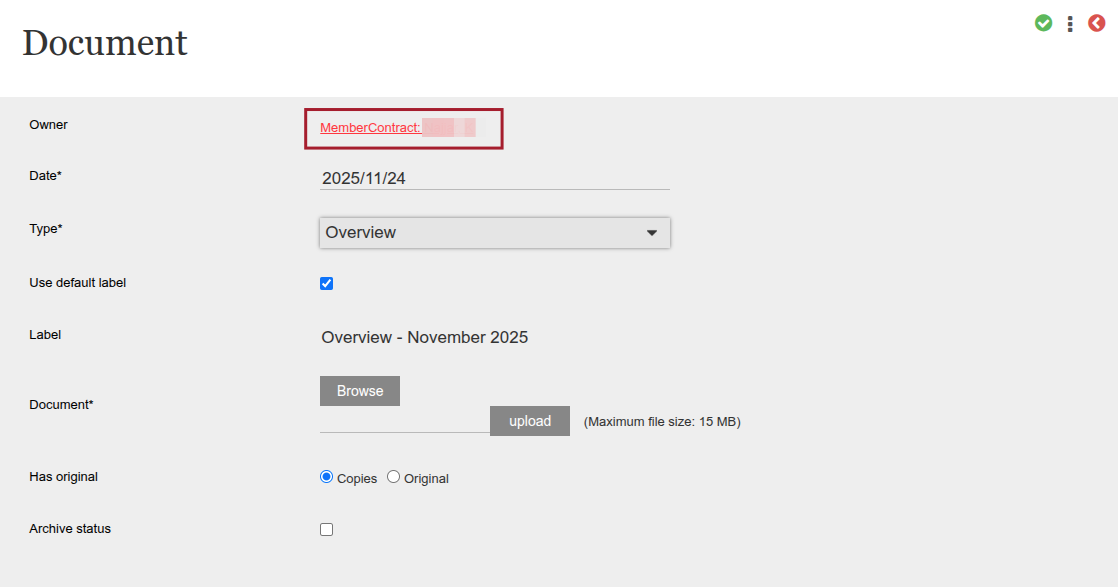
Upload Document
When clicking into ‘Upload’ link from Bulk Overview screen, the Document screen will be displayed. The ‘owner’ field will be populated with the applicable contract number (if one has been assigned to the contract), or the name of the entity.
More on Uploading Documents can be found here: Upload Documents
Bulk investment overviews can be downloaded via the ‘New and Existing Members card’ menu if the user has the Global Permission ‘Download Bulk Overviews’: Employer ? New and Existing Members card ? menu ? Download Bulk Overviews
Last Updated on 1 month ago by Hayley Jerram