
Instrument Cards
- Pending on the Configuration, User-level and the Instrument Type the Cards may vary, for this example we will look at a Unitised Instrument
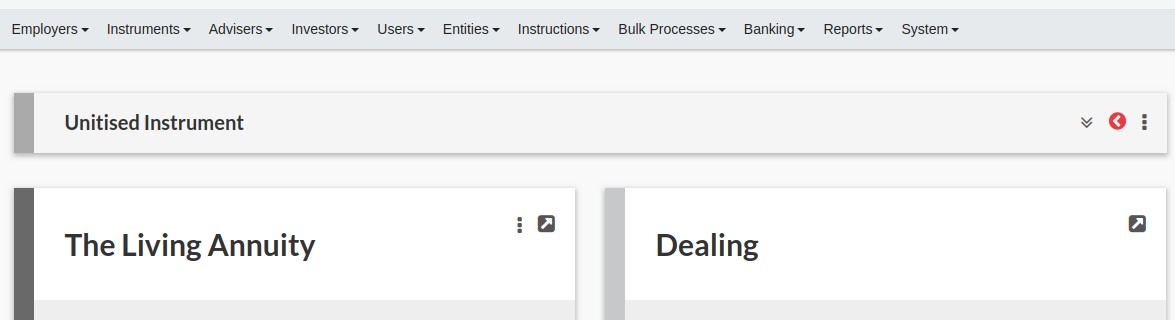
From the (1)View Details button you have a quick link to the individual cards

Example Cards:
- Instrument
- Dealing
- Performance
- Risk Measures
- Income Distribution
INSTRUMENT CARD
More Actions
From the Instrument Card (1)More Actions, you have a direct link to Actions to be taken (Pending on Configuration, User-level and Instrument):
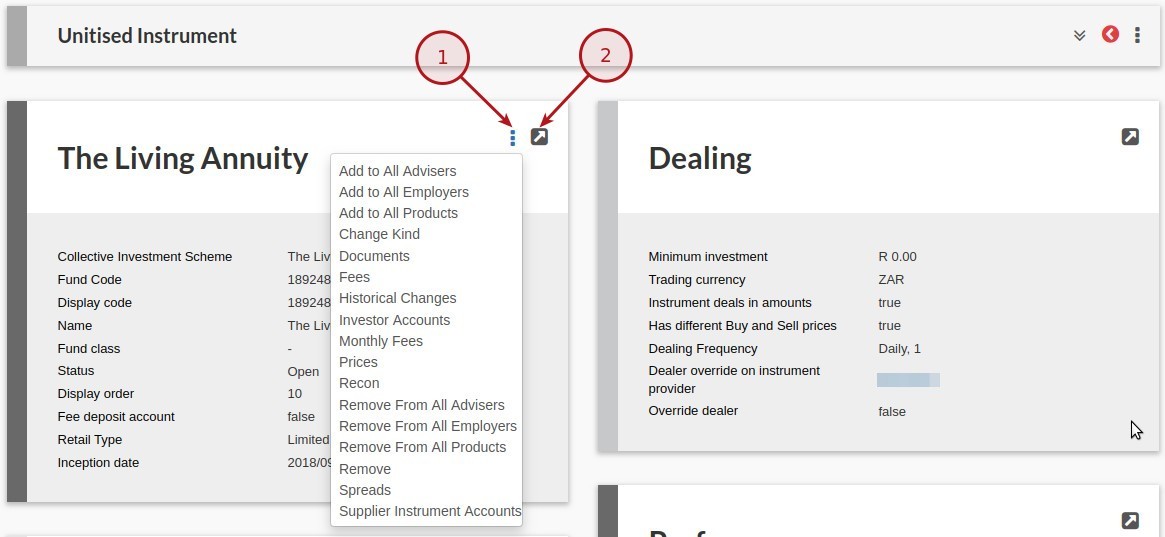
Some actions include:
- Fees
- Investor Accounts
- Monthly Fees
- Prices
- Recon
- Supplier Instrument Account
View Details
From the Instrument Card (2)View Details, you will be direct to the Instrument Page
More Actions
From the Instrument Page (1)More Actions, you have Actions available (Pending on Configuration, User-level and Instrument):
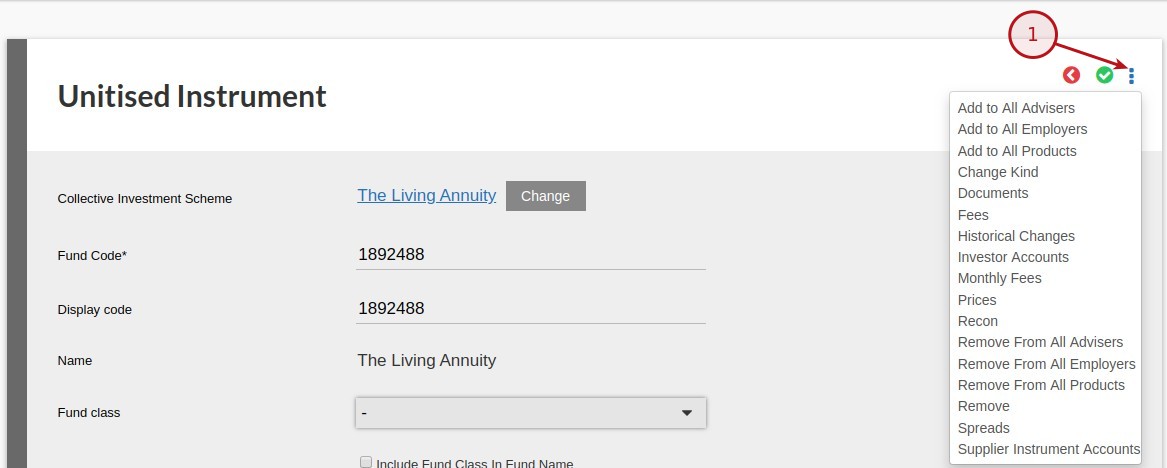
Actions include:
- Fees
- Investor Accounts
- Monthly Fees
- Prices
- Recon
- Supplier Instrument Account
Last Updated on 7 years ago by Tinus Burger