
Accrued Fees (Not Accrued)
Ongoing fees cannot be set/accrue on a contract if the fee type has not been set up on the product
Go to (1) System, then (2) Products, select the required (3) Product hyperlink

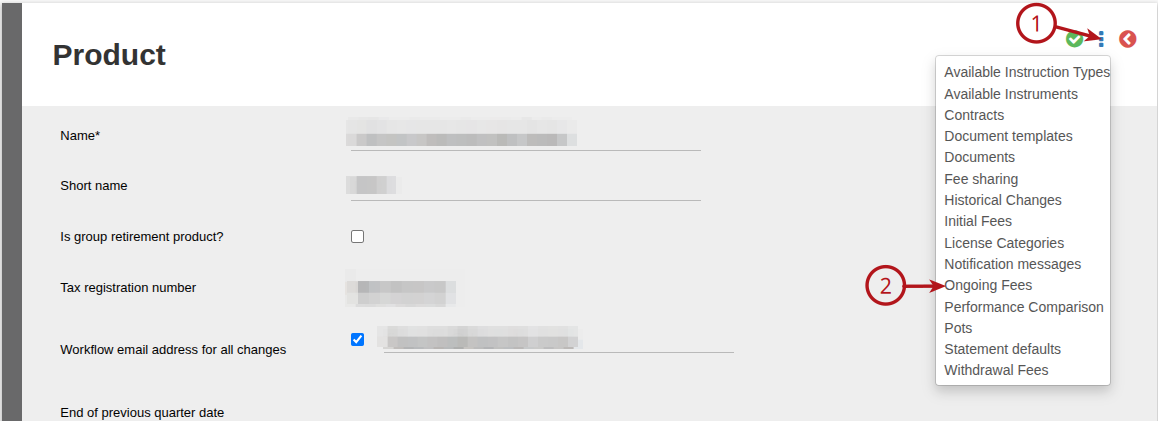
Select Add

The fee type can be defined on the product and set as Fee Rate zero. This will allow the ongoing fee type as defined to accrue on investor accounts for the product (in this example ongoing adviser fees), should there be accounts with Advisers with ongoing fee rates.
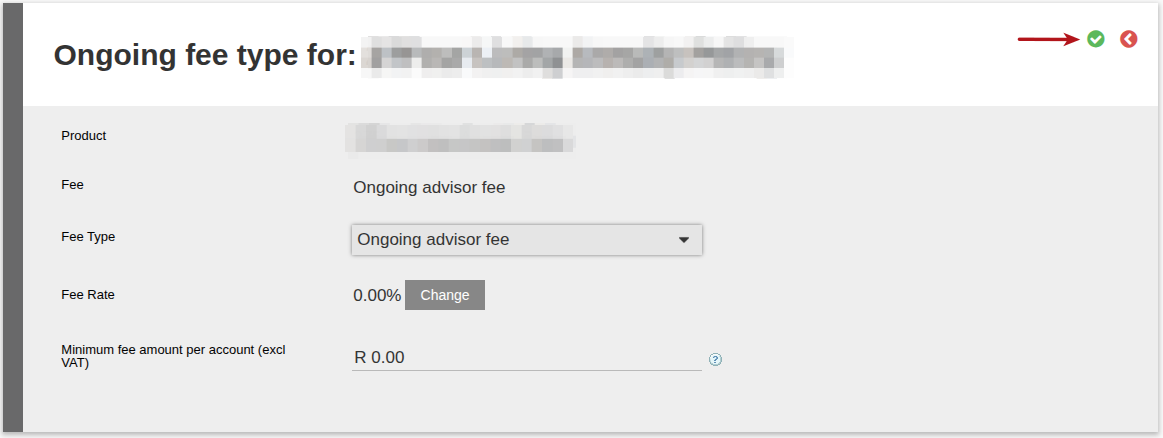
The following instances can occur with ongoing adviser fees (OAF):
- an adviser with a 1% OAF is set to advise an investor account on a product without the OAF fee type defined on the product
- an advisor with a 0% OAF is validly the adviser of an investor account on a product without the OAF fee type defined, but the advisor’s fee rate is later set to 1% on the adviser
In both the instances above the system will display a warning message, which can however be answered with Yes or No.

The report Accrued Fees (Not Accrued), will provide details of the accounts, where the ongoing adviser fee will not accrue on the account as the ongoing fee type has not been defined on the relevant product (Reports->Accrued Fees (Not Accrued)).

Last Updated on 1 year ago by Debra Hart