
Add client account summary table to statement
From the main menu select “System” -> “Statement defaults”
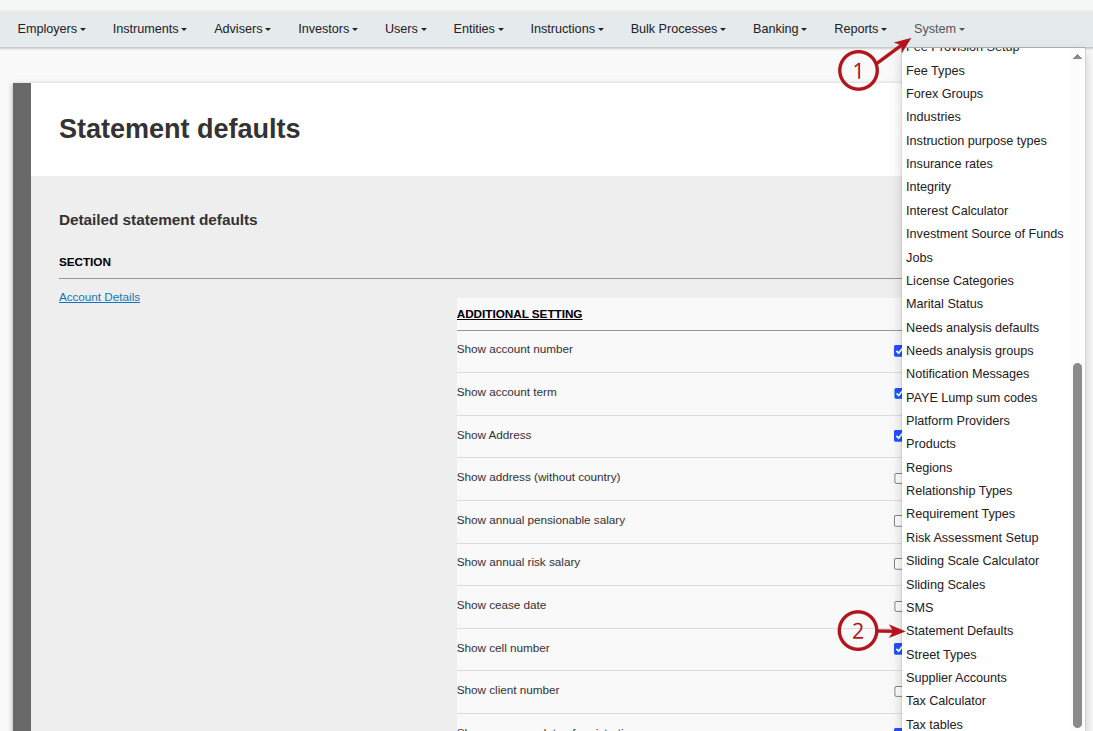
-> find the section for “Client Account Summary” and select “Additional Setting” from here find the “Client account holdings summary” section and select the holdings you wish to have displayed on the statement.

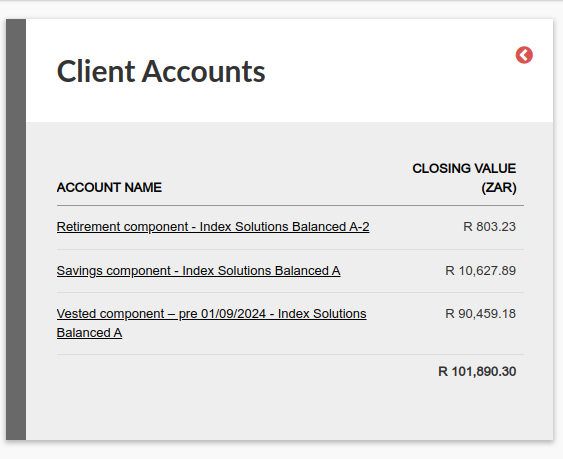
When navigating to the contract you can note the client account holdings under instrument holdings.
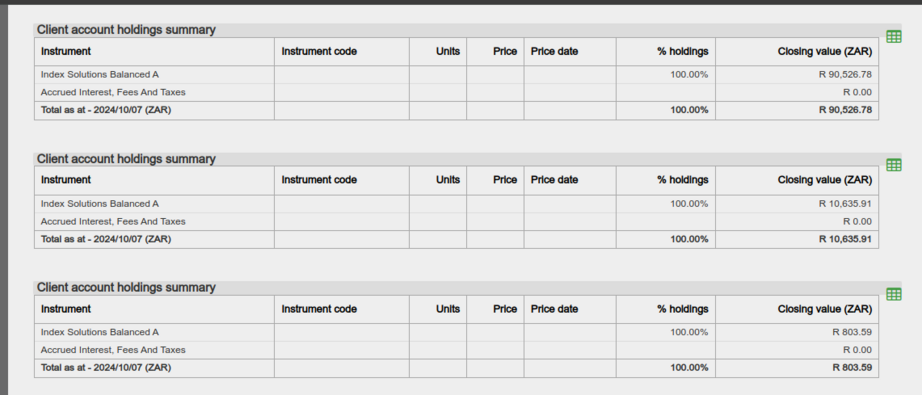
When statement is generated the holdings will display as below on the statement.
Last Updated on 1 year ago by Debra Hart