
Adding an Instrument Account
Whenever a new Custodian/Dealer/Instrument combination is required, for instance when the Dealer on an instrument changes or a new Instrument is created, the system will automatically create the new Instrument account when the first transaction into this Custodian/Dealer/Instrument is executed on the system.
Should you however want to setup the bulk account number for the instrument account prior to making any investments, the instrument account can also be created manually.
Go to the Supplier Instrument Account of the relevant instrument
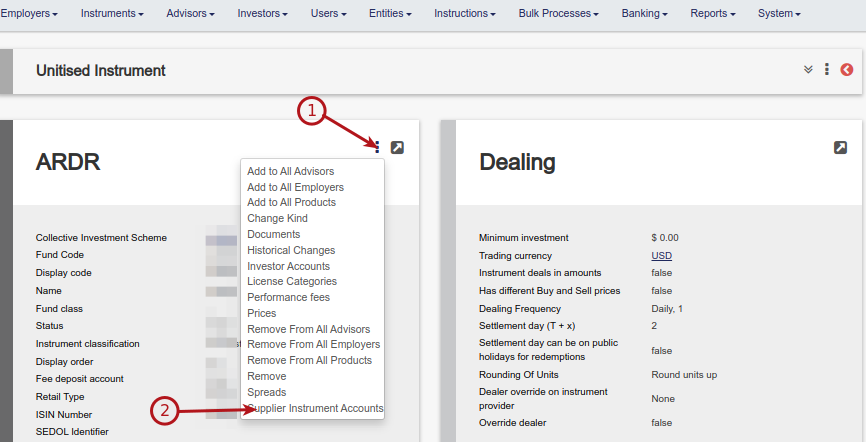
Select the add button

Select the relevant Custodian from the drop-down list

The system will select the Dealer as set on the instrument and create the instrument account, where you can enter the bulk account number
Last Updated on 4 years ago by Antoinette Van Meyeren