
Change Instrument Kind
Background and Limitations
Finworks Support Team have functionality to change an Instrument kind to a different instrument type. See below table where conditions apply on what Instrument kind change can be applied:
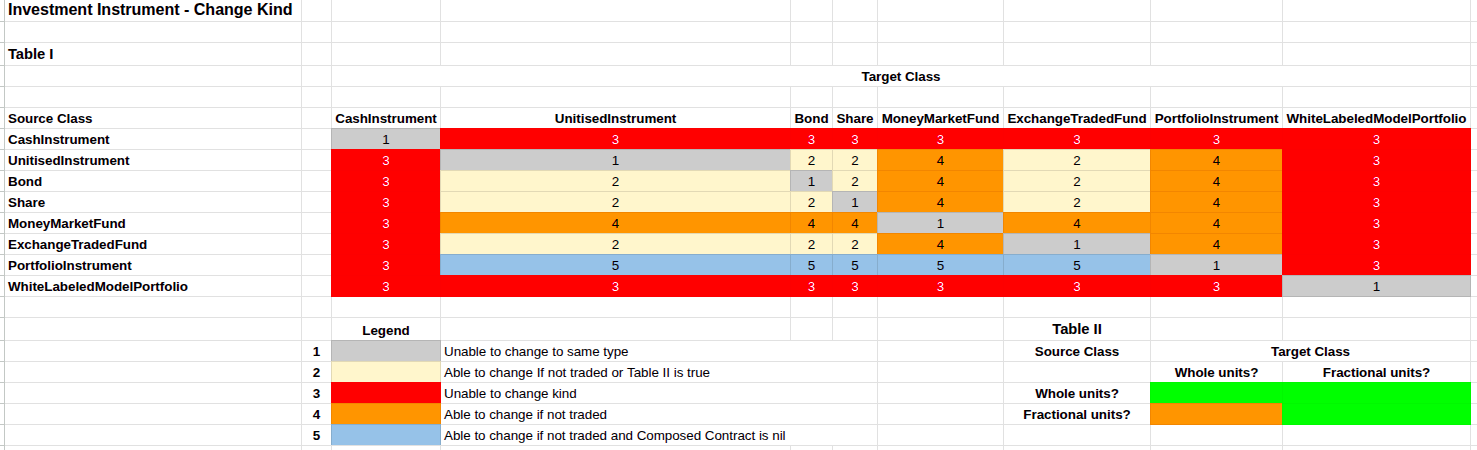
Further limitations include:
- You can only change a Portfolio Instrument to a Unitized Instrument if there is no Composed Contract linked, nor any transactions or instructions linked to this instrument.
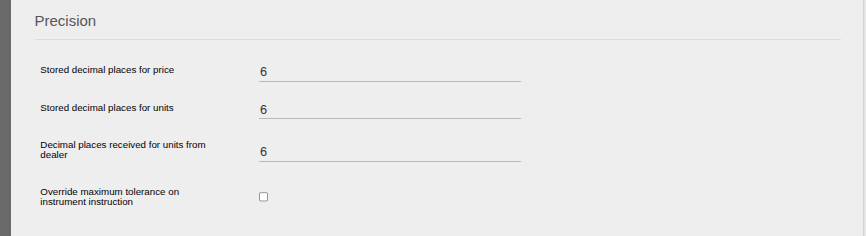
- You can change from an instrument with no decimal places in its price to a kind with decimal places as zero decimal values will just be added at the end of the price. Once this has been changed, ensure the decimal places on the Instrument is updated as required (Instrument > View Details). However you can not change from a kind with decimal places to a kind without, since the rule to use when rounding cannot be standardized.
How to Change Kind
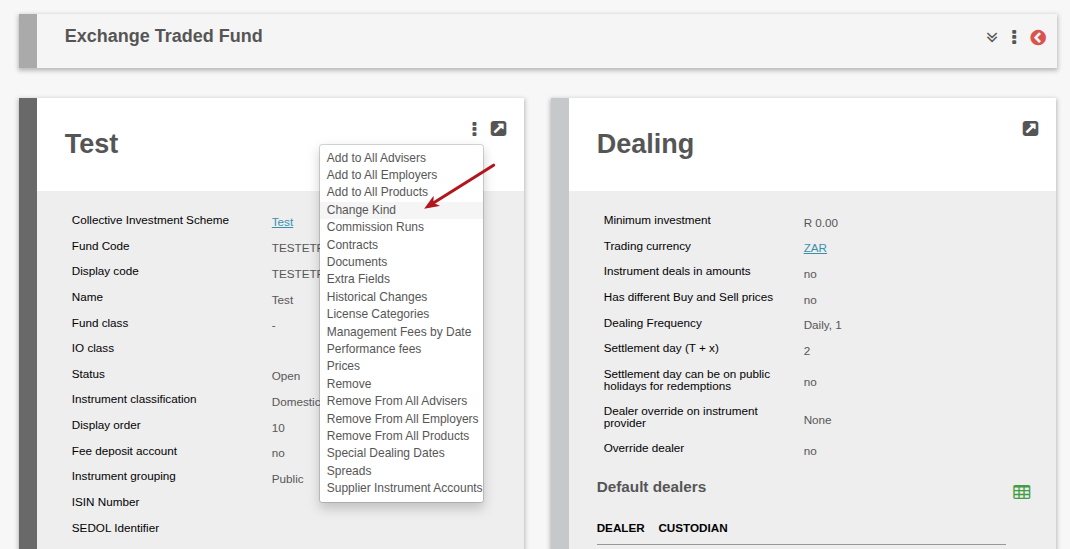
Navigate to Instruments -> select instrument type from menu to view all instruments of that type -> select instrument -> from instrument card -> more actions -> ‘Change Kind’
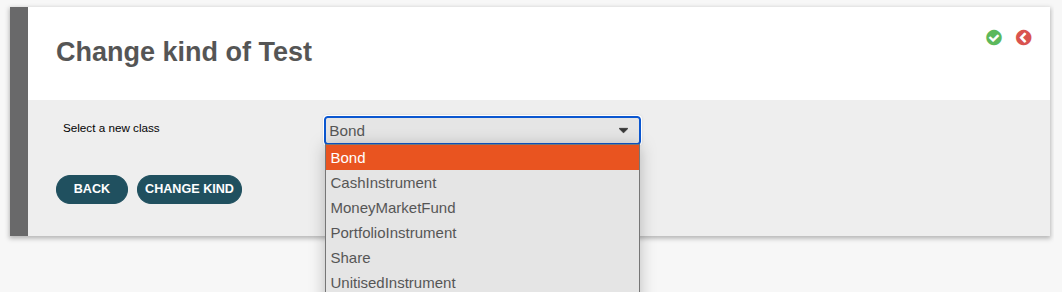
A warning will be displayed to confirm the Instrument change kind.

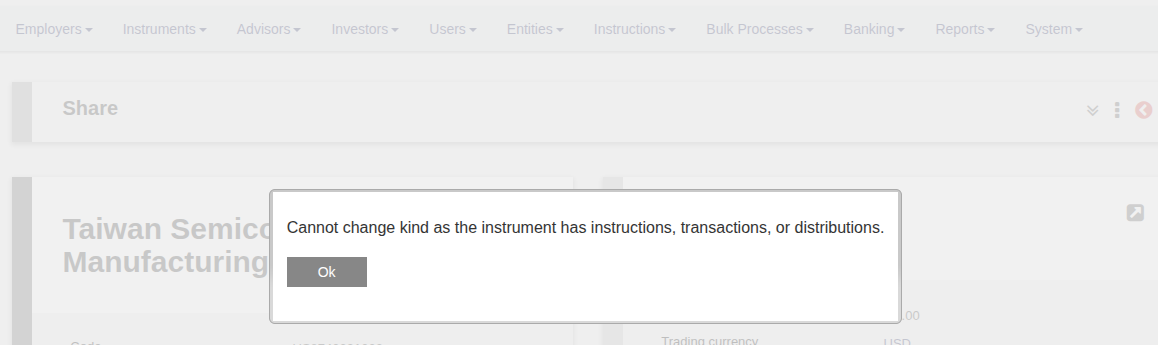
If the instrument conditions are not met, a message will be displayed to indicate that the kind cannot be changed.
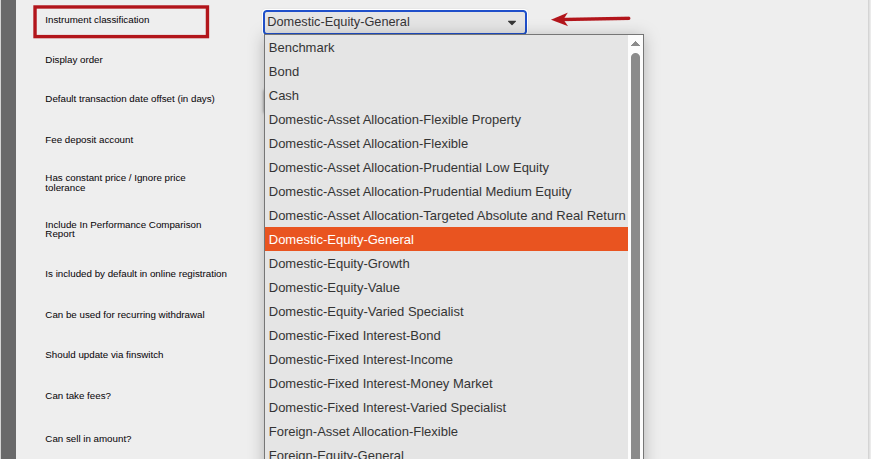
Once the Instrument kind has been successfully changed, the Instrument classification must be updated as required. Instrument > view details > select the required classification> save.
Last Updated on 6 months ago by Debra Hart