
Archive Documents
- All documents on an entity (person or company) or an account can be archived by a user with the global permission ‘Archived documents’.
- Archived documents will still be available on the system, but only visible to users with the global permission ‘Archived documents’.
- Archive Documents On an Entity
- Archive Documents On an Account
- Archive Individual Documents
On an Entity
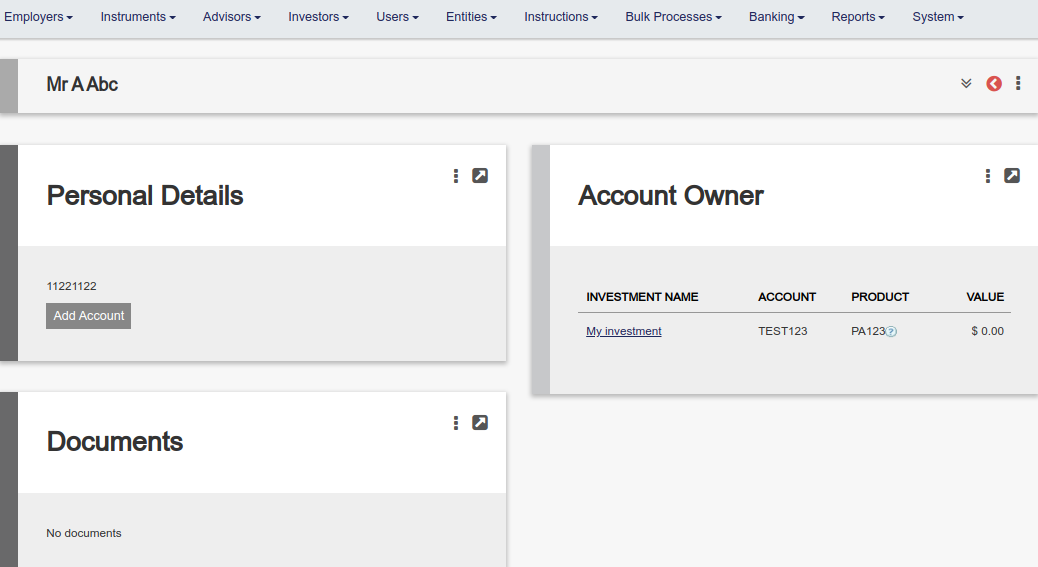
Go to the documents card on an entity
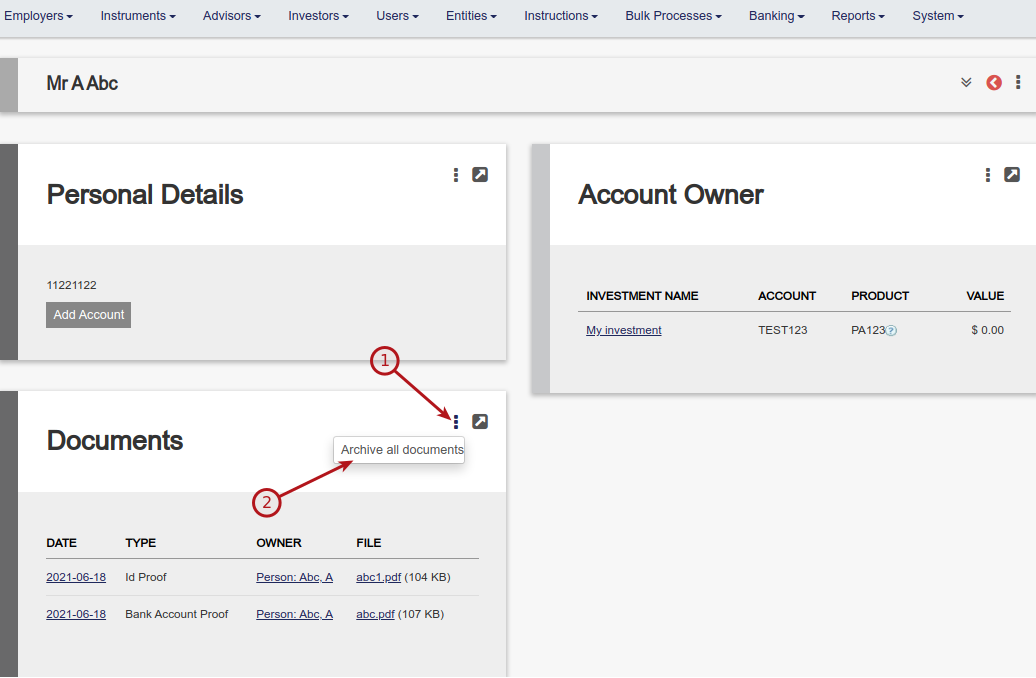
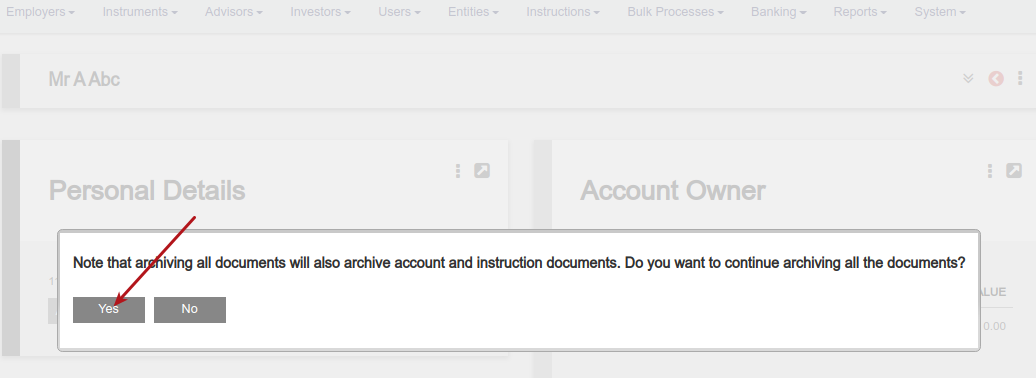
A screen message will appear to warn that all documents on the entity, account/s and instructions will be archived
Documents will still be visible to users with the global permission ‘Archived documents’
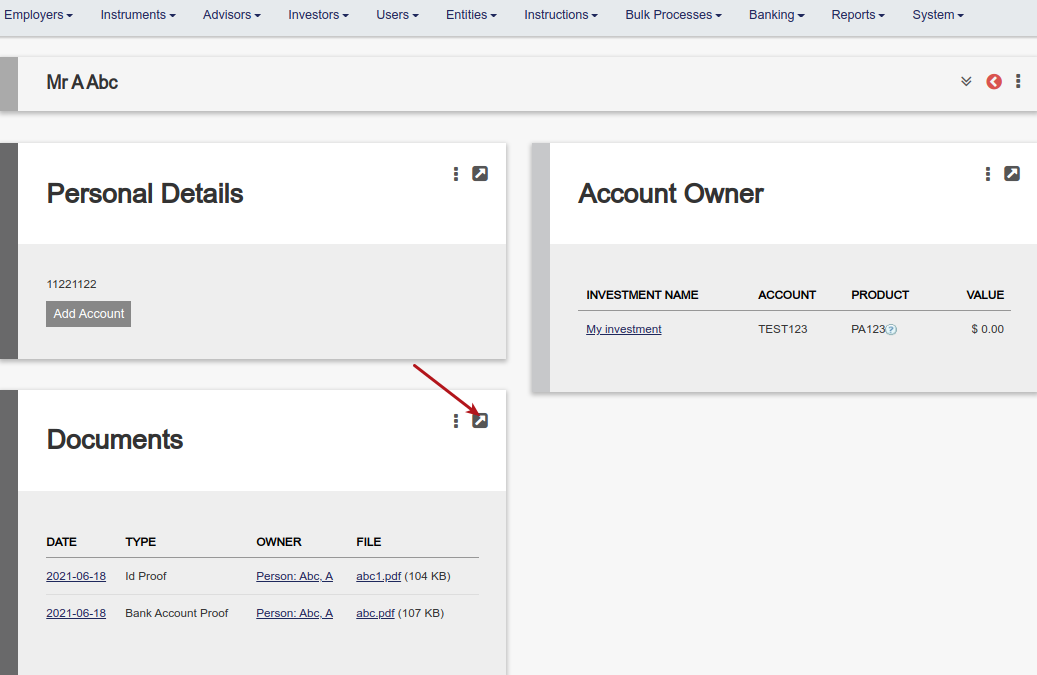
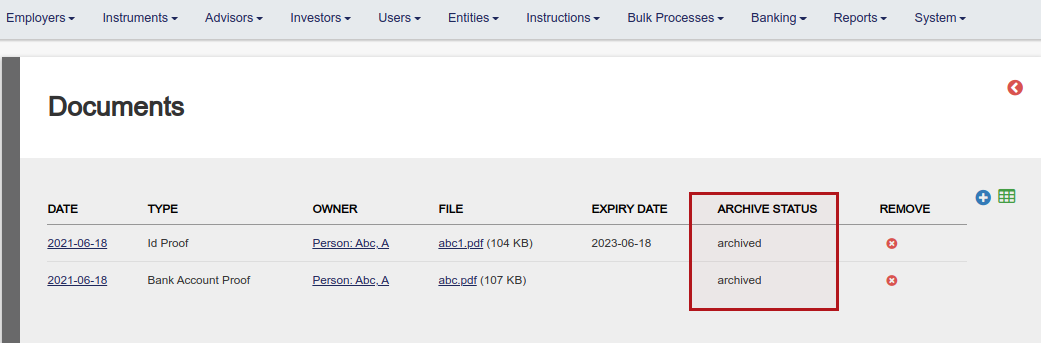
Users without the permission will see an empty document card
On an account
Alternatively, only documents on an account and documents on instructions on the account can be archived (excluding documents on an entity level)
Go to the documents card on an account
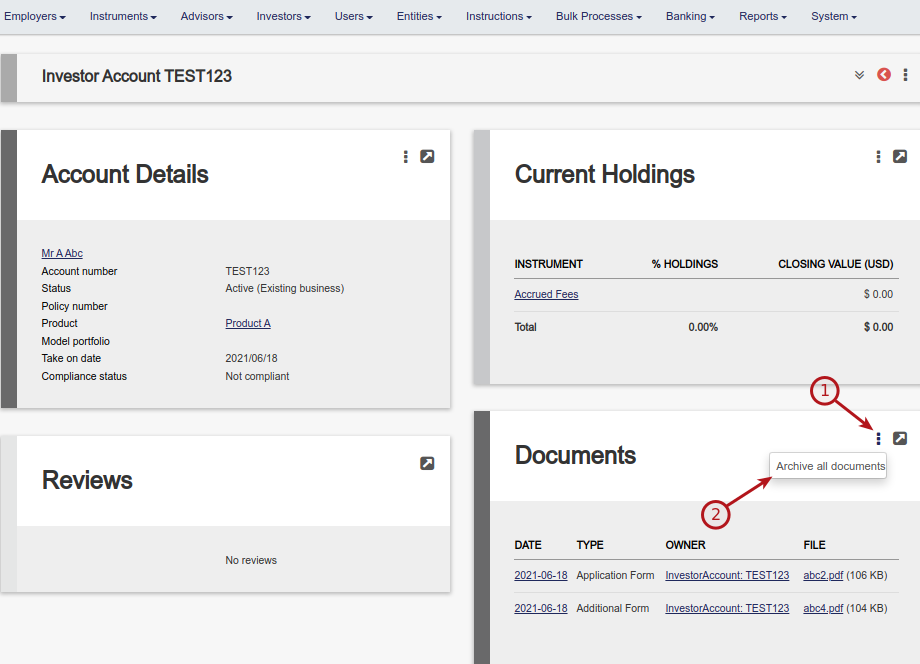
On selecting ‘Archive all documents’ all documents on the account and on instructions on the account will be archived.
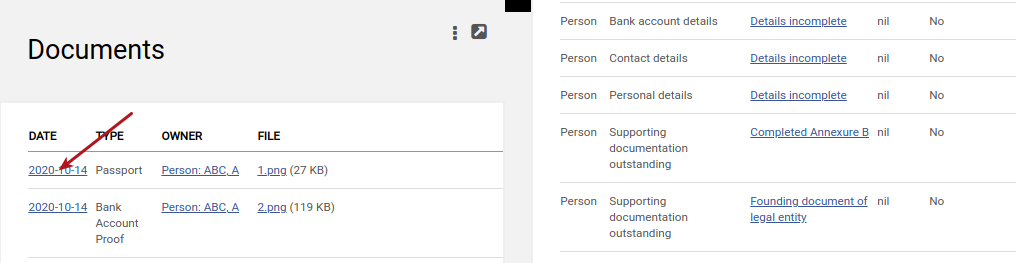
Individual documents
Select a document on the document card
Tick ‘Archive status’ and save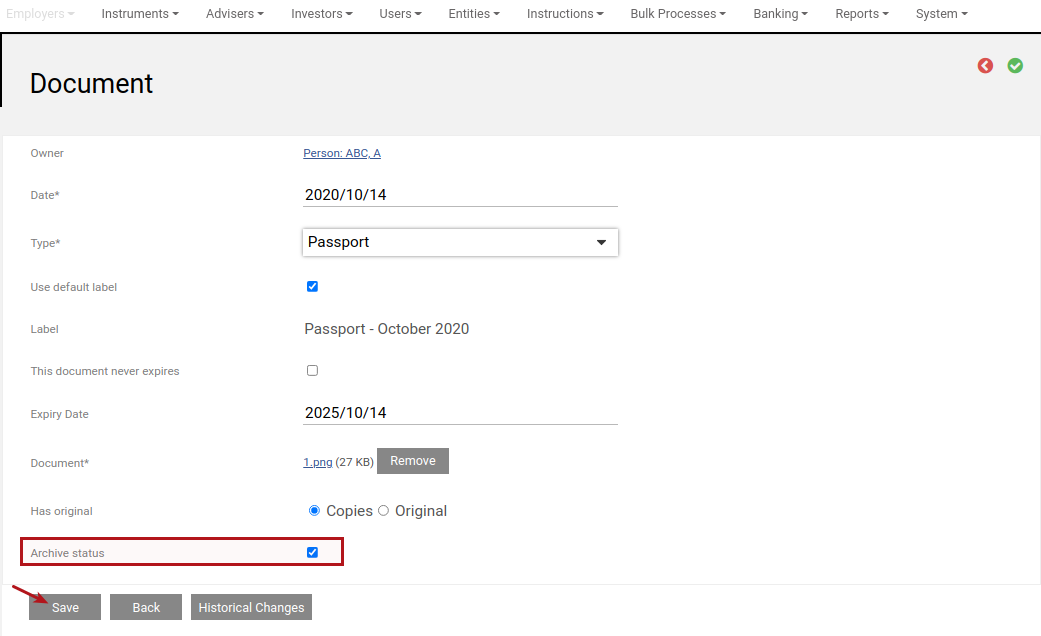
Last Updated on 3 years ago by Tinus Burger