
Asset Allocation on CIS and instrument without CIS- Actual Asset Allocations
Actual Asset Allocation is how much of your portfolio is placed in those assets day-to-day and changes with market growth.
- The real-time percentage of your fund sitting in cash, shares, property, or foreign markets.
- Managed actively by your asset manager based on market performance and investment strategy.
- Constantly fluctuates due to daily stock movements, currency shifts, and economic changes.
Also see Adding Asset Classes
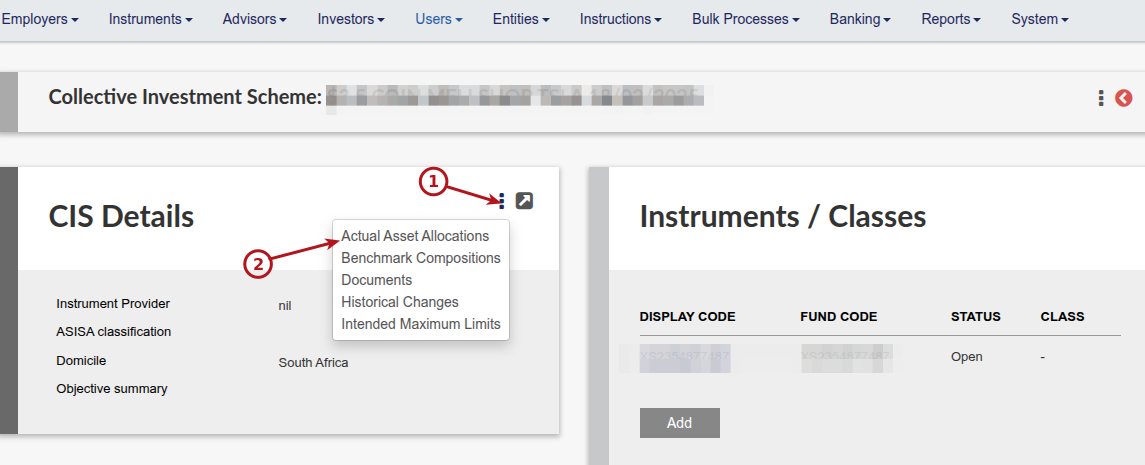
A. Go to the relevant Collective Investment Scheme (CIS) (Instruments->Collective Investment Schemes)
Set the Actual Asset Allocation on the Collective Investment Scheme (CIS). The values as set will apply to the Instruments linked to the CIS.
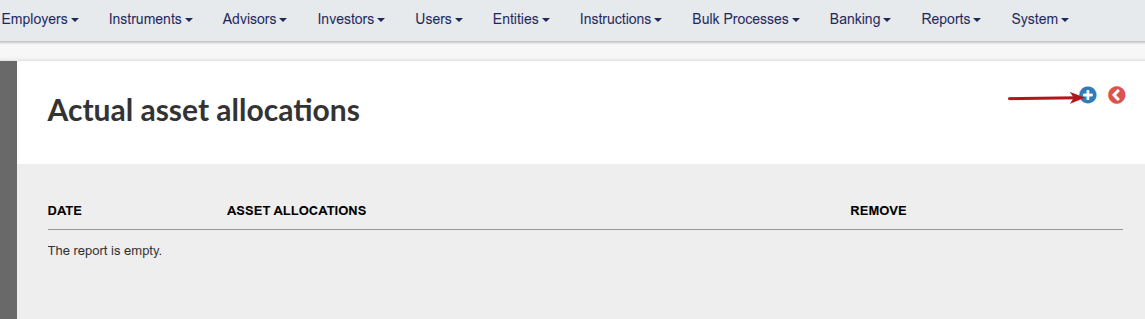
Specify the date of the Asset Allocation
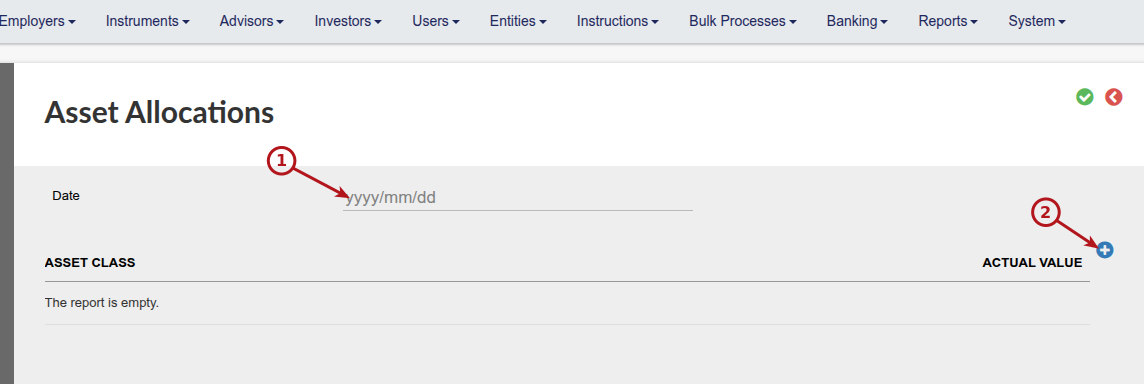
Select the relevant Asset classes, one by one, from the drop down list, add the actual value and save
NOTE: If parent and sub classes are involved, only the sub classes must be updated and add up to 100%. The system will from this do the calculation to determine the splits on the parent classes.

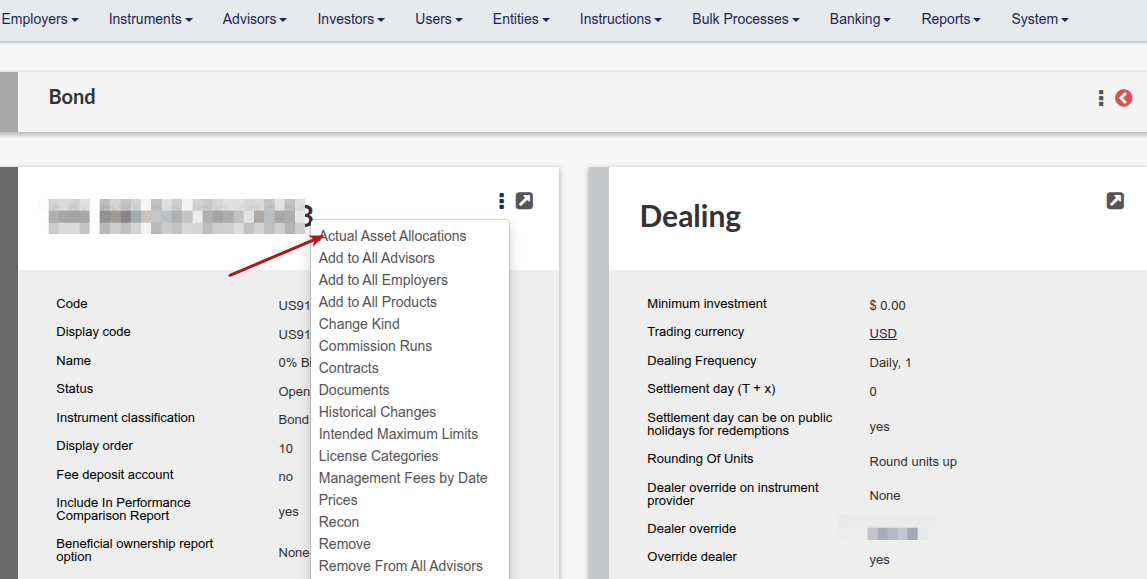
B. For instrument without Collective investment Schemes, go to the instrument and follow the same process
Actual Asset Allocations will be displayed as a graph on the Asset Allocation card on the Investor Account. View Details will display the allocation in table format


Last Updated on 2 months ago by Antoinette Van Meyeren