
Strate Disclosure of Beneficial Interest Register Report
Also see Beneficial Interest Register setup
There are two File Layouts available for your report:
- Beneficial Interest Register Nominee is the input file layout prescribed for a FSCA Approved Nominee.
- Beneficial Interest Register Participant is the input file layout prescribed for Multiple Central Securities Accounts per file (Participant Layout B).
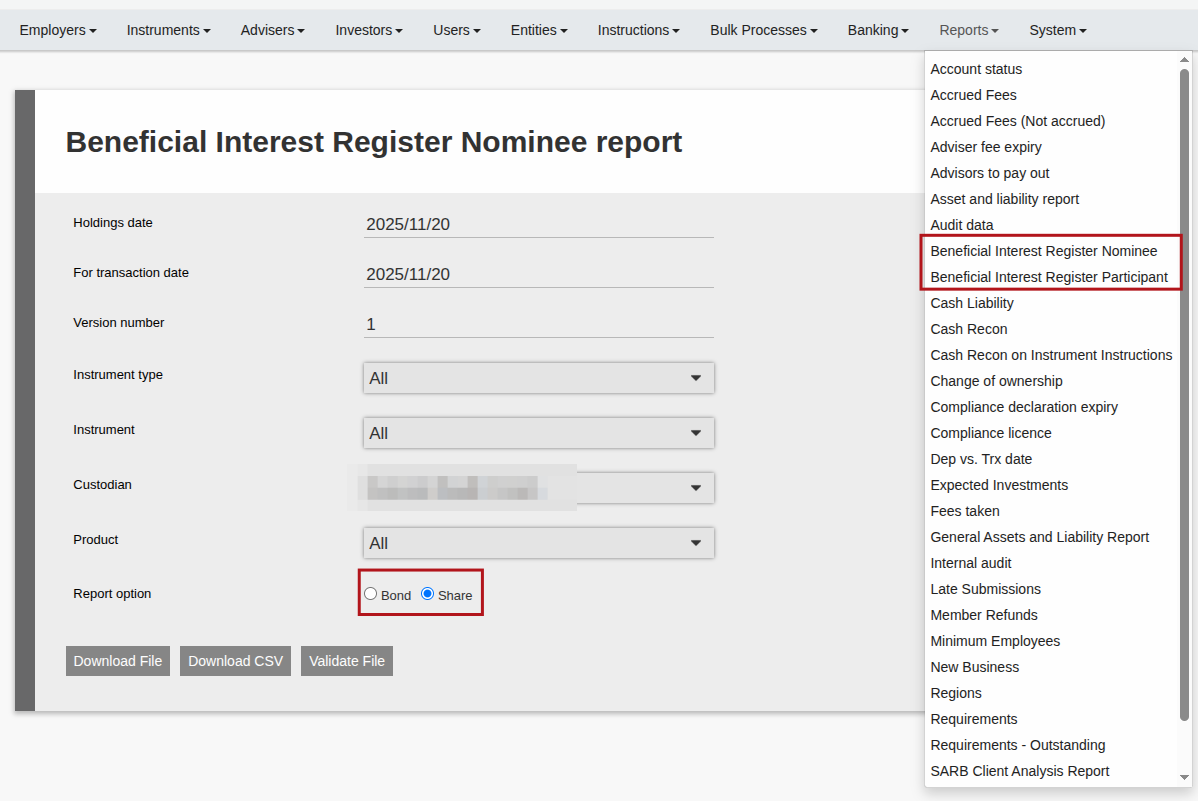
Once you have selected the Beneficial Interest Register Report, you must complete the following options:
- Holdings date: the date on which the record of Beneficiary holdings must be ascertained
- For transaction date: the date the system will use to determine the holdings
- Instrument Type: instrument types traded on an Exchange, choose all or a specific type
- Instrument: all instruments of chosen Instrument Type reflect here, choose all or a specific instrument
- Custodian: choose custodian for the report
- Product: choose all or a specific product
- Report option: choose if it should be generated for bonds or shares. Note that on each instrument you can define whether the instrument is a bond or a share and that will determine which instruments are included in which file.
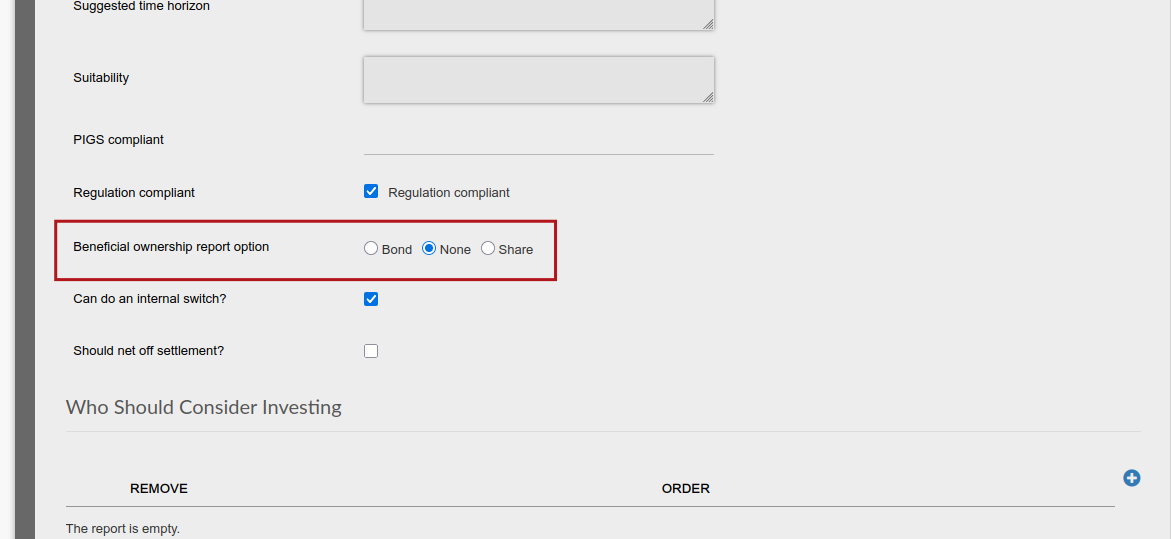
To define whether the instrument is a bond or a share the following steps need to be taken, navigate to the instrument, expand the instrument details card and scroll down to “Beneficial ownership report option” here you can make the selection and save.
Button options:
- If you click on Validate File, you can validate the file content and you will see what is missing on which contracts.
- When clicking Download File the validation will also be done however you will still be able to download the report without correcting any missing information on contracts.
- Download CSV allows you to download the data in a CSV format which enables easier data analysis, but won’t be used when submitting to Strate.