
Branding Tax Certificates Per Brokerage
Tax Certificates can be generated, with Brokerage-level branding. This will apply to the following certificates:
- Interest and Dividend Certificate
- Gain and Loss Certificate
- Capital Gains Certificate
- Tax Free Investment Certificate
- Contribution Certificate
In order to use this, navigate to the relevant Brokerage, and on the Brokerage Card click on View Details -> there is an option to select “Use brokerage logo on tax certificates”

Once this option has been ticked the logo can be added under the “Company details” card of the brokerage. Select the appropriate Logo, width on the certificate and alignment.
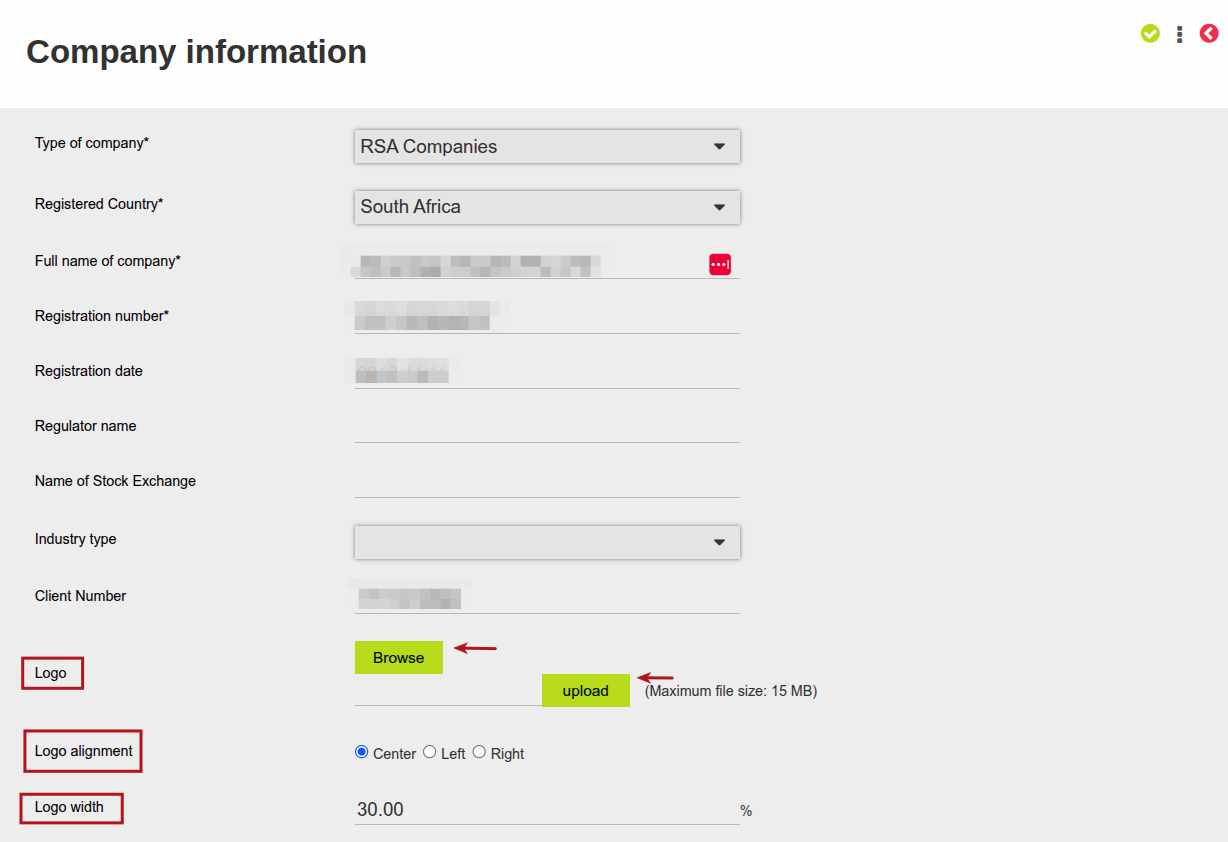
If this is setup, then the tax certificates listed above for all contracts (where the specific certificate is switched on to be generated) where the advisor is linked to this Brokerage, will have the Brokerage logo instead of the logo as per the product level setup.

Last Updated on 3 months ago by Hayley Jerram