
Brokerage Transaction Flow Report
This report provides the net off of transaction inflows and outflows based per instrument for all Advisors linked to the Brokerage. Included in this report are all fees applied.
How to use this feature
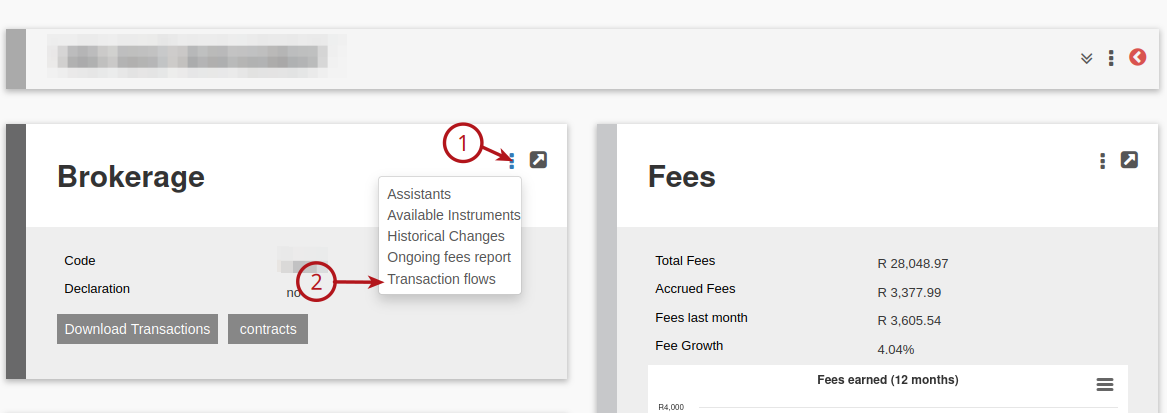
Navigate to the required Brokerage, (1) View Details on the Brokerage Card and select (2) Transaction flows
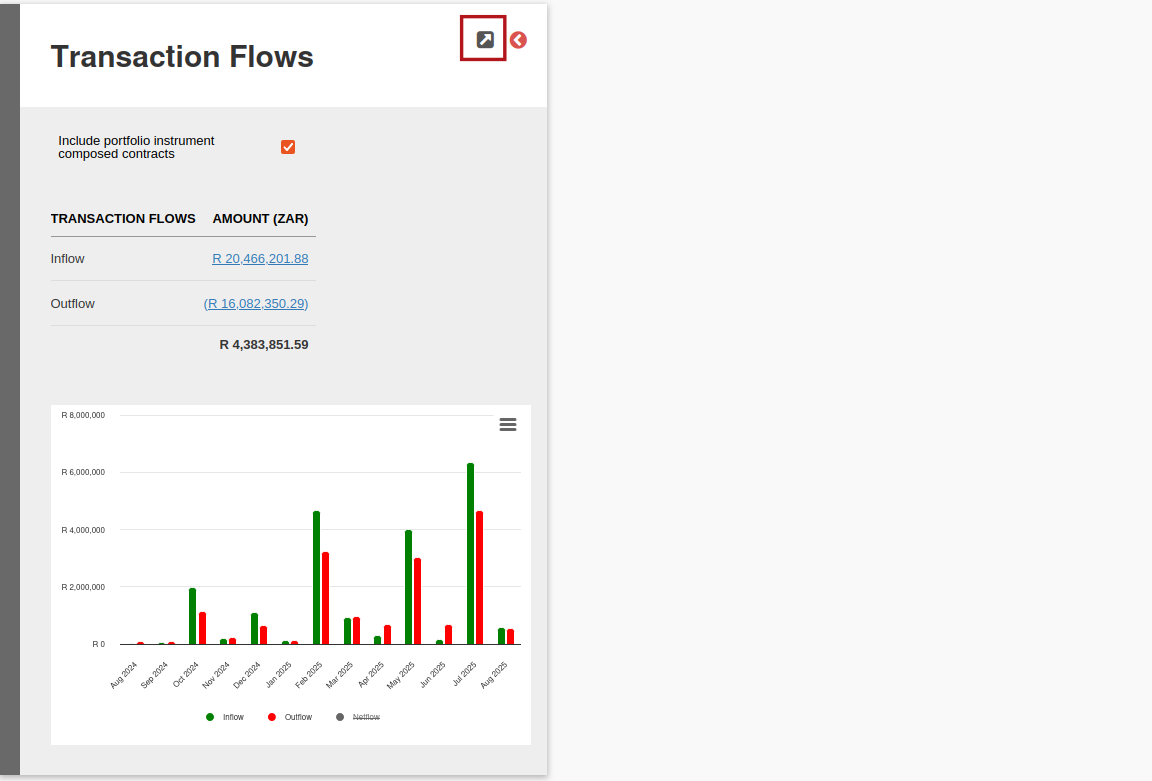
The Transaction Flow Card will provide a summary of the Inflow and Outflow across all Instruments. To generate the Transaction Flow report, select View Details
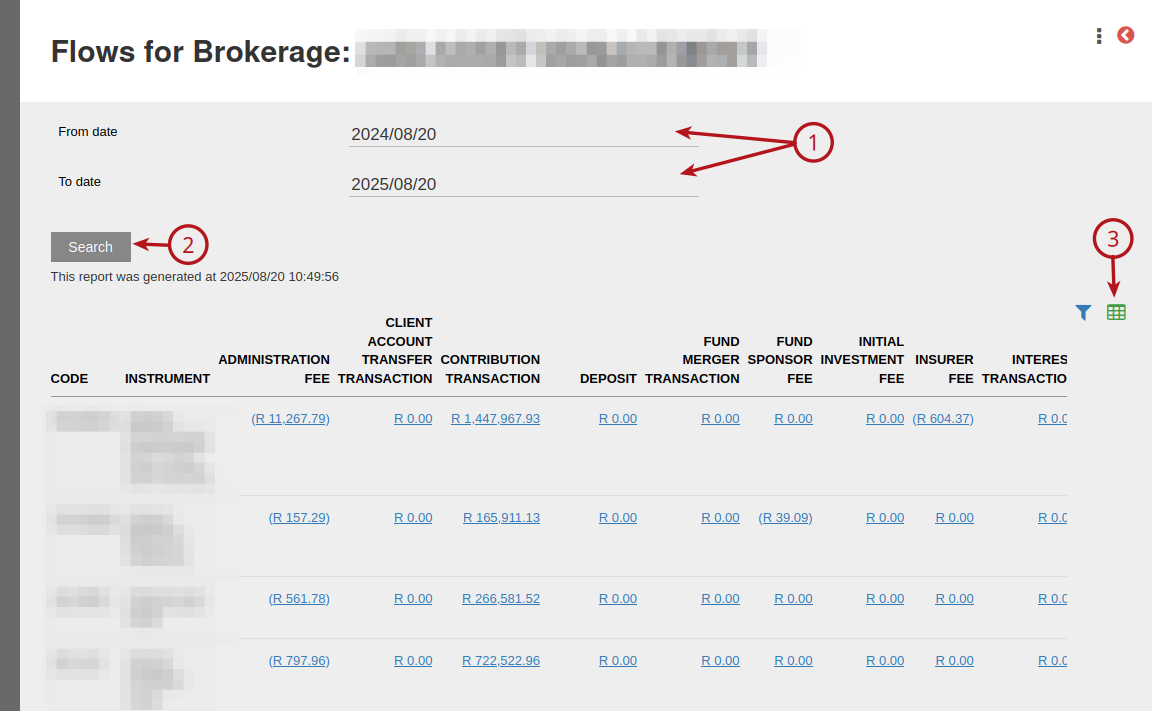
Select the (1) From and To Date required, then (2) Search. Once the report is generated, it can be exported.
Last Updated on 1 year ago by Debra Hart