
Bulk Exits
The Bulk Exits screen (Bulk Processes->Bulk Exits) display Account Statuses that have been marked as ‘Add to bulk exit’ on the account status.
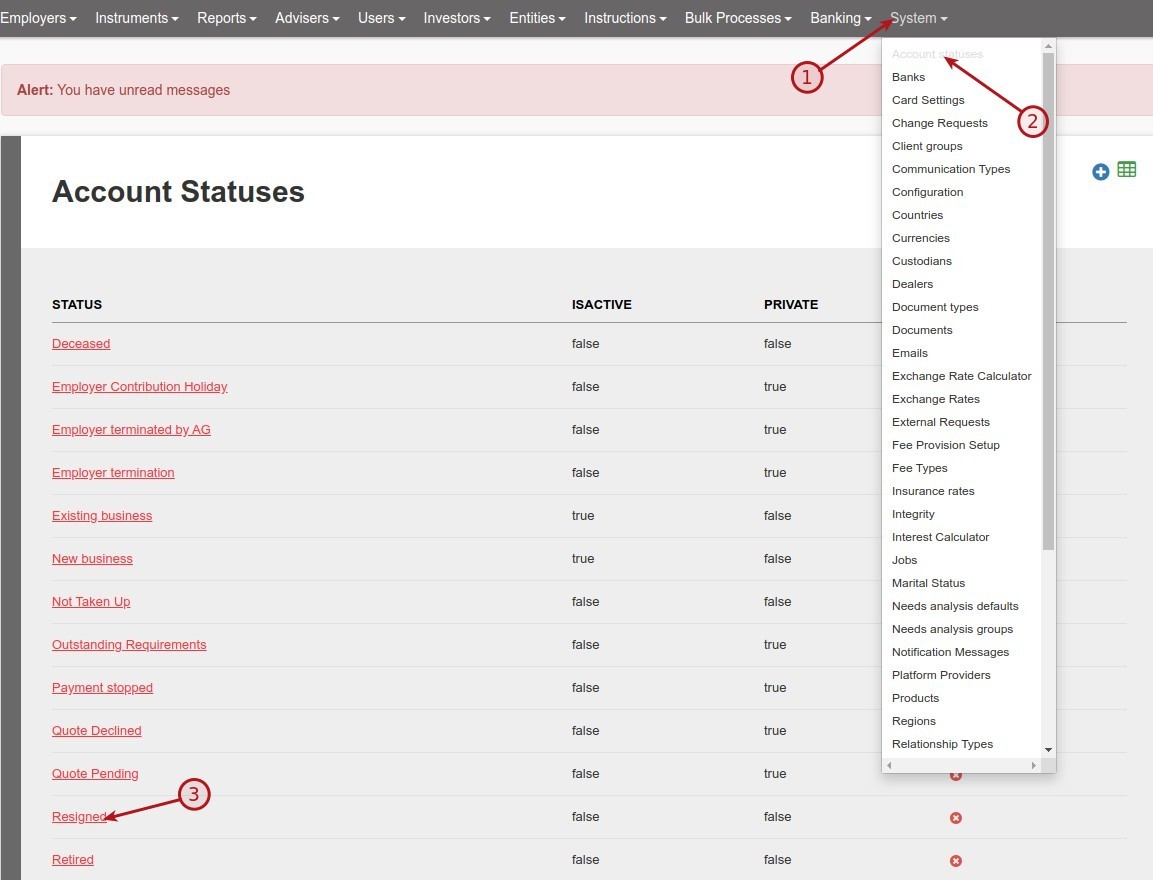
From the System Main menu, go to Account statuses:

On the bulk Exit screen, bulk emails can now be send out as setup on the Account Status:
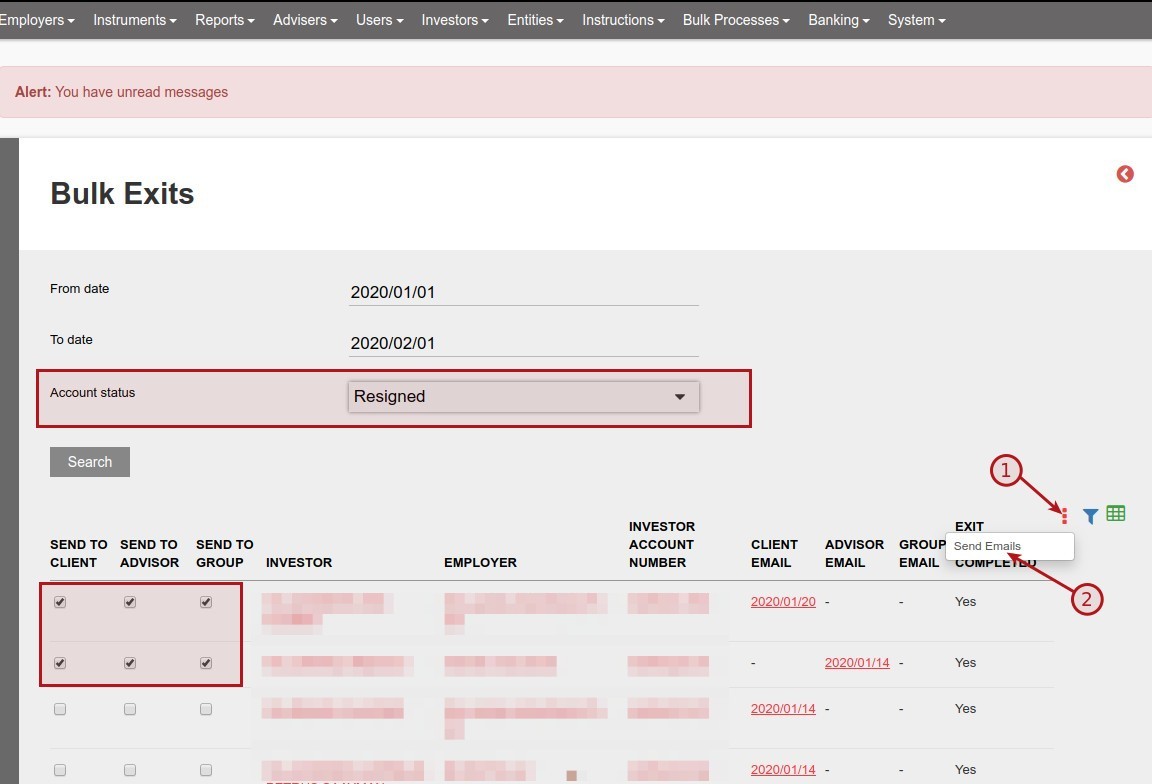
On the Bulk Exit screen, for the Account status Deceased emails can only be sent to the workflow, no email will be sent to the client, advisor or group.

Last Updated on 4 years ago by Tinus Burger