
Calculating Insurance Premiums and Benefits
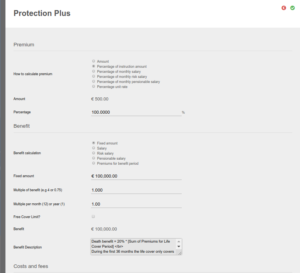
The insurance premium/amount is part of the Instrument Selection on an investment and can be calculated based on the following. This can also be setup on the Insurance Instrument by navigating to Instruments -> Insurance Instruments and selecting the insurance instrument. That will then be default values for the instrument going forward.
- Fixed amount
- % of Instruction Amount
- % of Monthly Salary
- % of Monthly Risk Salary
- % of Pensionable Salary
- % Unit Rate (for every R10 or R1000, x%)
- Not Applicable
The Insurance benefit is also part of the Instrument Selection on an investment and can be calculated based on the following. Similar to the premium, this can also be defined on the insurance instrument as default values.
– Fixed amount
– Salary
– Risk Salary
– Pensionable salary
– Premiums for benefit period
A checkbox that says – Recalculate Benefit On Salary Update. This will update the benefit each time the investor’s salary/risk salary/pensionable salary is updated, depending on which benefit option was selected above.
Defaults for the calculation of premiums and benefits can be set on the insurance instrument and will pull through to new investment instructions that include the insurance instrument.
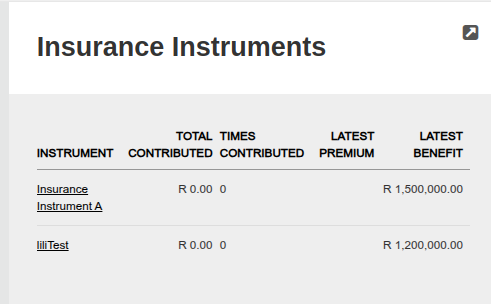
If Not Applicable is selected under “How to calculate premium” then the insurance instrument won’t be captured at the time of capturing an investment instruction. Once the investment instruction is submitted and authorised, then the insurance instruments will be visible under the Insurance Instruments card on the contract, or under Instrument accounts. This option must be used if insurance benefits are built into the investment product and the investor won’t be paying a premium explicitly.
The defaults can be overridden on the investor instruction.
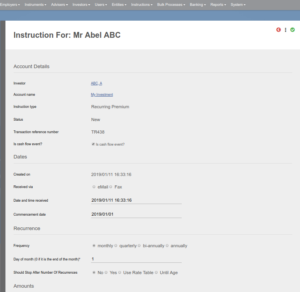
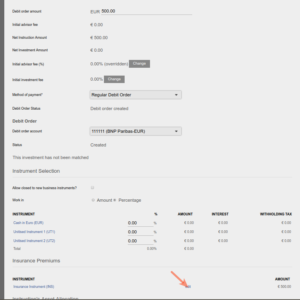
The % of Salary, – Risk Salary and -Pensionable salary options will only be visible if a Salary, Risk salary and/or Pensionable salary have been updated on the Investor/Member Account
Also see Insurance Instrument Cost and fees
Last Updated on 2 years ago by Adrienne Dill