
Card Settings on Investors
Which cards to display on investors can be activated/deactivated for all Investors on the System main menu and overridden on a product or investor level.
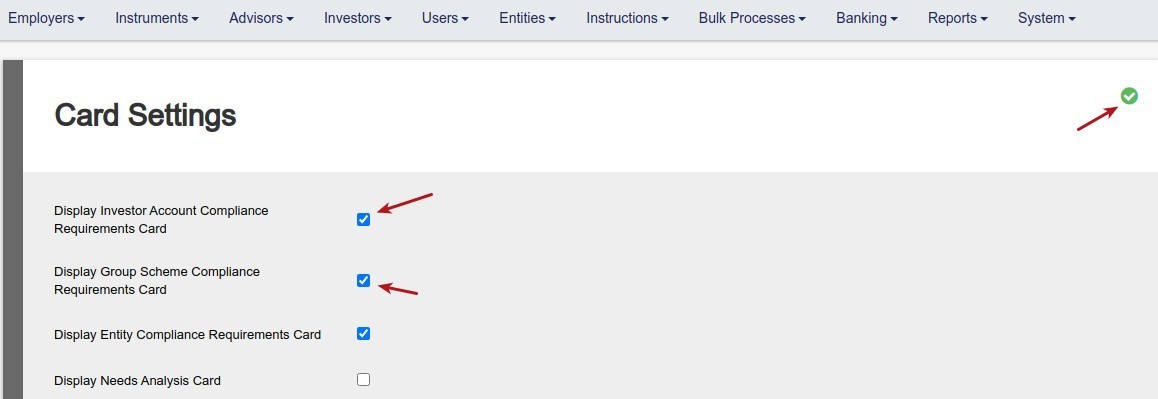
A. Go to System main menu->Card Settings

Select the cards you want to have display on all investors and save
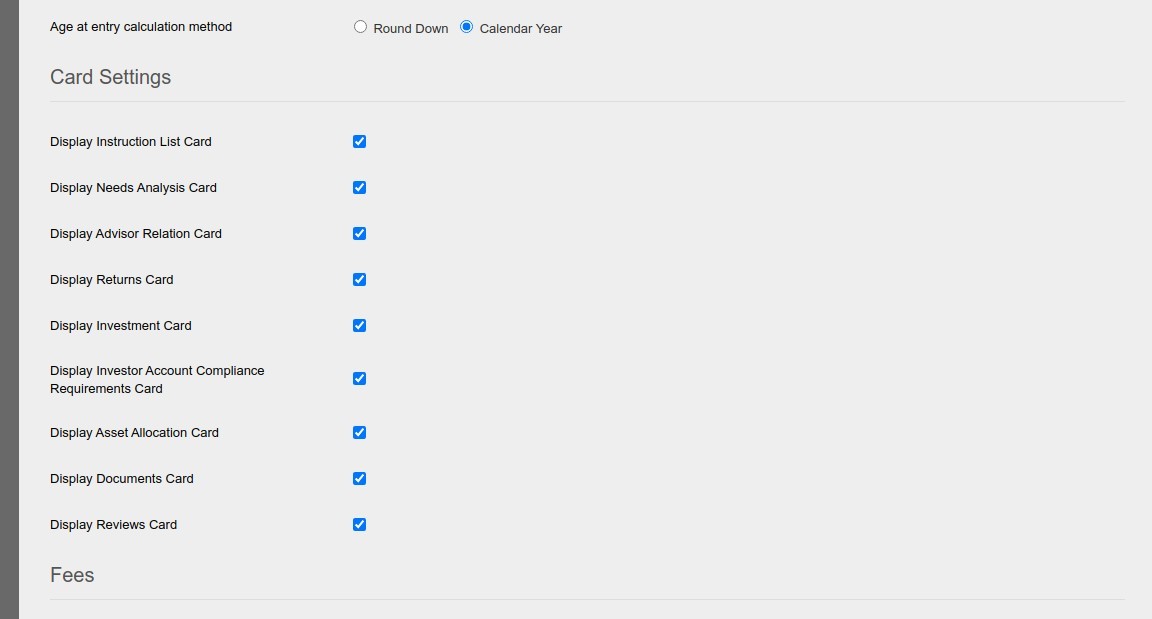
B. Card settings can be overridden on a product level.
Go to the relevant product and scroll down to the Card settings section
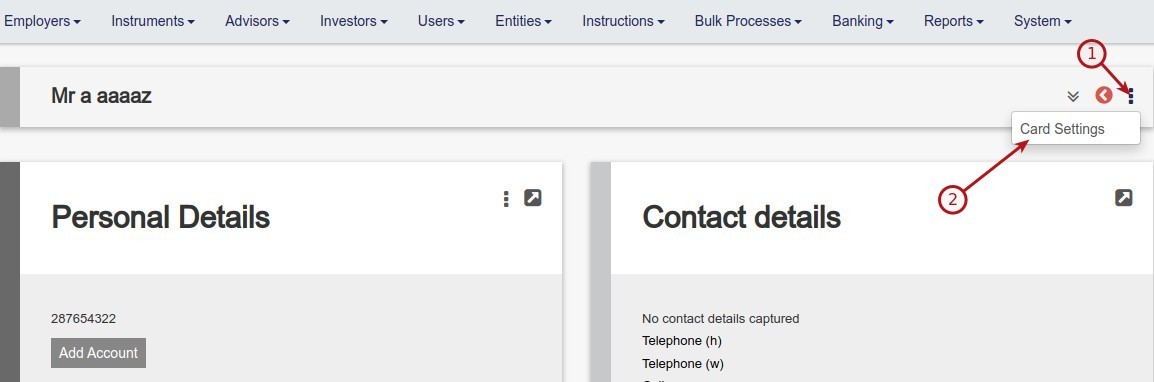
C. Card settings for individual Investors can be changed per investor on the investor screen
Last Updated on 5 years ago by Antoinette Van Meyeren