
Cashflow for dealer instruction:
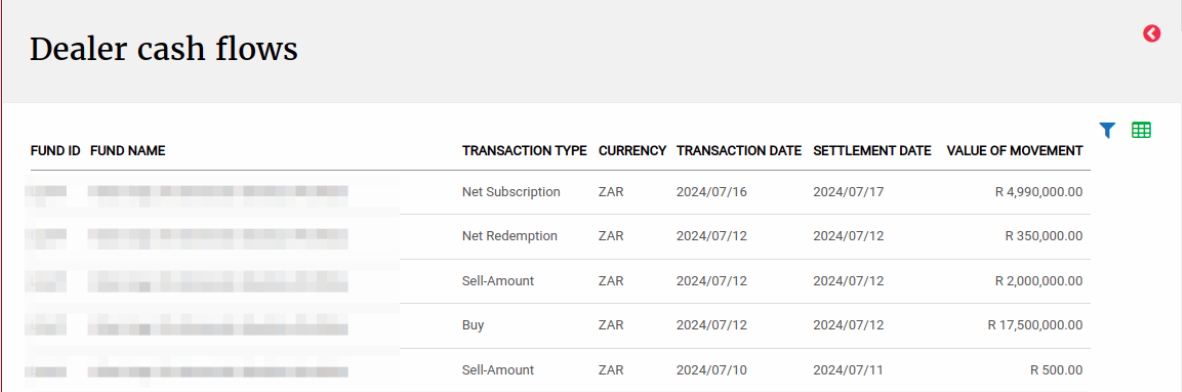
We built the functionality to show the net cash flows for each fund.
Go to (1) Bulk Processes, then (2) Dealer Instructions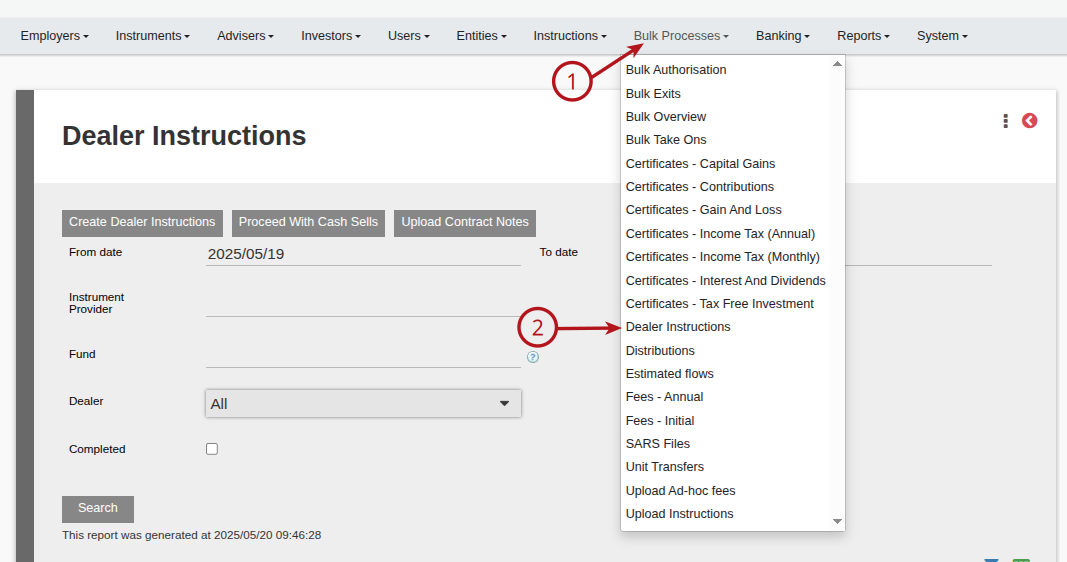
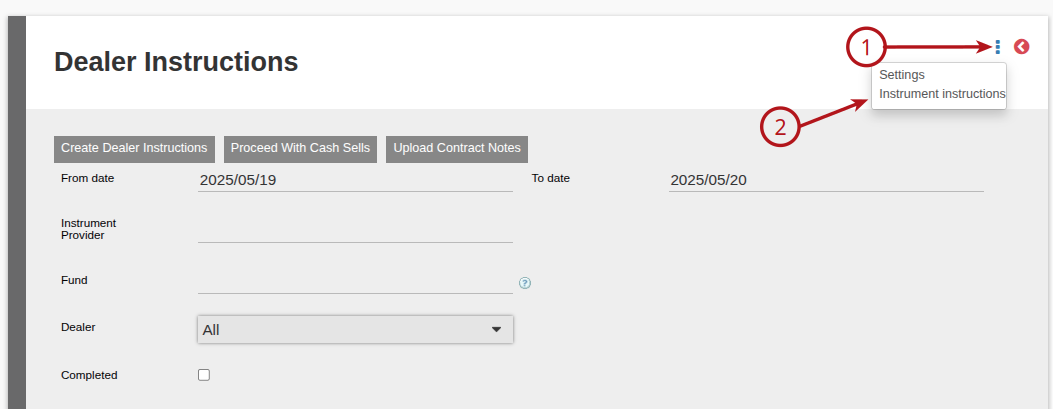
On the Dealer instructions select (1) More Actions, then (2) Instrument Instructions
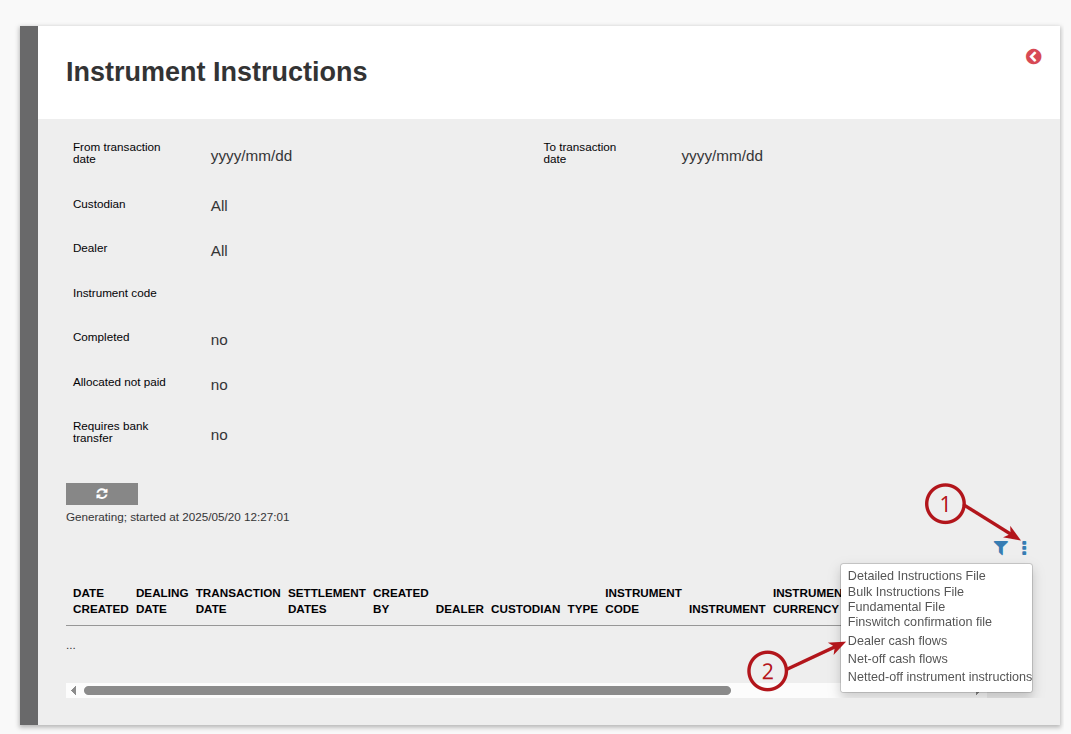
On the Instrument Instructions select (1) More Actions, then (2) Dealer cash flows.
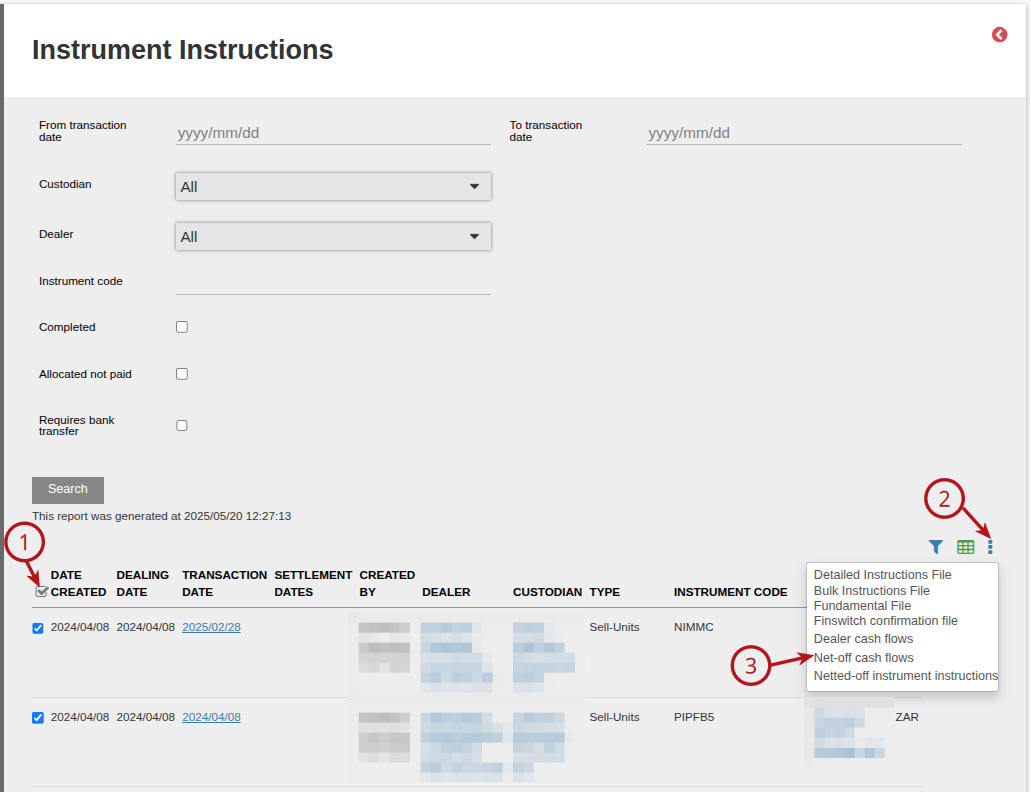
(1) Select the applicable instructions, you have the option to view the Net-Off transactions (if the instrument is set up to net off, we add investments, amount withdrawals and units withdrawals together). Select (2) More Actions, then (3) Net-off cash flows.
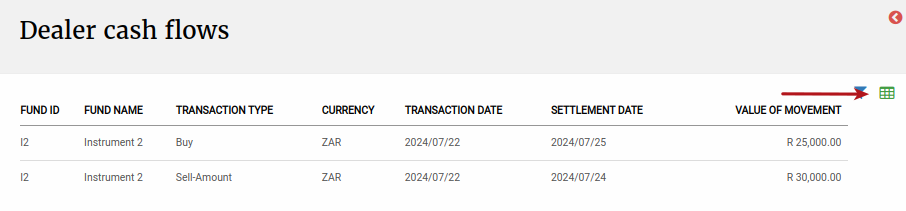
If the Instrument is not set to Net-Off, then the Dealer Cash Flows report will show a line item for each of the buys, unit sells and amount sells. This Report can be exported.
Last Updated on 1 year ago by Debra Hart