
Change a Financial Adviser on a Contract
Before processing a Change of Financial Adviser, all fees due to the previous Financial Advisers needs to be processed.
Go to the previous Adviser card on the relevant contract
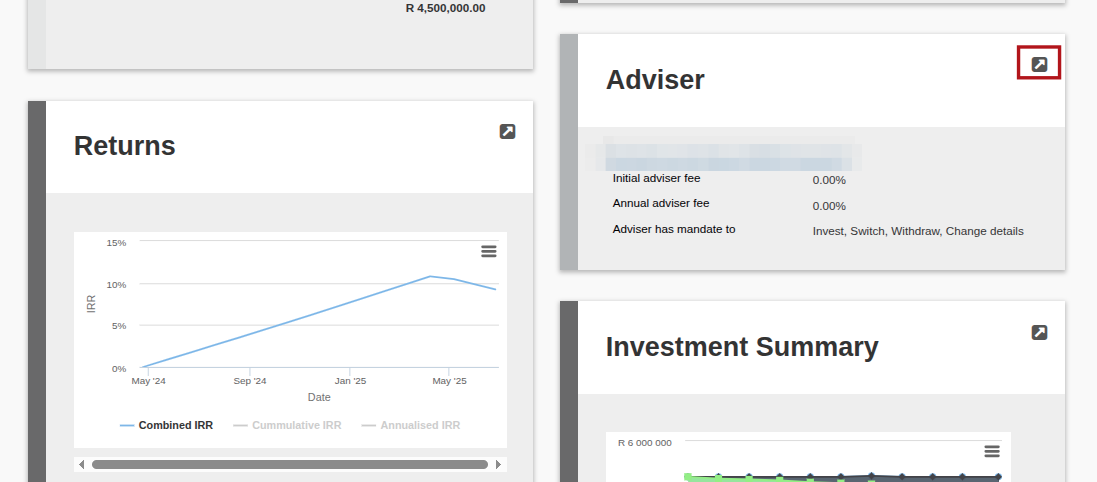
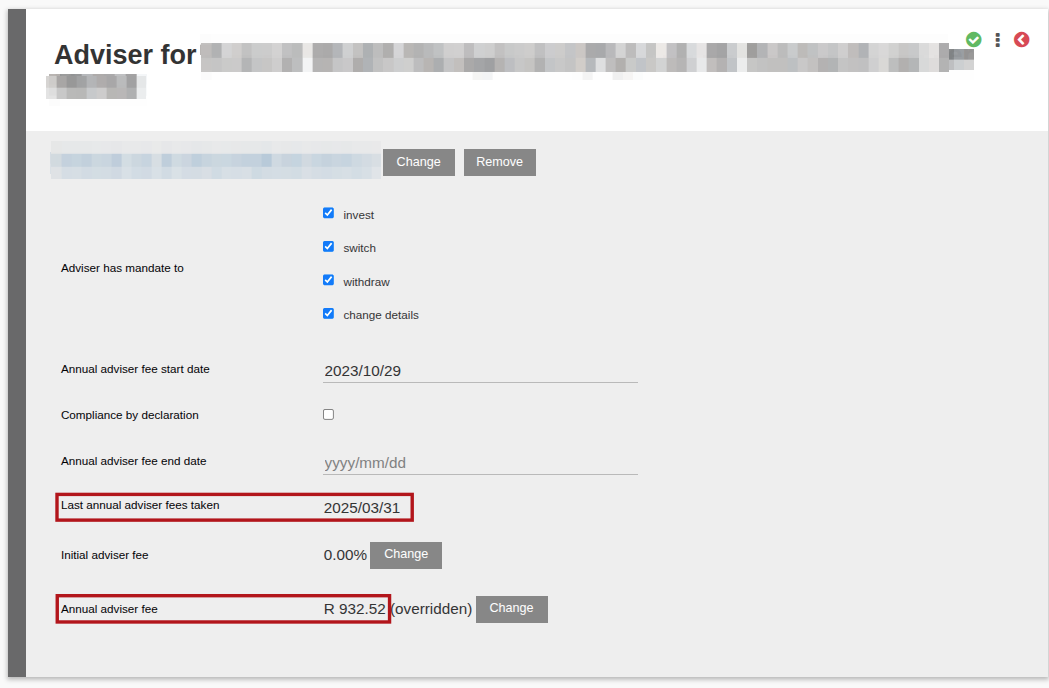
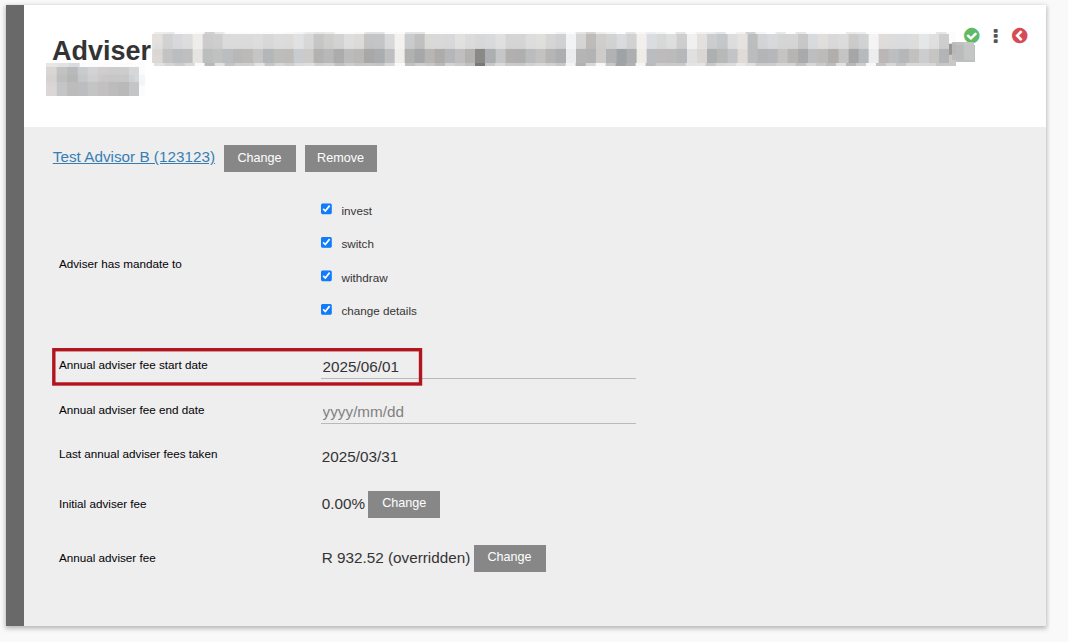
Take note of the ‘Last annual adviser fees taken’ date.
If there are annual adviser fees for the current Advisor and the new adviser will come into effect on for instance 1/5/2025 in this example, do an annual fee run on this account up to 30 April 2025 prior to changing to the new adviser. This will ensure that the correct adviser receives the annual fees.
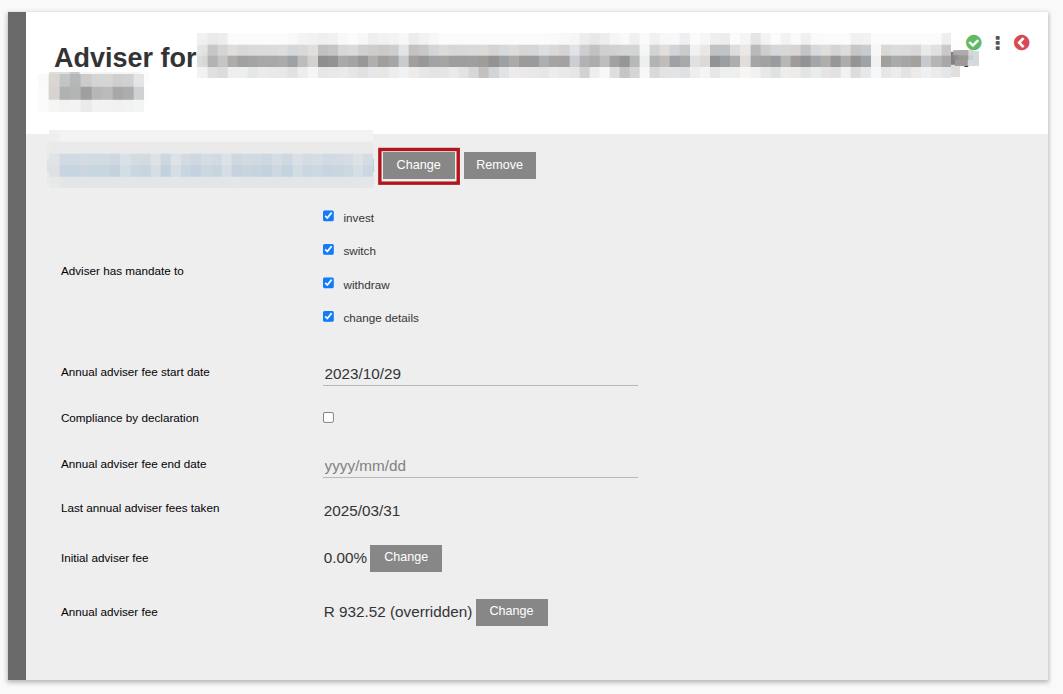
Use the change button to search and select the new adviser on the Contract
If there are active instructions on the account with initial fees, a warning will appear if there are active instructions on the account. You can select yes, but will have to go and reject, resubmit and authorise the existing transactions to ensure the initial fees are updated and the relevant new adviser is linked to the instruction, if the initial fees are due to the new adviser.

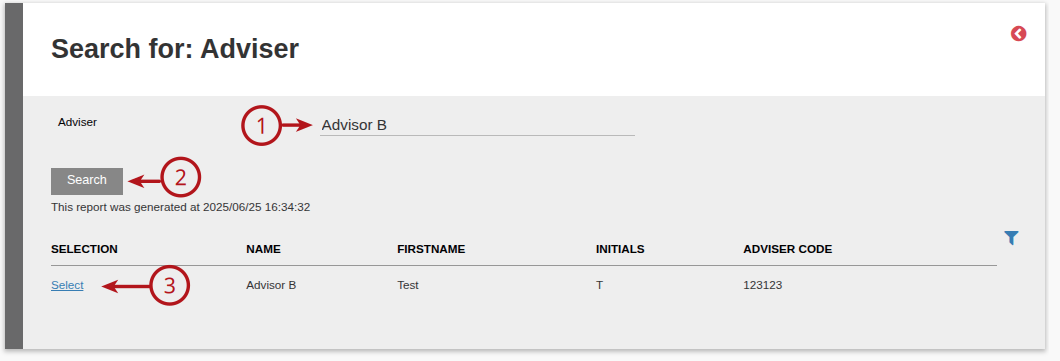
Enter the (1) Adviser Name, then (2) Search and select (3) the Select hyperlink to update the new Adviser
Update the ‘Annual adviser fee start date’ on the new adviser
Last Updated on 1 year ago by Debra Hart