
Change benefit description
When a new investment into an insurance instrument is created, the benefit description is updated from the benefit description on the insurance instrument. The description is displayed on the Insurance instrument card and statement of an investor.
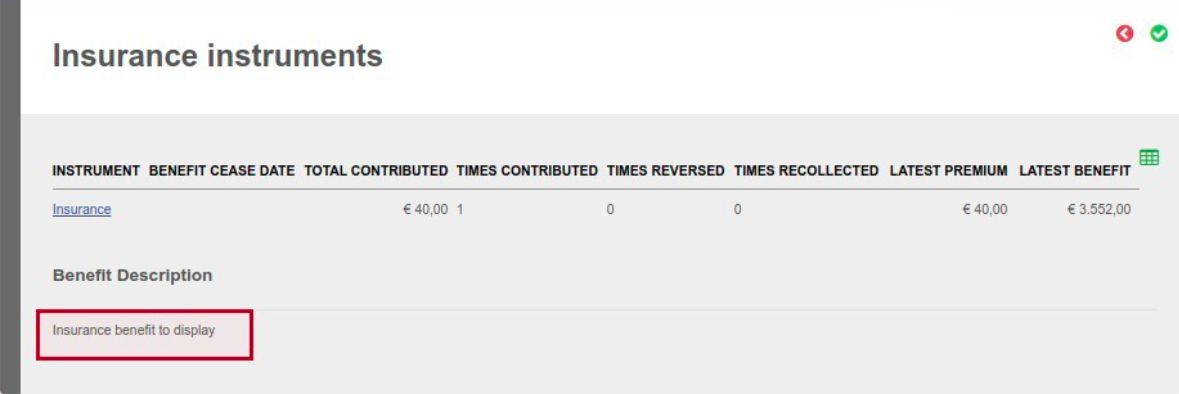
A. Benefit descriptions can be updated individually on an existing insurance investment by updating the benefit description on a new or rejected investment instruction that buys into the insurance instrument.
Go to the relevant instruction on the account (reject a submitted or auto recur instruction to be able to make changes)
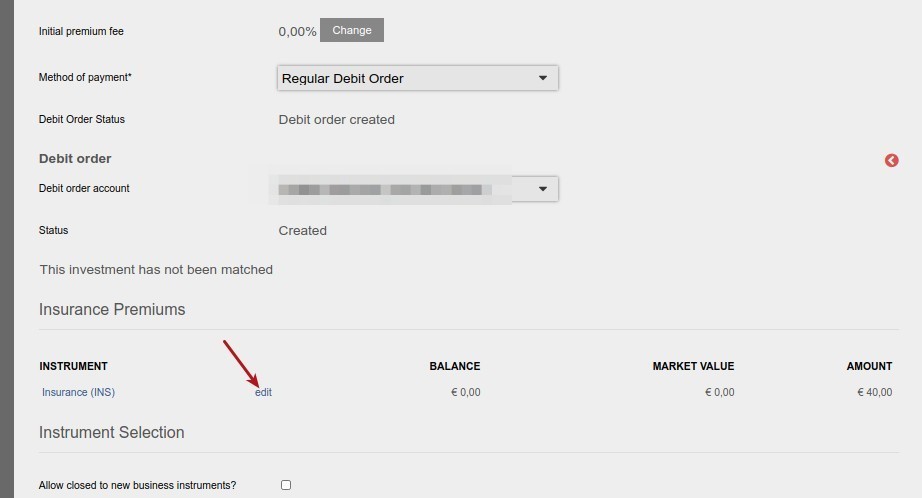
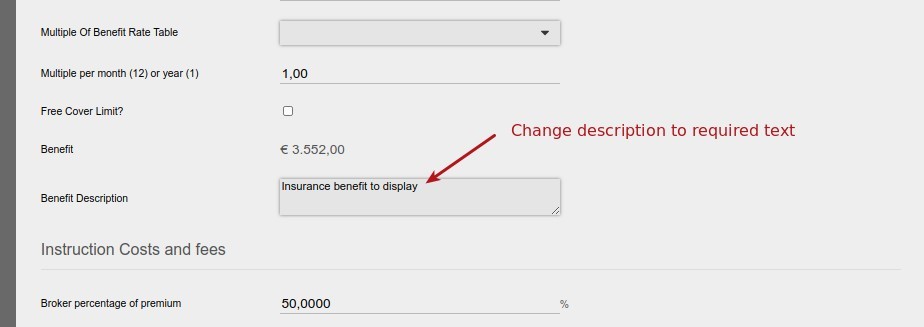
The benefit description on the Insurance instrument card and statement of the investor will be updated to the new description on submitting the instruction.
B. Benefit descriptions can also be updated on ALL existing insurance investments in bulk
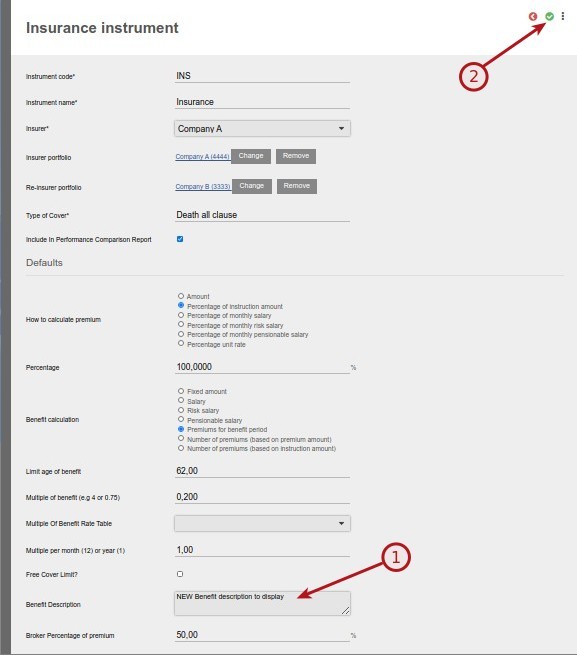
Go to the relevant insurance instrument
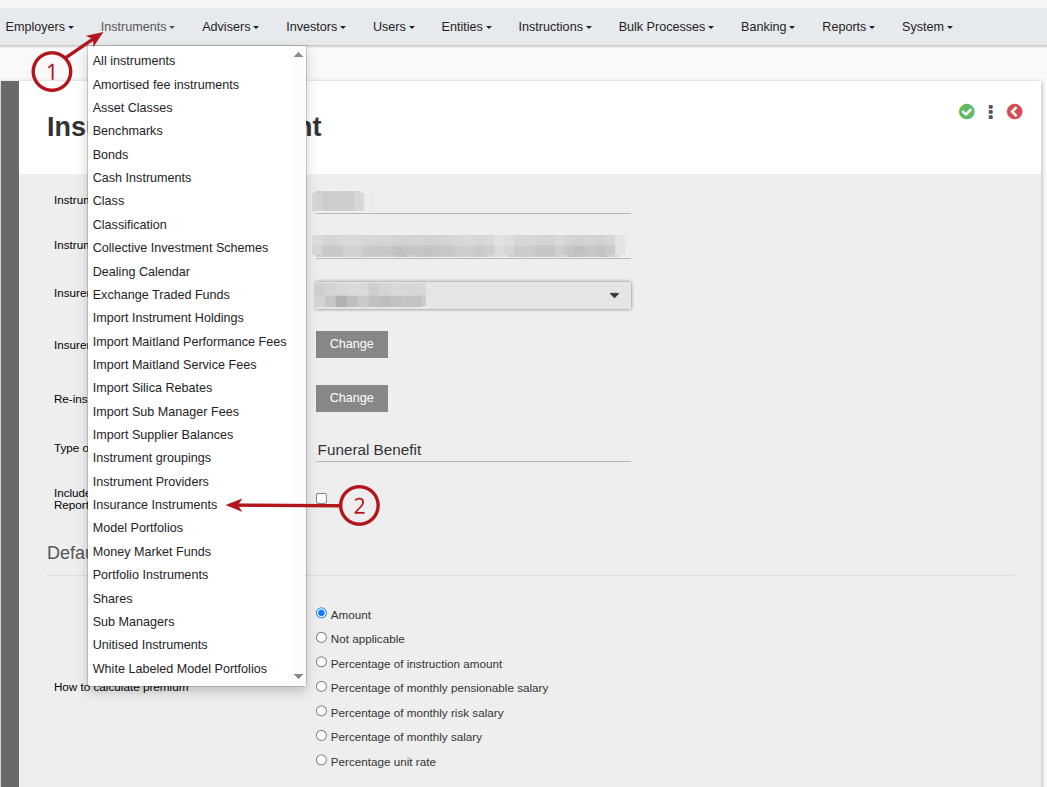
Update the benefit description as required and save
Re-enter the insurance instrument
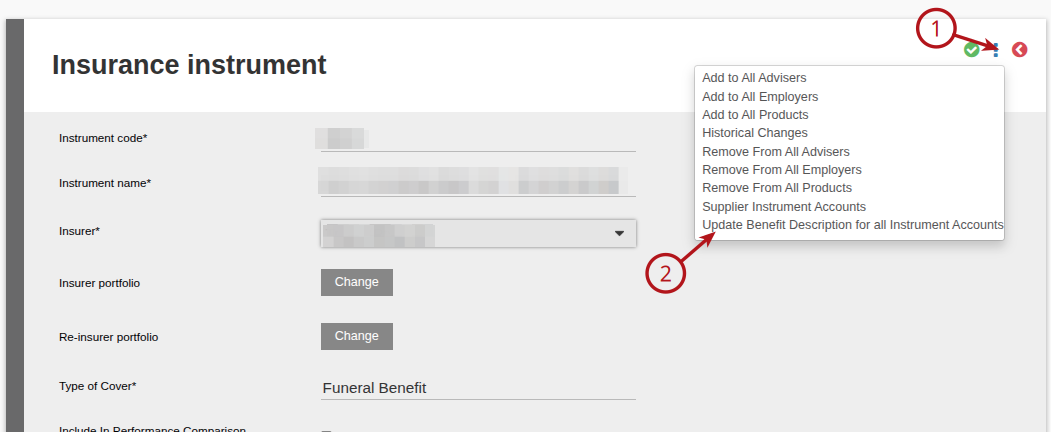
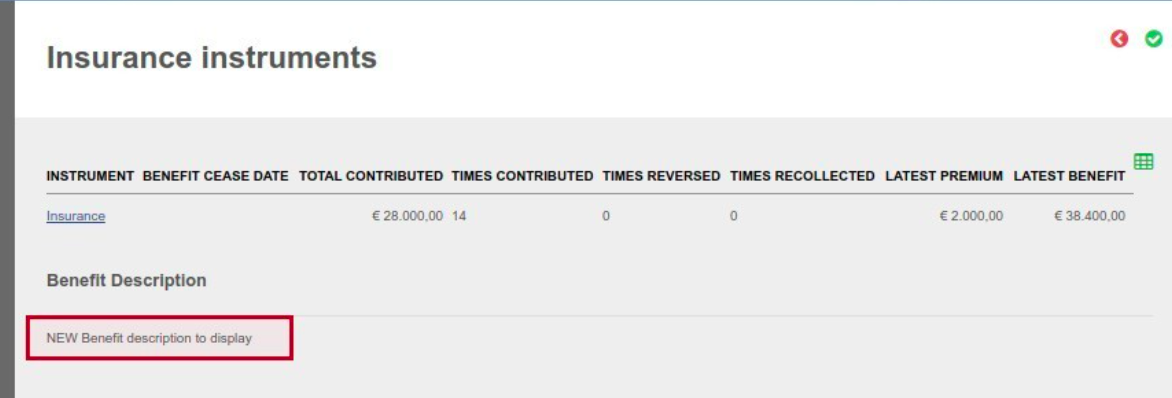
The benefit description will now be updated on all investors in the relevant insurance instrument
NOTE: The option ‘Update Benefit Description for all Instrument Accounts’ is only available to users with the Instrument permission ‘Update Benefit Description for all Instrument Accounts’.
Last Updated on 1 year ago by Debra Hart