
Changing commencement date on Recurring Withdrawals (temporarily)
You can change the commencement date on recurring withdrawals for one month should you wish to pay recurring withdrawals set to a date earlier than usual eg pay recurring withdrawals in December earlier than currently set. The system will, once the December recurring withdrawals are processed, revert back to the Recurring Withdrawal Date set before the commencement date changed
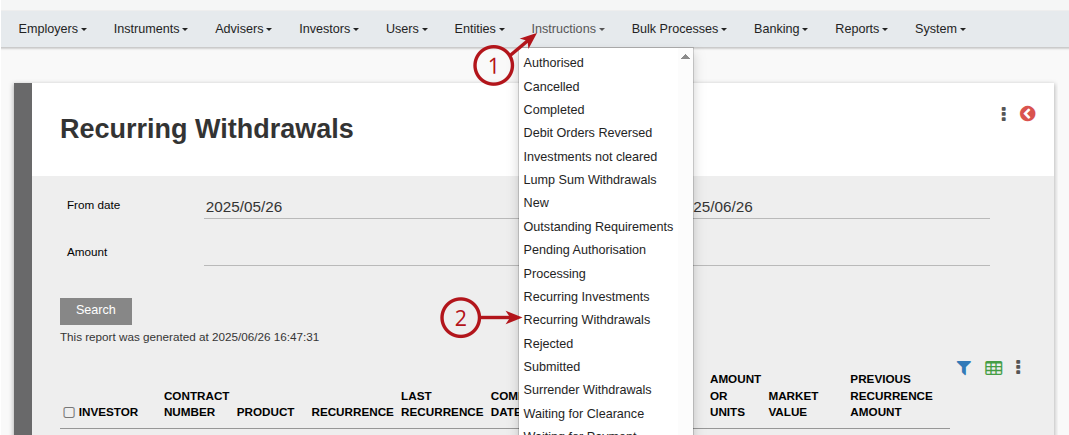
Go to (1) Instructions ->(2) Recurring Withdrawals
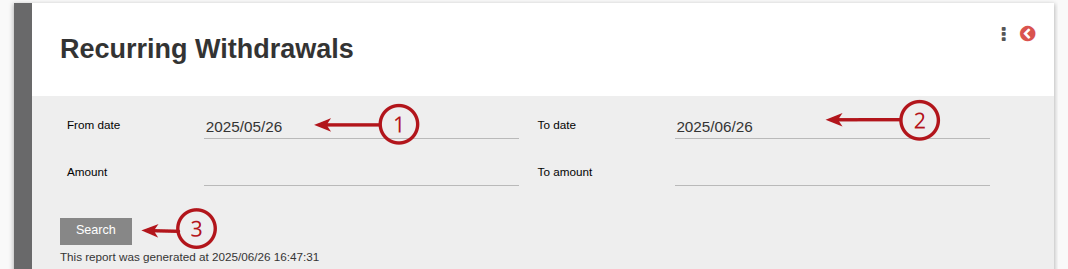
Enter the required (1) From and (2) To dates (commencement date) and then (3) Search
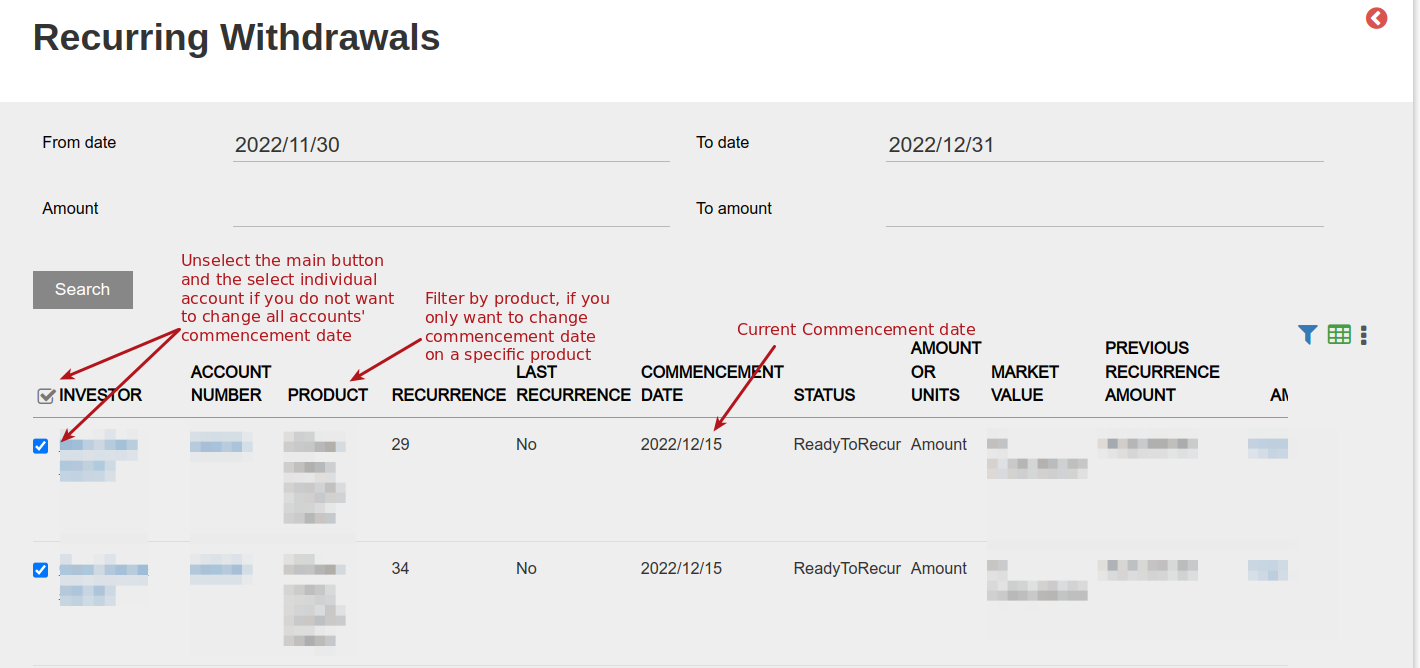
Filter by product if you only wish to change the commencement date on a specific product. Mark the accounts where you want the commencement date to change
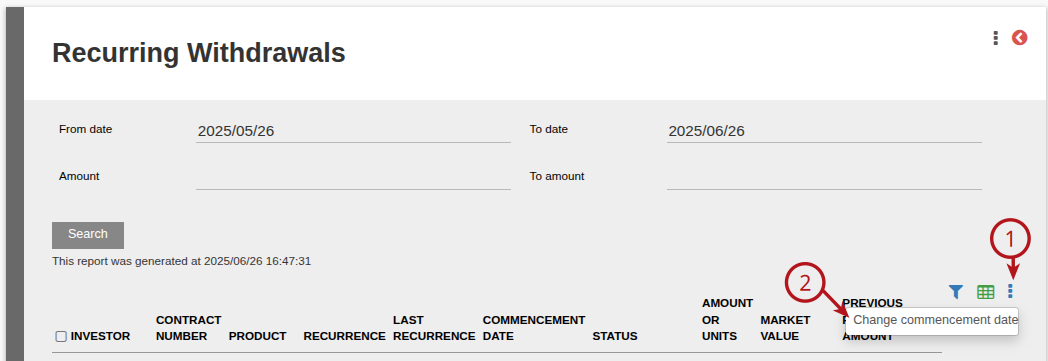
Once accounts have been selected, go to More Actions and then Change commencement date
Select the required date
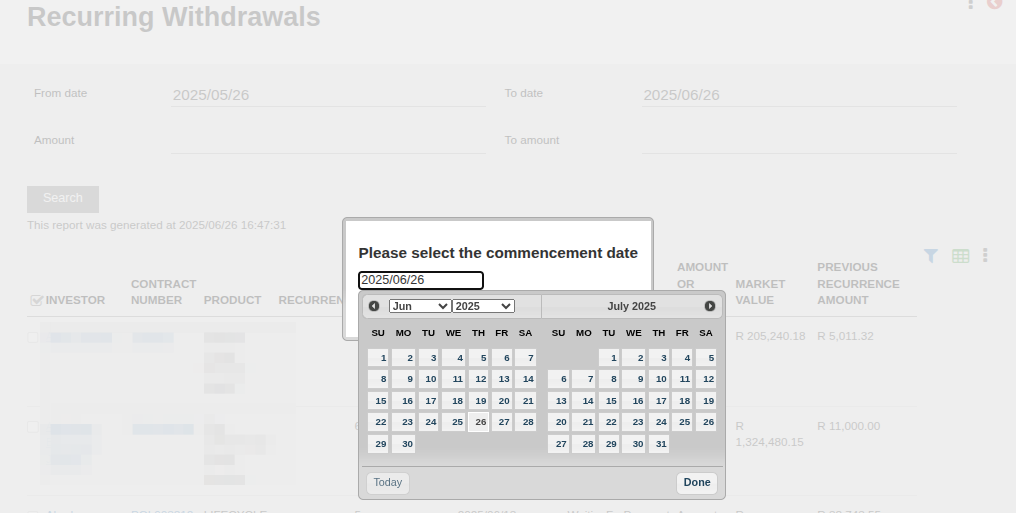
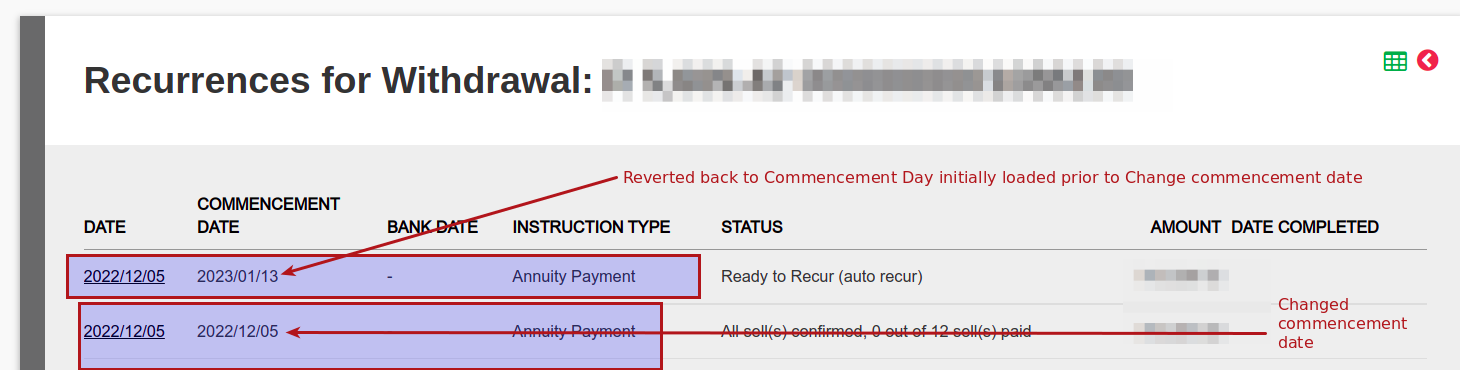
Commencement Date automatically changes back to recurring withdrawal Day after changed commencement date has been processed. eg changed to 05/12/2022 and reverts back to 15/01/2023 for next recurring withdrawal.
Last Updated on 1 year ago by Debra Hart