
Clear Negative Balances on Cash Instrument Accounts
Background
Investors may have a negative balance on a cash instrument for various reasons, one of which could be a debit order reversal, or a tax due being bigger than expected and the investor still being paid the expected amount as an adhoc payment. Whatever the reason, you can clear this negative balance by initiating an adjustment of units to the Working Portfolio, and then doing a cash adjustment from the Working Portfolio back to the investor. In essence, the investor is funding this negative balance by “selling” units to the Working Portfolio of another instrument that has sufficient value to fund the negative balance. The net effect on the Working Portfolio is zero since the value of the adjustment of units to the working portfolio, will be equal to the value of cash adjusted from the Working Portfolio back to the investor.
How to use this feature
For clients, please ask Finworks support to execute this on your behalf, this is only accessible to Finworks support users.
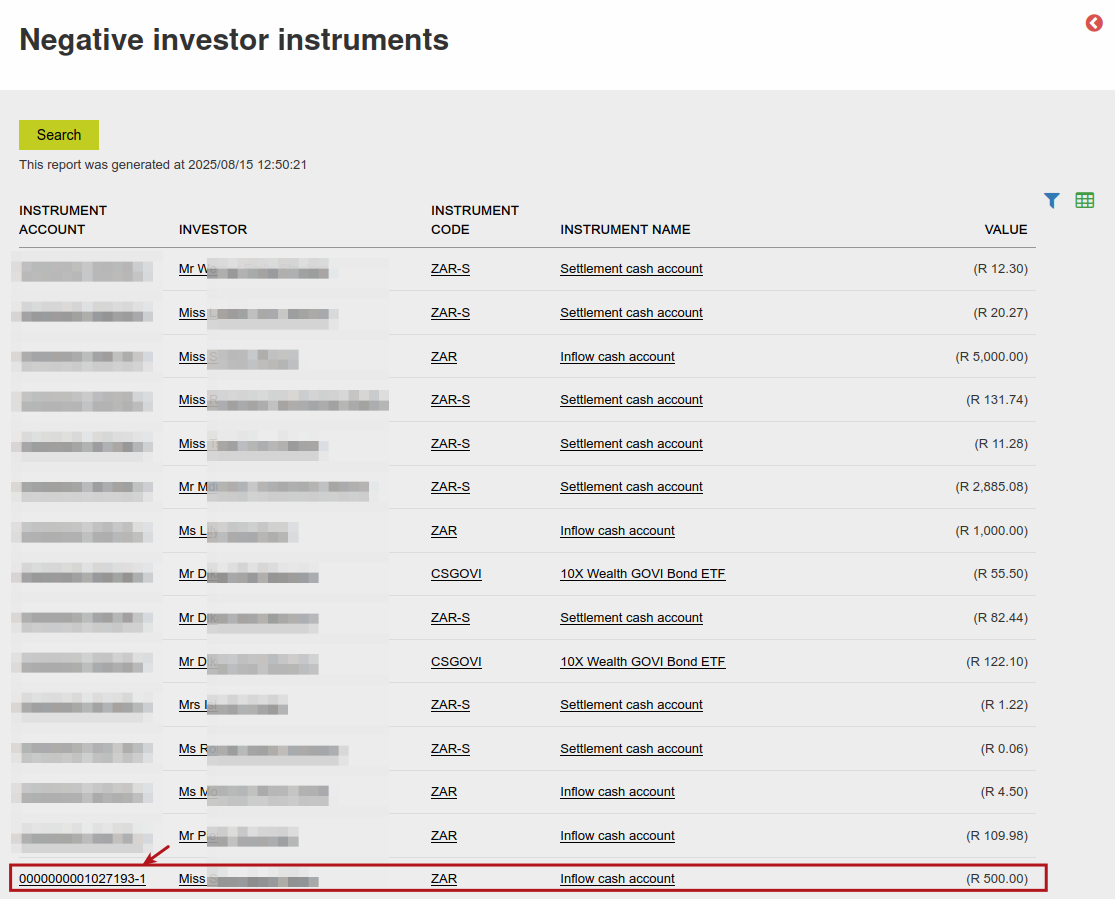
Navigate to Instruments main menu -> All Instruments -> more actions -> Negative Investor Instruments. On this page there is an Instrument Account column, if you click on the link you will be taken to that investor’s account where there is a negative balance.
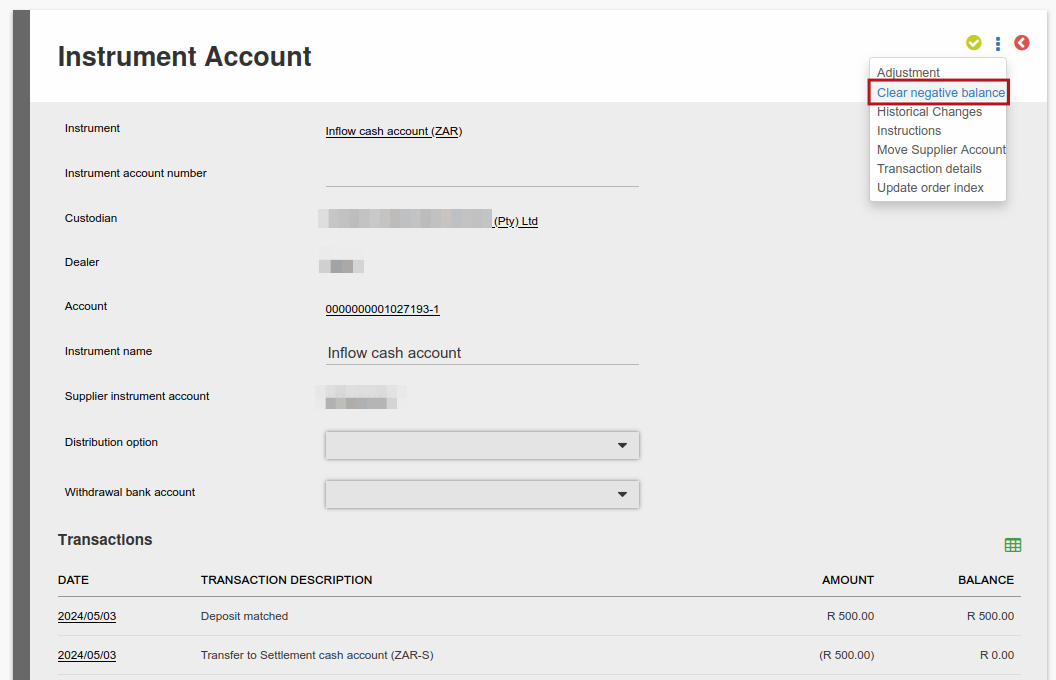
From that instrument account -> more actions -> you can select Clear Negative Balance:
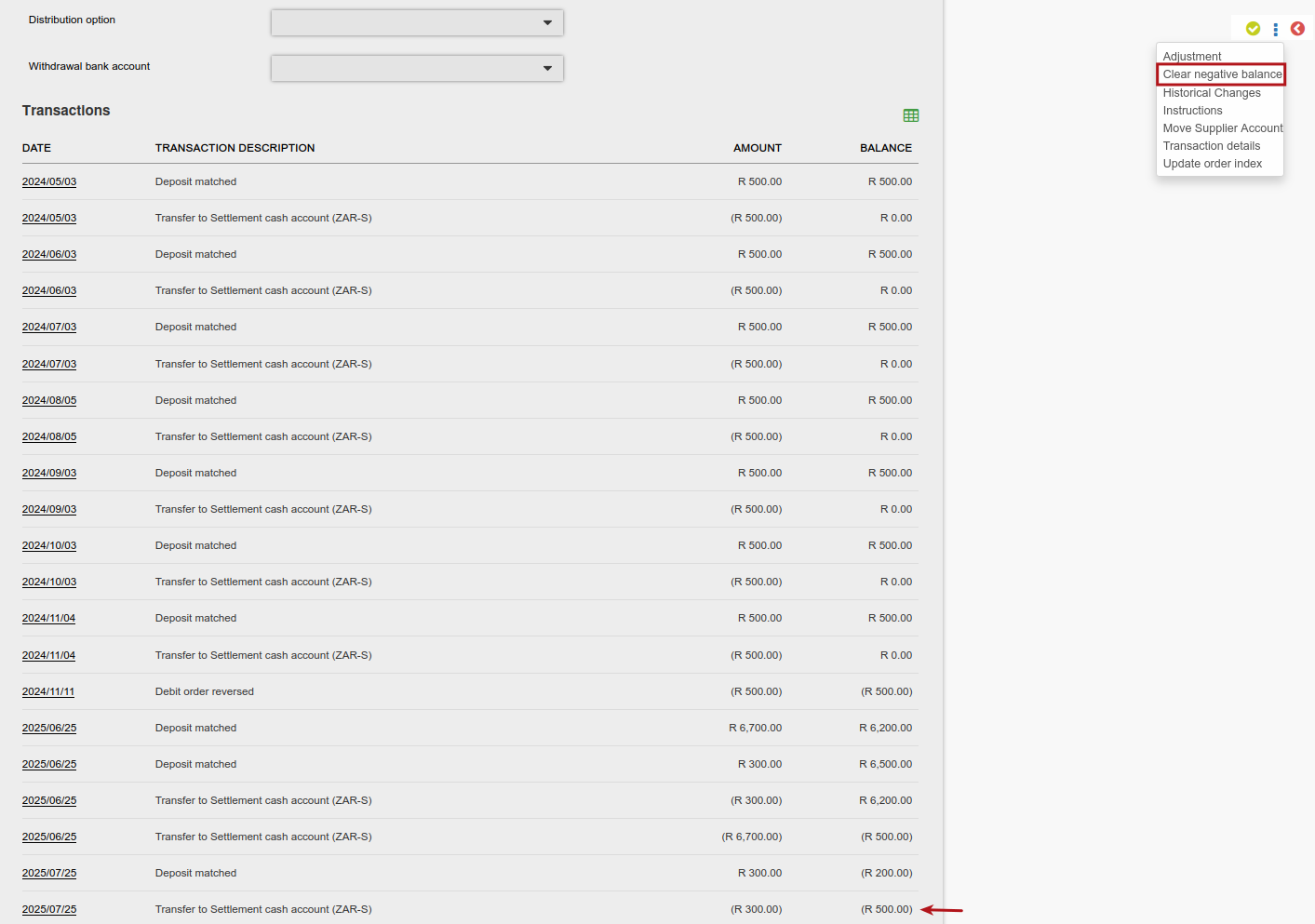
Results of a successful clearing of a negative balance
Following this being executed successfully, the following would’ve been done:
- Change of Ownership transactions from the instrument that is funding the negative balance.
- Change of Ownership transaction to the same instrument in the working portfolio.
- Change of Ownership transaction from the working portfolio’s settlement cash account, to the value of the above mentioned transaction.
- Change of Ownership transaction to the cash instrument that had a negative balance, as per the value above.
This feature will first try to adjust the full negative balance of the cash instrument from one instrument account, and if that instrument account doesn’t have enough value it will try from the next instrument account until the negative balance is cleared, with a limit of 5 instrument accounts per cycle. The sequence of instruments that it will prioritize is as follows:
- It will first try to adjust from cash instruments
- Then unitized instruments
- Then ETF’s
Example Transactions:
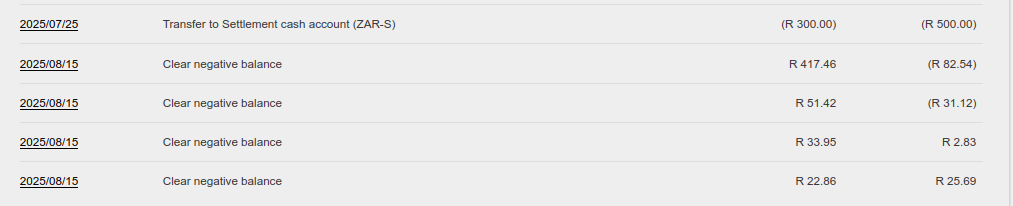
Here are the transactions on the investor’s cash account, where the cash is adjusted to the investor’s account to clear the negative balance, and note the positive balance:
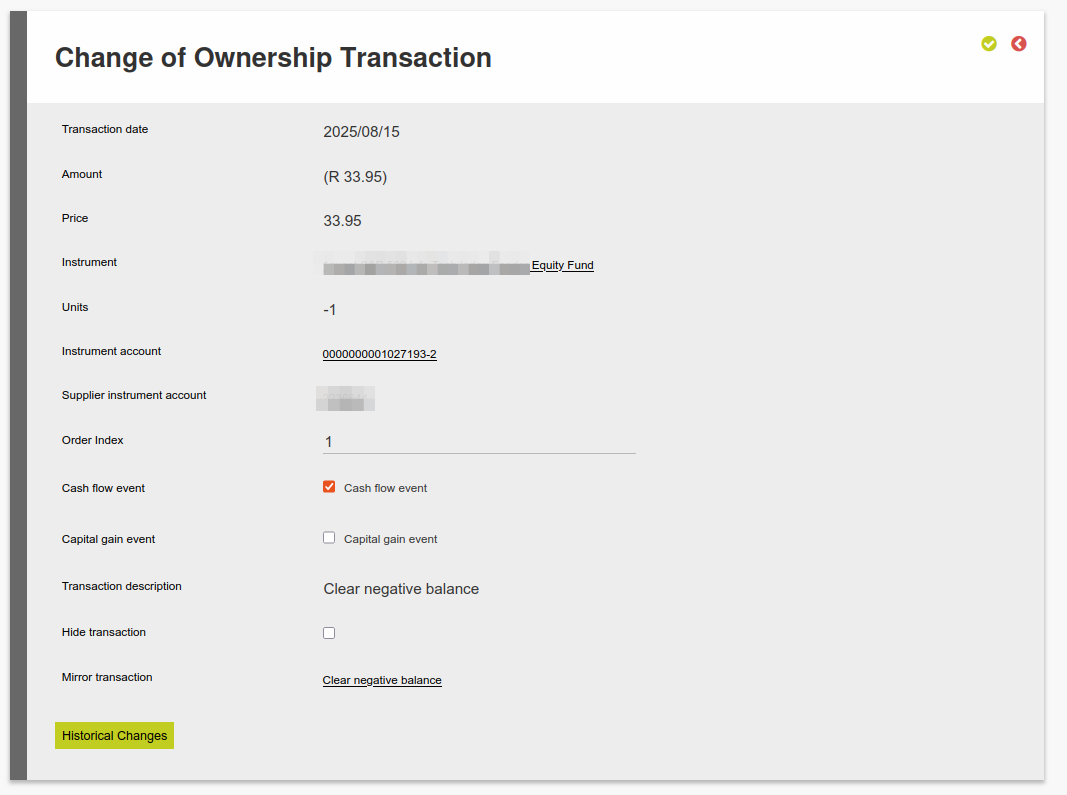
Here is an example of a transaction to adjust units from the Investor’s instrument account to the working portfolio, to fund the adjustment of cash back to the investor:
Limitations of this feature
- This will only work if there are other instruments in the same client account that has sufficient value to fund this negative balance. If not, the user will get an error saying There are no other units available on this client account to clear negative balance.
- This will only work if the instrument that has a negative balance, is a cash instrument.
- Only 5 instrument accounts can be done at a time. If there is still a negative balance remaining after trying to adjust from 5 instrument accounts, you will have to click on Clear Negative Balance again for the system to try and adjust from more instrument accounts.
- If adjusting from ETF instrument accounts, which can only be bought/sold in whole units, the adjustment will also only ever be in whole units which means that one could be adjusting more than required from the instrument account, and the cash instrument receiving more than is required, as a result of this.
- The date of the adjustment will always be current date
Last Updated on 1 year ago by Adrienne Dill