
Client Groups on Dealer Instructions
If client groups have been setup, dealing reports can be pulled per client group and instrument (NOTE: This is for reporting purposes only and will not have an effect on dealer instruction documents)
On the client group, select ‘Show details on Client Groups Instructions’

Go to ‘Client Group Document’ under ‘More Actions’ on a Dealer instruction
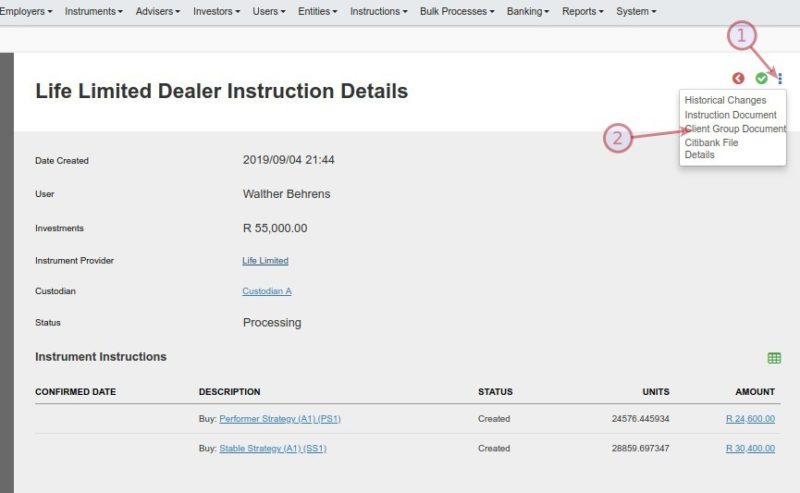
The document will display the details of the dealer instruction per Account, Client Group and Instrument

If ‘Show details on Client Groups Instructions’ is not selected on one or more of the client groups, the details of those client groups will be bulked together in the document

Last Updated on 7 years ago by Antoinette Van Meyeren