
Contact person access to Employer groups
Go to the Default Contact Details card on the employer

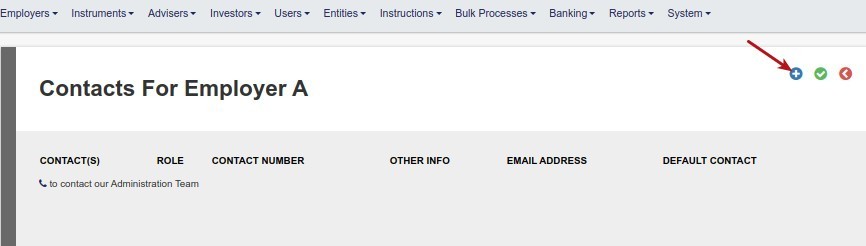
Search for the required contact person
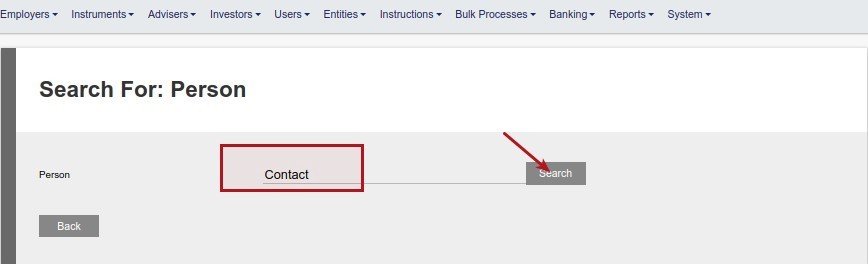
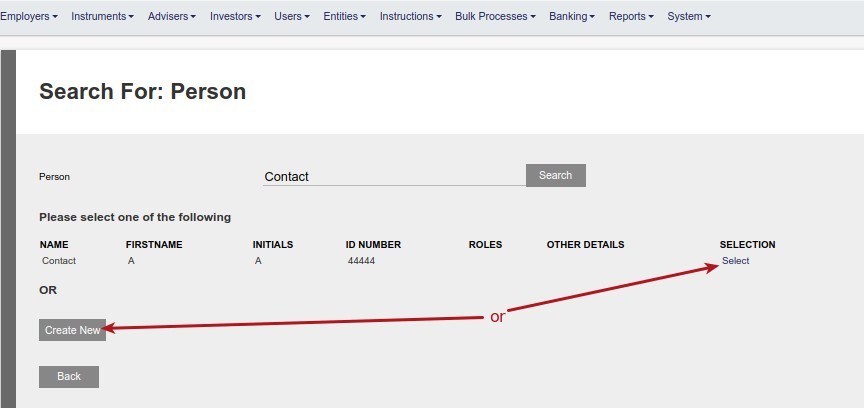
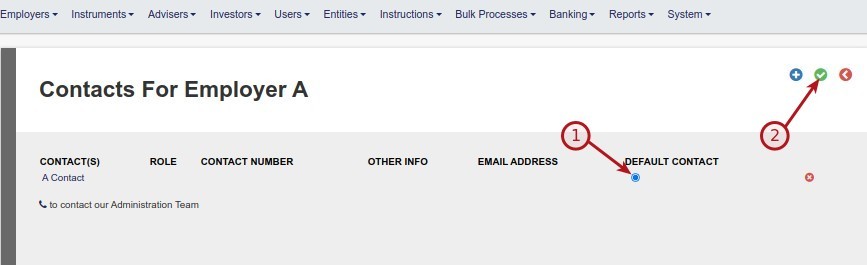
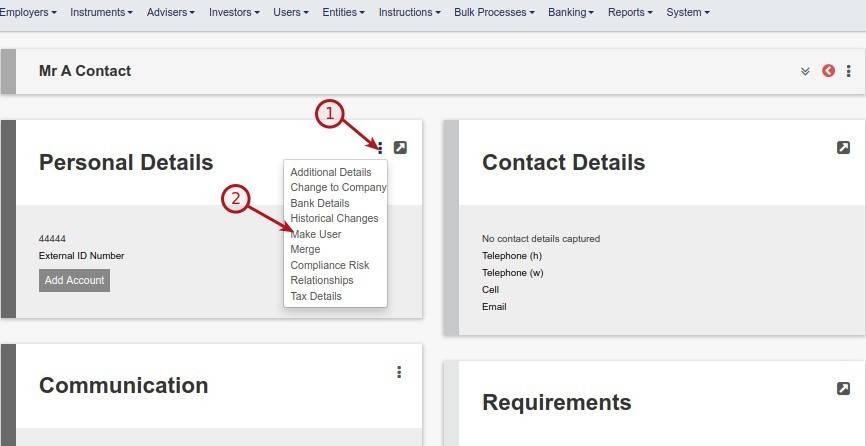
Go to the contact person and make the contact person a user
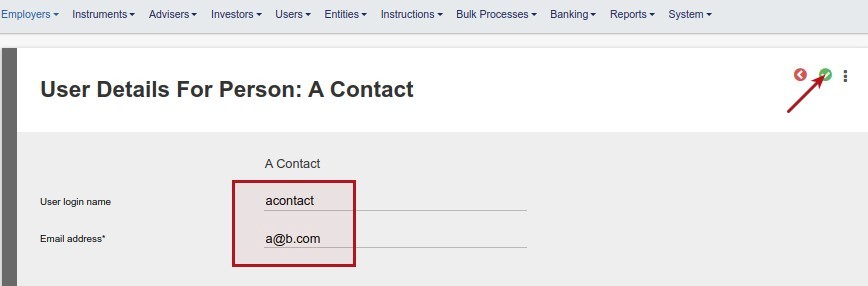
Go to the created user Card on the contact person
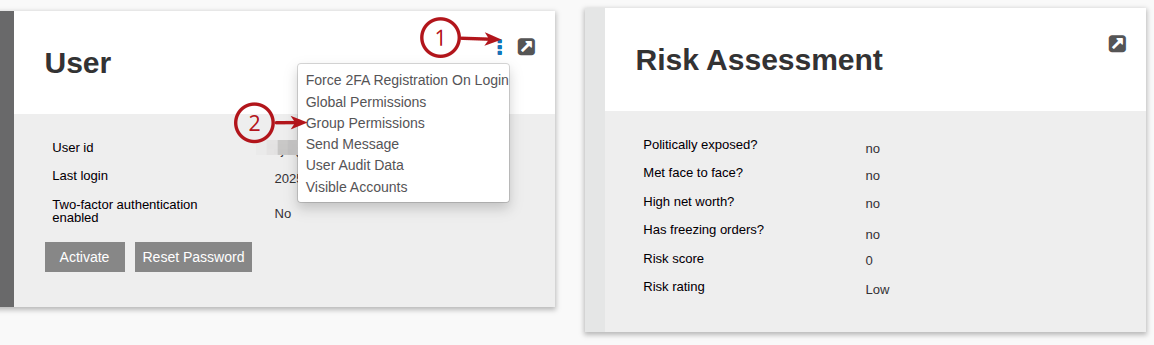
Add the group/s to which the contact person needs access
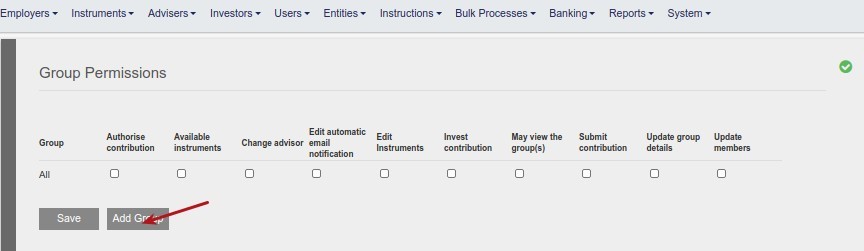
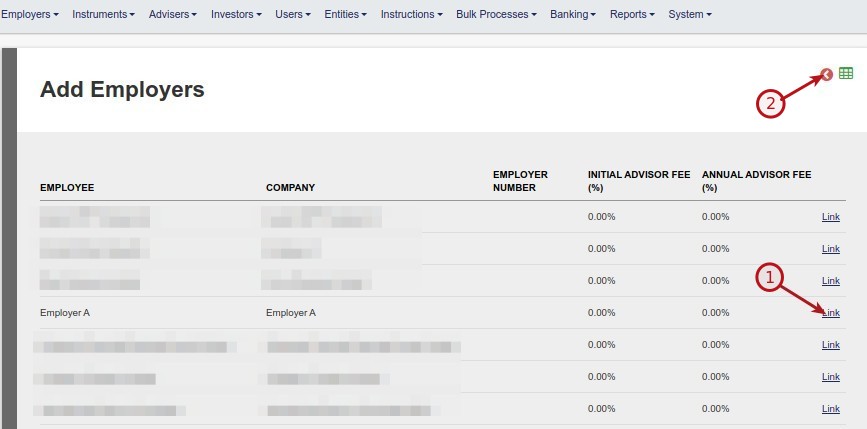
Give the contact person the required level of access to the group and save
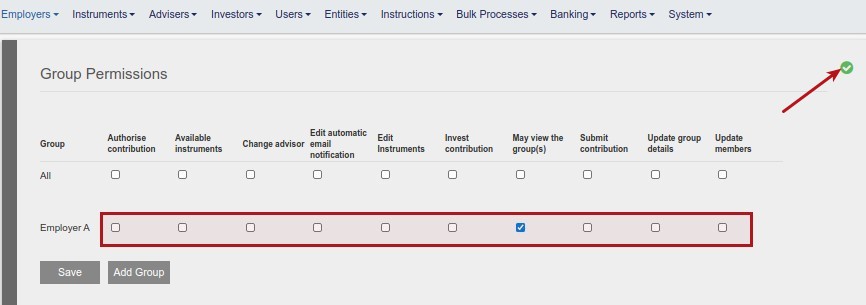
After activation and password reset the user will have access to the group and it’s members when logging in

Last Updated on 1 year ago by Debra Hart