
Cover letter for investor statements
Statement Defaults can be set either in the System Main Menu or on a Product level, if not set on the Product level the System Defaults will be used. For more information see Product Statement Defaults
Go to the Statement cover letter option under Statement defaults

Set the ‘Priority’ to 0 to move the order of the cover letter to the top and update the Cover letter template content to what is required

The template also makes provision for a signature on the cover letter (see 1 in picture above)
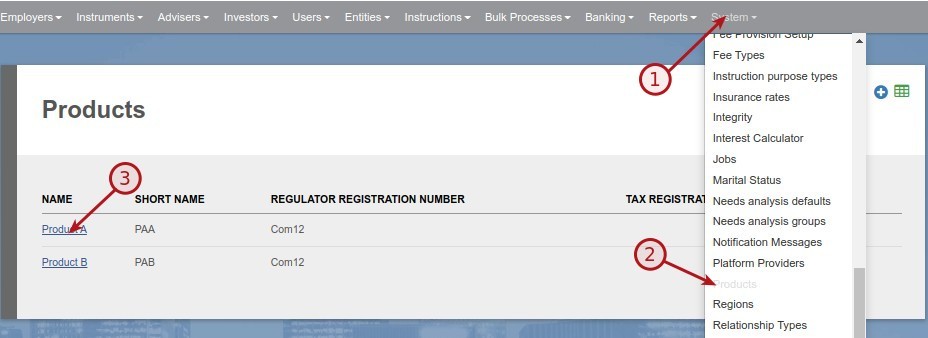
To add a signature to the cover letter, go to the relevant product
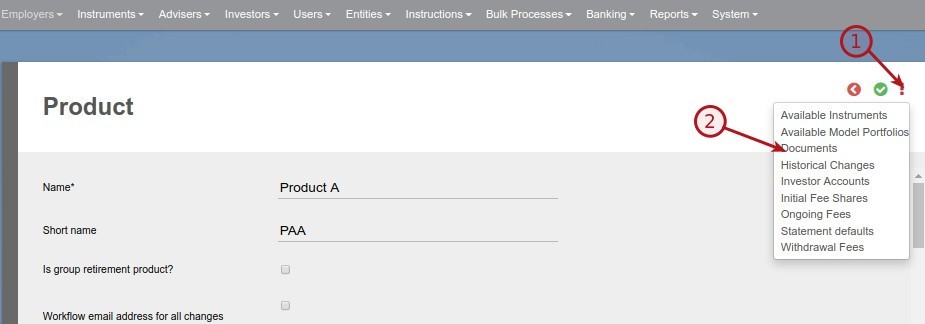
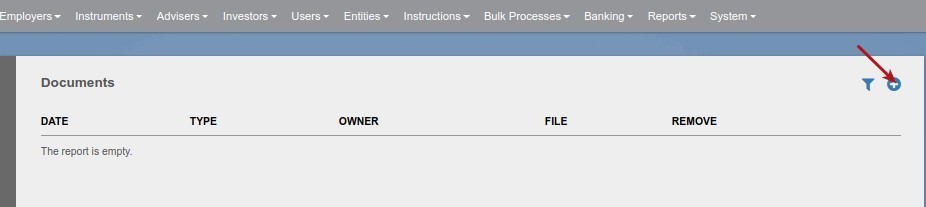
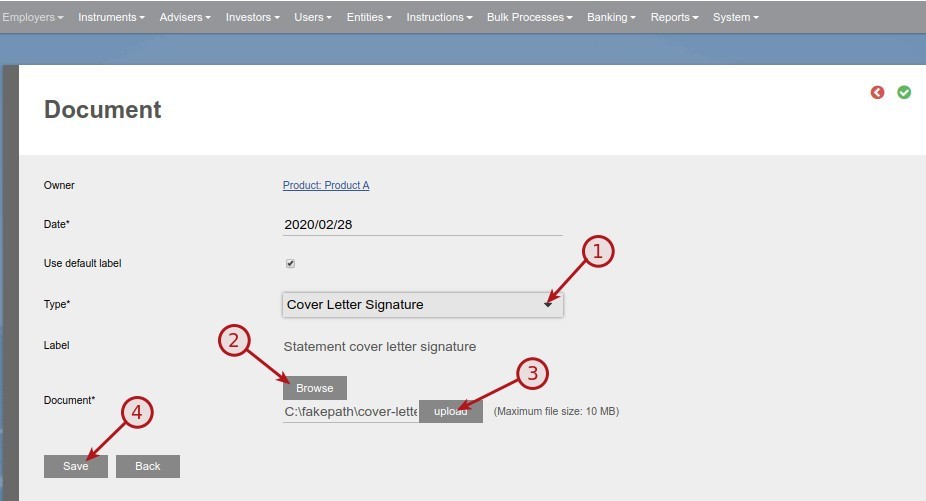
Select ‘Cover letter Signature’ as Type and upload the file containing the signature
Last Updated on 7 years ago by Antoinette Van Meyeren