
Default distribution options
You can enforce matching to take place on a cash distribution before allocating the distribution, and you can setup the default distribution option on a product or override it on a contract. Please see below the steps to configure.
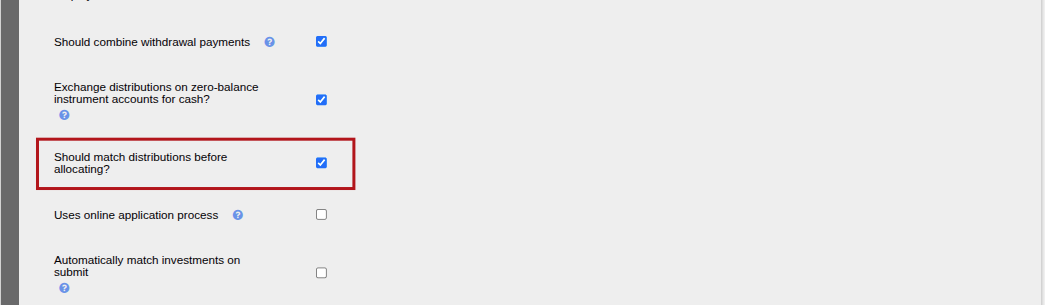
Enforce matching before allocating a distribution
On a cash distribution or a cash instrument with a unit distribution, there is an option to ensure the distribution funds received are matched before allocating the distribution.
This can be set on the System>- Configuration> under the Defaults section, select “Should match distributions before allocating?”.
Note: This will not apply to unitised instruments with a unit distributions

Setting the default distribution option on a product

The options available are:
- Leave Distribution in Cash
- Payout Distribution
- Reinvest Distribution
When a new contract is created in the product, the default Distribution option as set on the product will be applied to the contract.
Contract Details card->View Details

The default can still be overridden on a specific contract.
Also see Distribution Options
Last Updated on 1 month ago by Adrienne Dill