
Doing an Annual Fee Run
It is advisable to run a Compliance Report before doing a Fee Run to ensure that there are no non-compliances that will have an effect on the Fee Run

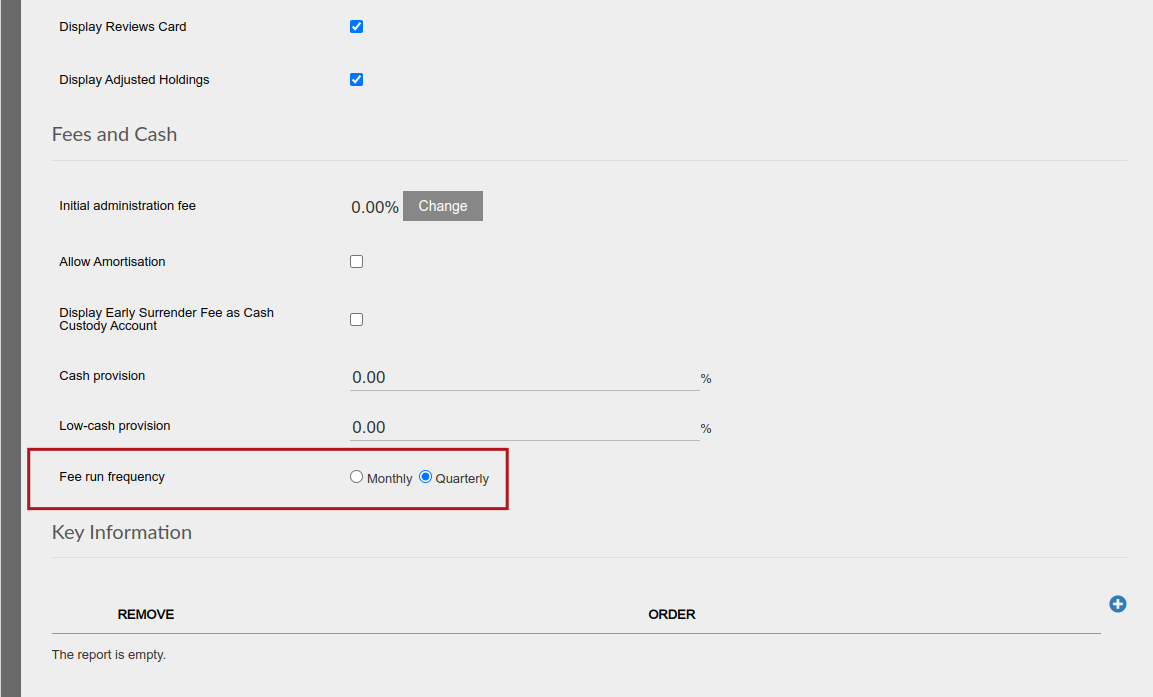
On a product level it is possible to indicate if a annual fee run should be done on a monthly or quarterly basis.
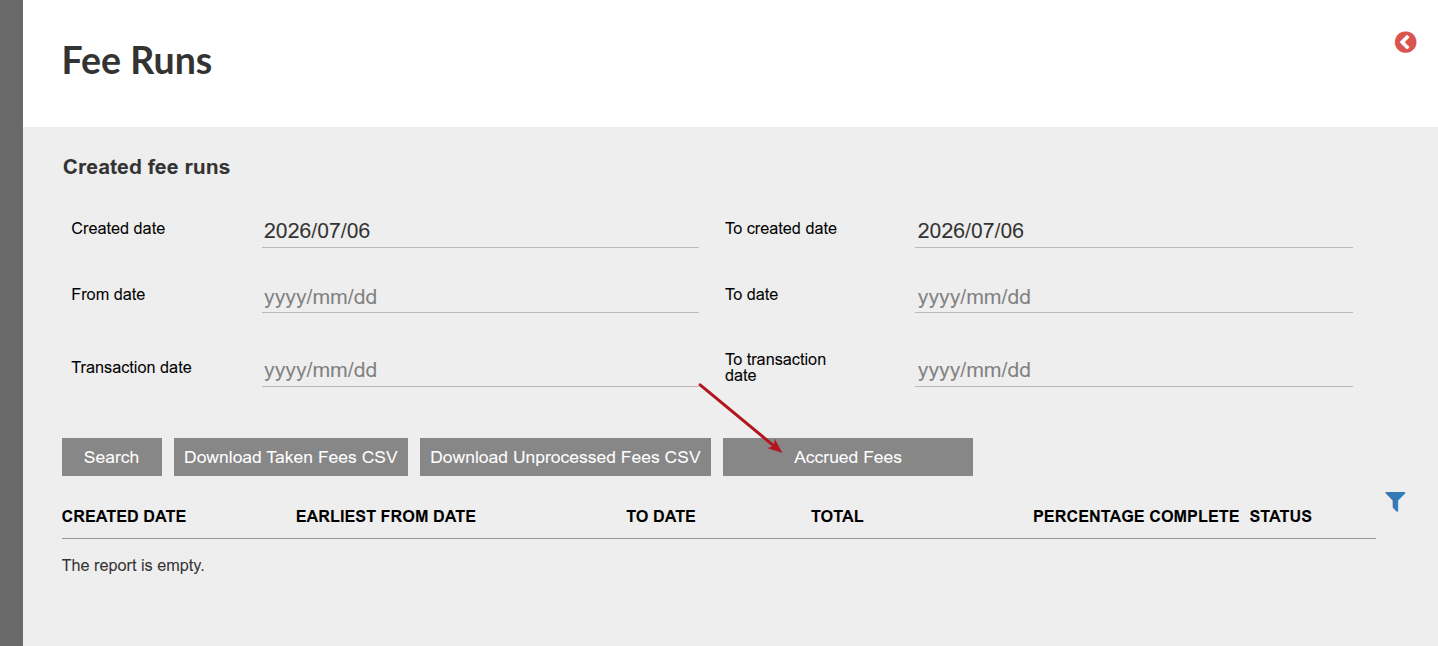
Fee runs are done under the ‘Bulk Processes’ menu

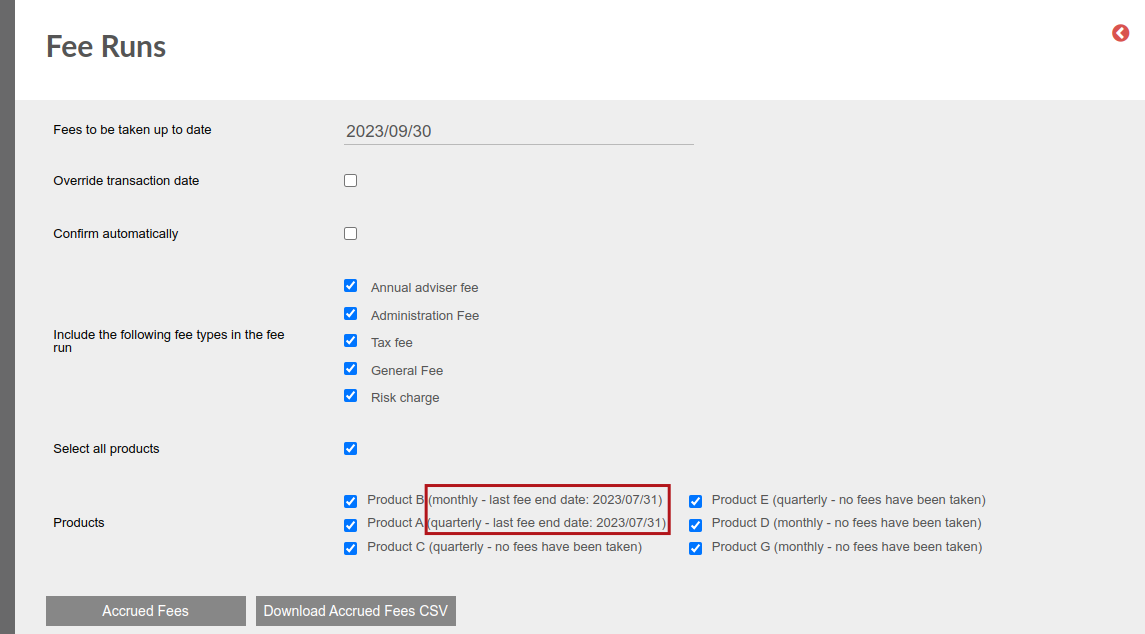
The selection on the product will be displayed on the Fee run screen combined with the last fee end date that an annual fee run has been done on the product.
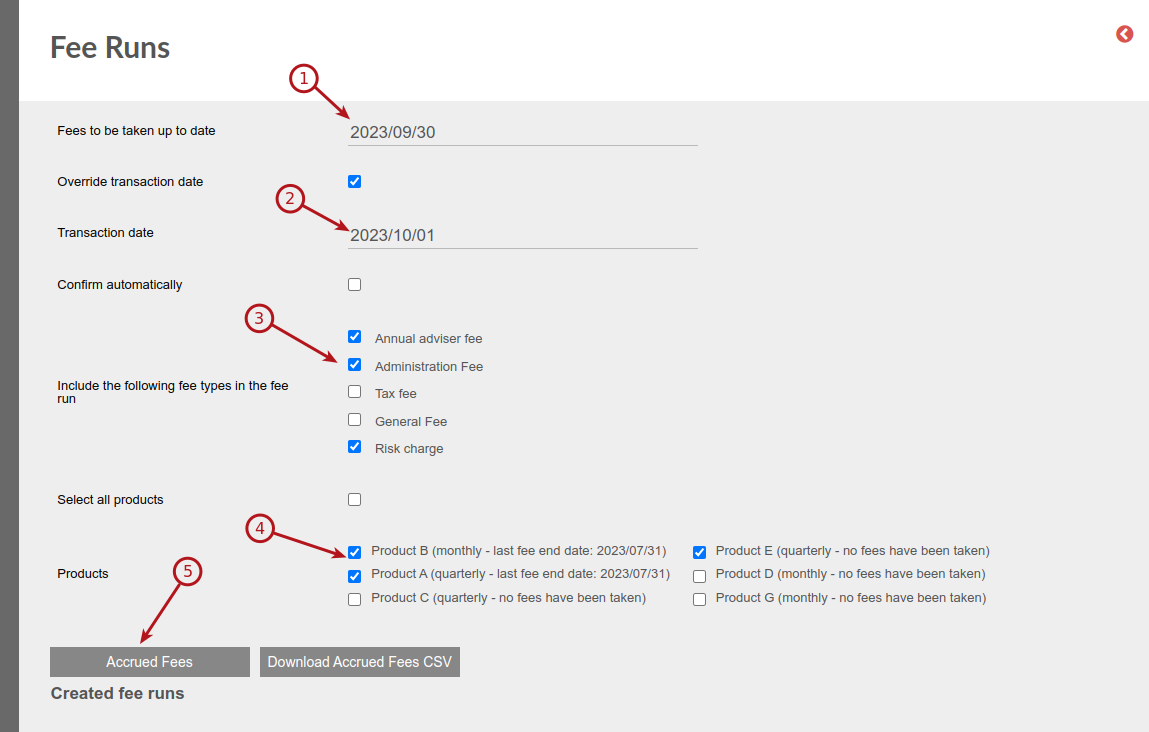
Fee Run
Set the date up to which fees must be taken, the transaction date to use, the type of fees to be taken and the product/s on which the fees should be taken. On selecting ‘Accrued Fees’ a list of the Accrued Fees is created.
To take the fees select which or all investors should be included in the fee run and select ‘Take Accrued Fees’.
Note that the following user permissions are required in order to:
- Populate the Accrued Fees screen and use the ‘Take Accrued Fees’ button: ‘view everything’ and ‘take accrued fees’.
- If the user does not have the user permission ‘edit everything’, the fee run process will stop before the creation of switches and a warning will be displayed on the ‘Fee run’ screen indicating that the user has insufficient permissions’
- Populate the Accrued Fees screen, use the ‘Take Accrued Fees’ button, have switches created automatically as part of the fee run: ‘edit everything’, ‘view everything’ and ‘take accrued fees’. A user with these permissions can also click into a fee run which has been created by a user with insufficient permissions to create switches, and use the ‘Create switch instructions’ button to continue with the fee run process.
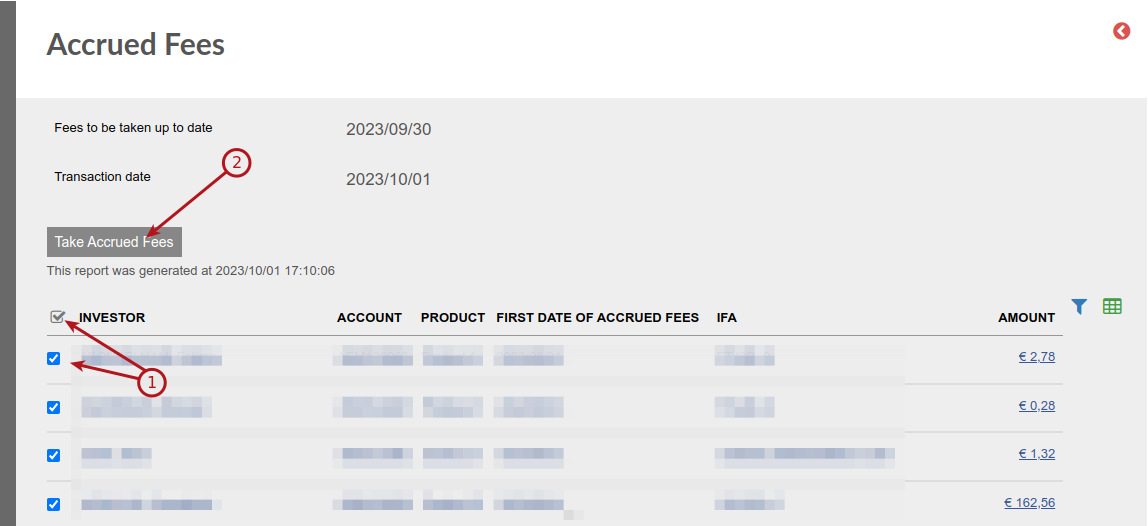
And Confirm

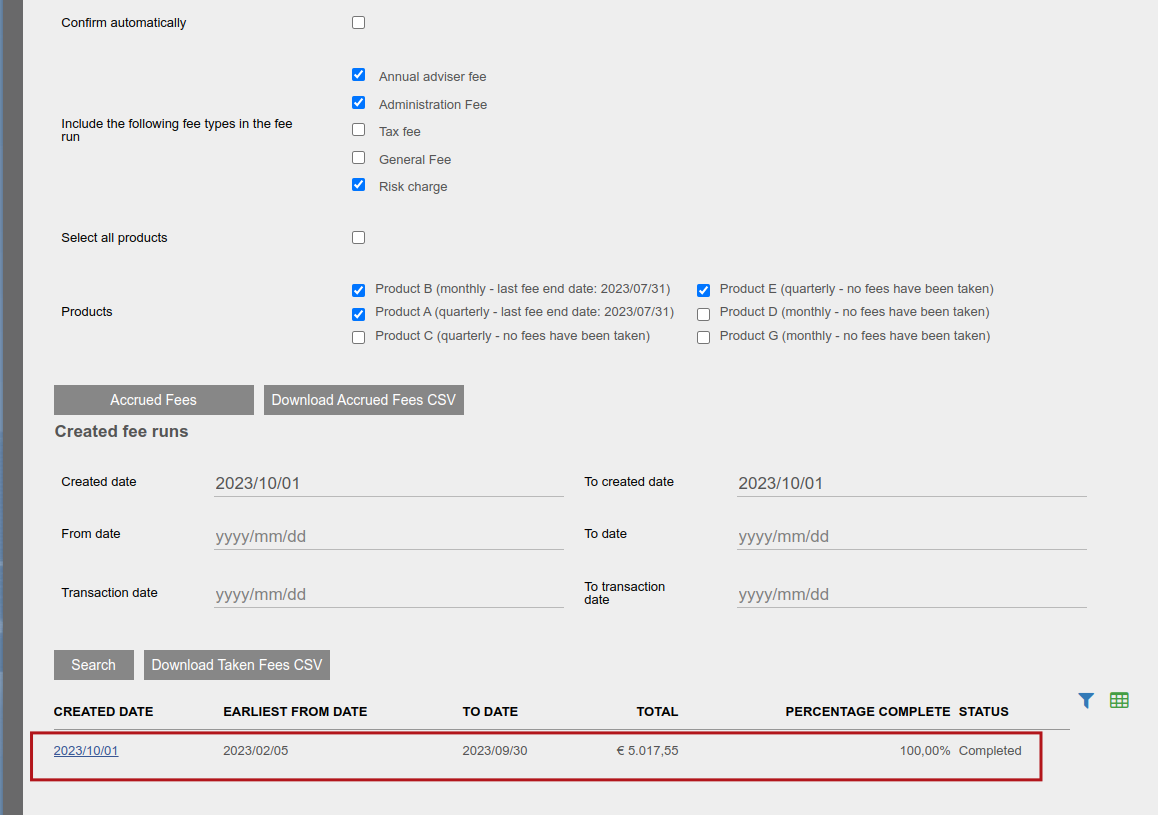
In the event that the fee run is interrupted and the status remains as ‘processing’ for an extended amount of time, click into the fee run via the date hyperlink (‘created date’ column) and select the ‘Continue fee processing’ button to allow the fee run to continue.
Last Updated on 3 months ago by Antoinette Van Meyeren