
Email notifications on groups
Default email notification setup for employer groups can be done via system, configuration. From the Configuration screen, select the menu icon and then select ‘Email Changes’.
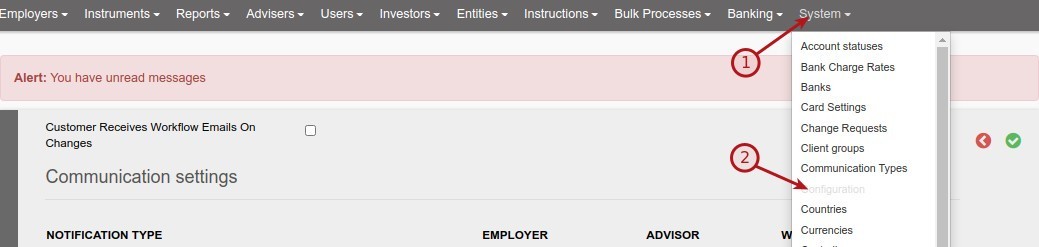
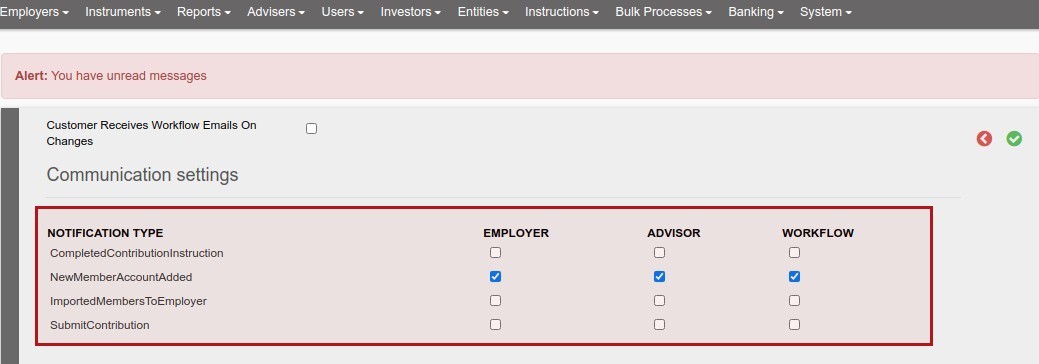
The default settings can be applied on the Employer card of employers or overridden
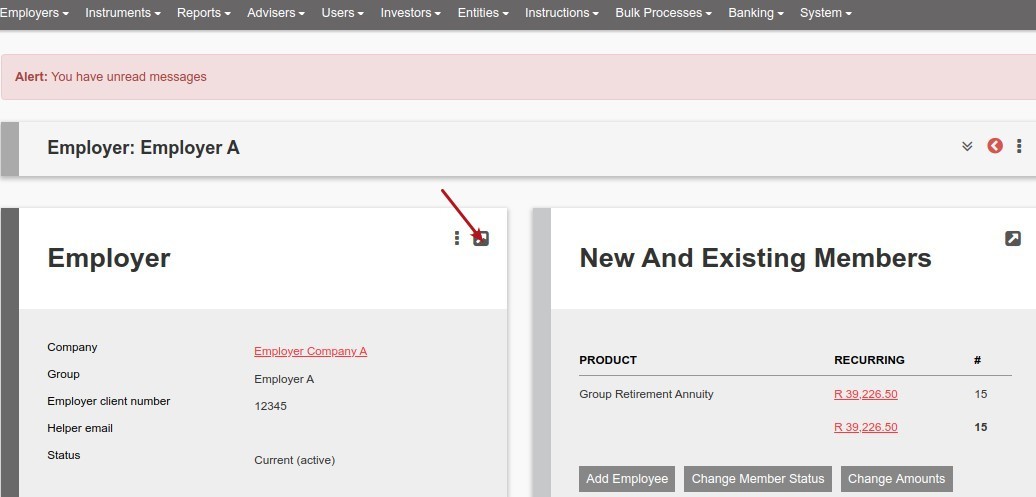
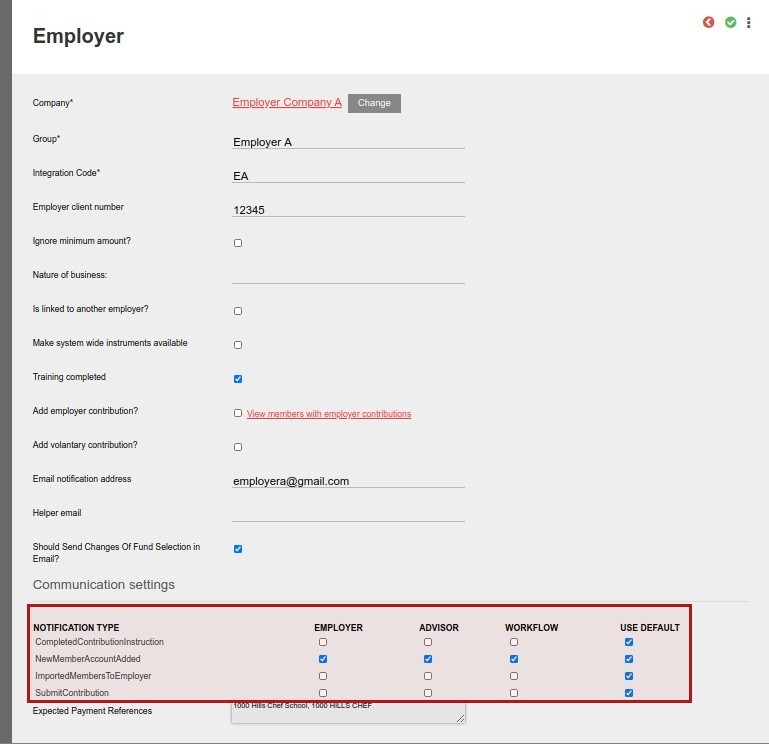
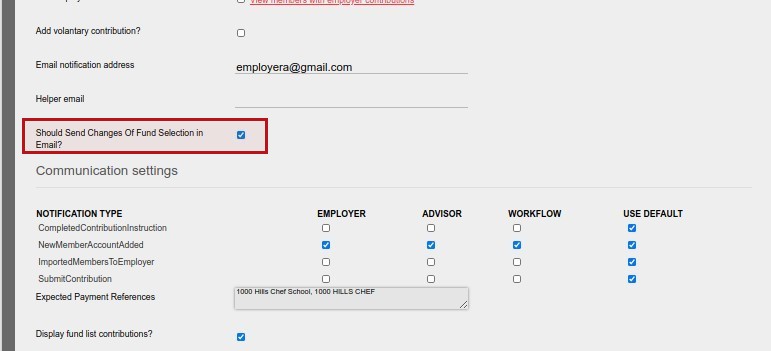
If the notification type is ticked for an event, emails will be send out on the event as follows:
- Employer – an email will be send to the ‘Email notification address’ as setup on the Employer Card
- Workflow – an email will be send to the Workflow email address’ as setup under System->Configuration
- Advisor – an email will be send to the email address of the advisor on the group
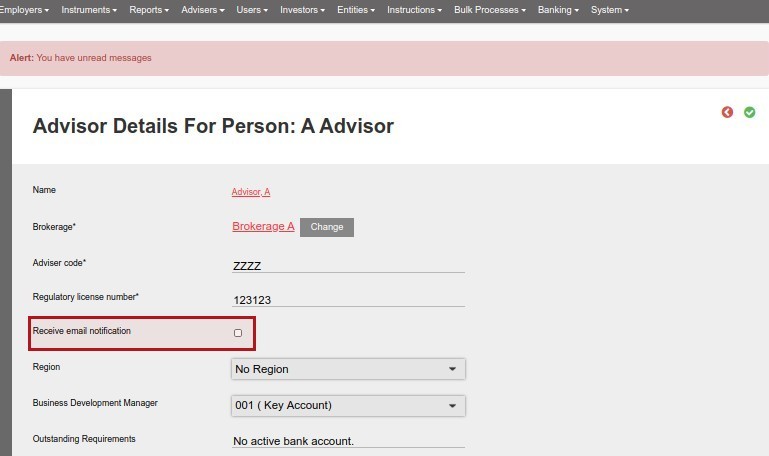
TAKE NOTE: The advisor need to have ‘Receive email notification’ ticked on his/her Advisor Card. If this option is not ticked, no email will be send to the Advisor, despite the setting under Communication Settings on the employer
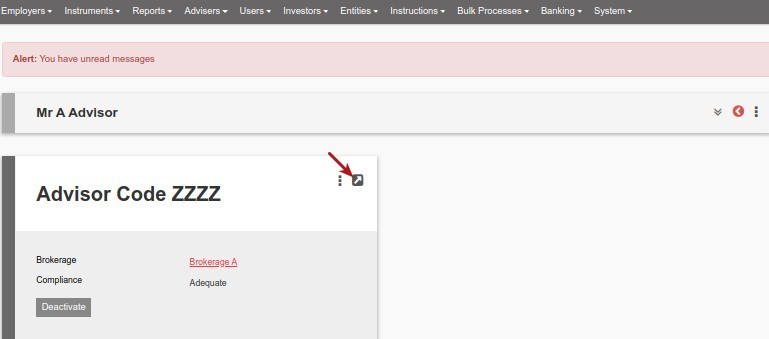
In the event that ‘Should Send Changes Of Fund Selection in Email?’ is ticked on an employer, changes to fund selection of members will be included in the ‘Submit Contribution’ emails send out
Last Updated on 8 months ago by Hayley Jerram