
Estimated daily flows report:
We built the functionality to extract a file that will show you estimated flows. The report calculates the sum of all Authorised and Submitted Instructions in the system based on the commencement date of the instruction. You can search for a date range on the commencement date.
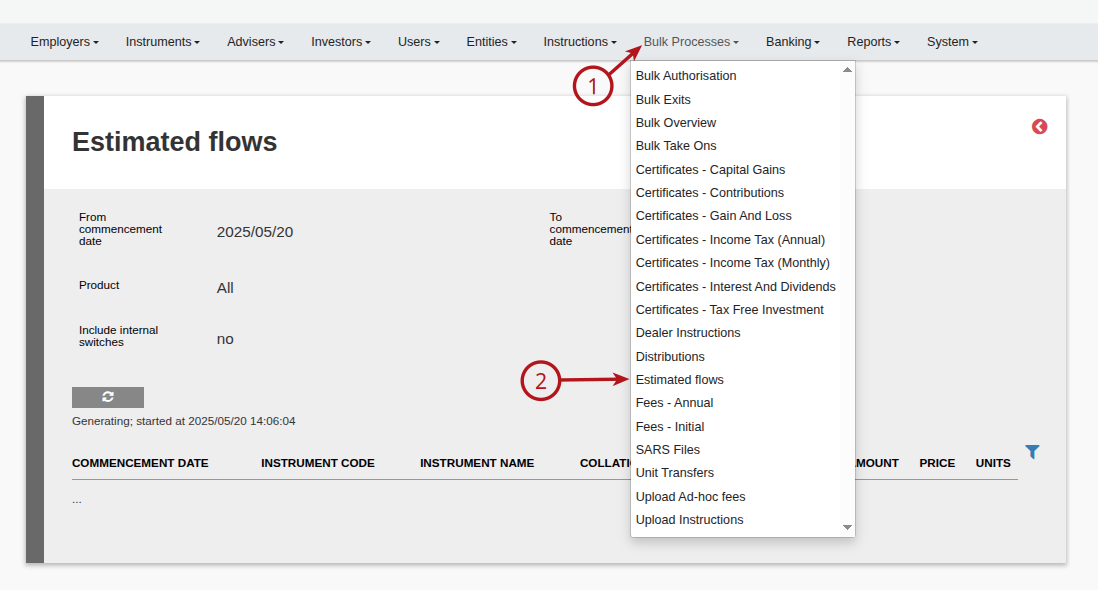
Under (1) Bulk Processes, select (2) Estimated Flows
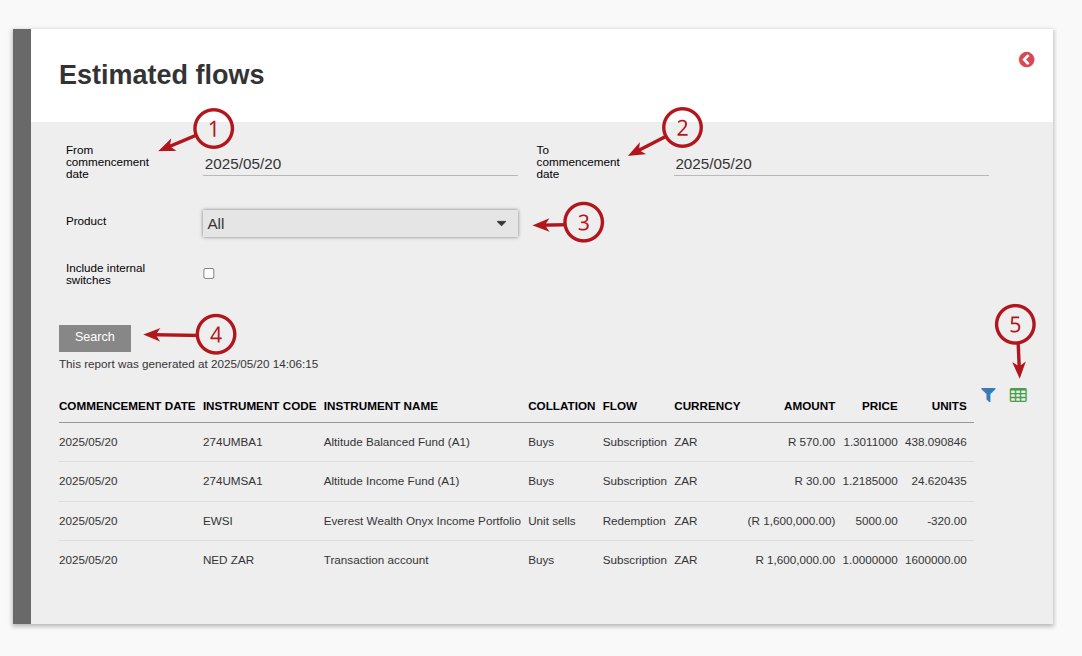
Select the (1) From commencement date, then the (2) To commencement date. Select the (3) Product required from the drop down, then select (4) Search. This report can then be (5) exported.
Please note:
– If the instrument nets off, we add investments, amount withdrawals and units withdrawals together.
– If there is no net-off on the instrument, then show a line for the buys, unit sells and amount sells.
– There is also an option to include internal switches on this report
Last Updated on 1 year ago by Debra Hart