
23 Apr Why change the export format from comma delimited (.csv) to tab delimited (.tsv)
Why
The Download / Export format file type has changed from comma delimited (.csv) to tab delimited (.tsv). This was done to be more compliant on the various platforms that our clients are using and also to accommodate special characters i.e. ö, (changed from UTF-8 to UTF-16 encoding).
As tab delimited (.tsv) file does not usually have a default program (i.e. Microsoft Excel), associated with the .tsv file extension, users have to associate the file type accordingly. If done correctly this process should only be performed once.
Download
Download the required information by selecting the green Download  icon
icon
Save the file on the preferred location and navigate to that location
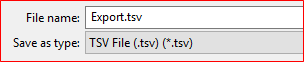
If the .tsv file type has not been associated with i.e. Microsoft Excel it would look something similar to this:

Associate
To associate the .tsv file extension with Microsoft Excel, right click on the Export.tsv file (as shown above), and select Open With

You will be prompted with:
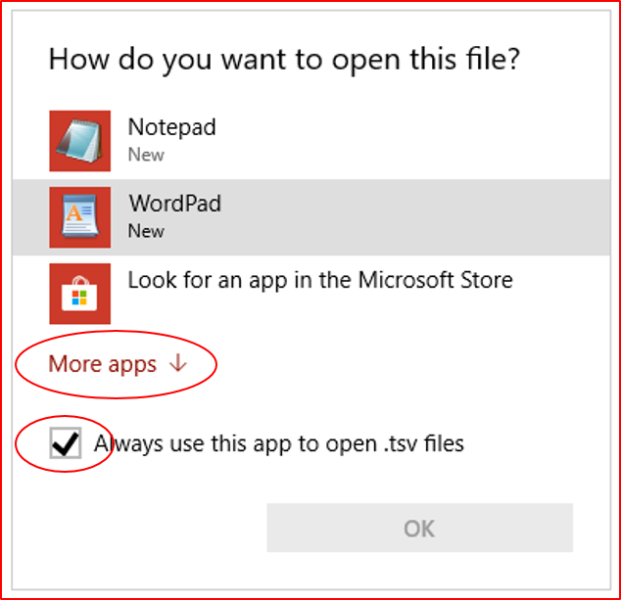
NOTE: Ensure that the check box “Always use this app to open .tsv files” has been selected, if not you will have to repeat the process.
If Microsoft Excel is one of the options select Excel, click on OK and your done. If not select “More apps”
Scroll through the list, if Microsoft Excel is one of these options select Excel, click on OK and your done. If still not on the list select “Look for another app on this PC”
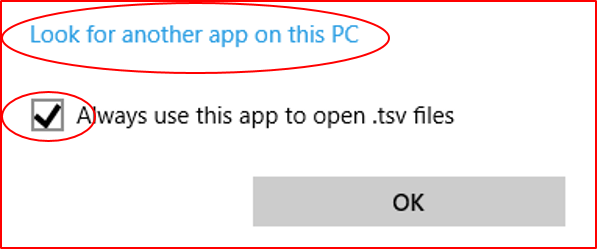
Navigate to the location where Microsoft Excel has been installed and select Microsoft Excel

Usually Microsoft Excel is installed in “Program Files\Microsoft Office\Officexx” where the xx indicate the version of Microsoft
Select Microsoft Excel and your done.
Next Time
The next time you Download a .tsv it should be already associated

NOTE: The import file format has not changed