
Generating Payslips for Annuity Income Payments
Initial setup:
- To customise the layout and option on the Payslip refer to the general setup of a document templates on a product refer to Setting up templates on a product and select the Payslip
- The email notification template can be found under System -> Notification Messages -> Payslip and you can make changes to the email message here.
Who will receive payslips
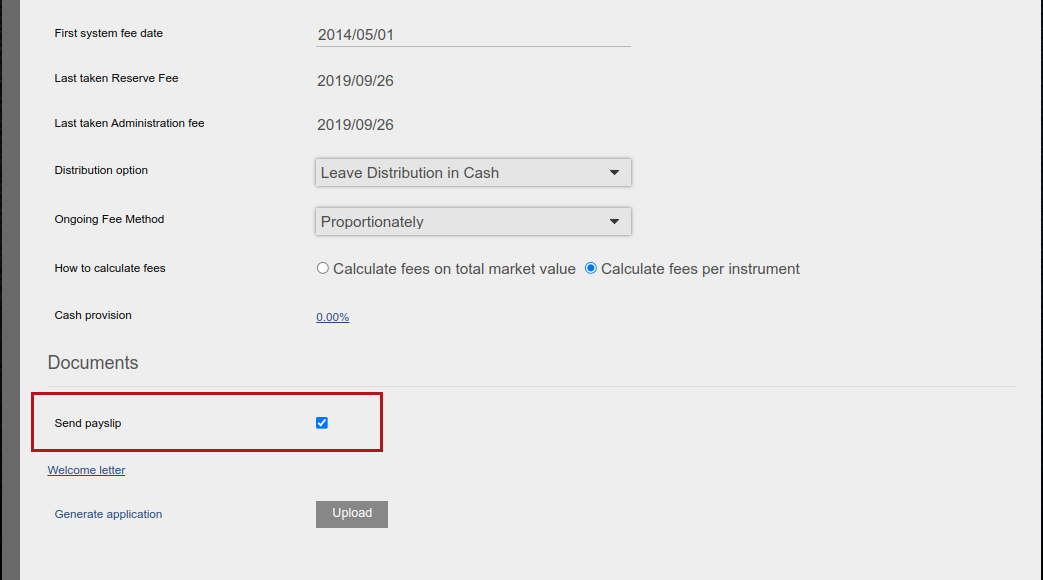
Some clients might indicate that they do not want to receive payslips. On the account details card of the client -> View Details, ‘Send payslips’ can be un-ticked for the clients who do not want to receive payslips. By default the checkbox is ticked on all relevant accounts.
Generate the Monthly payslips as follows:
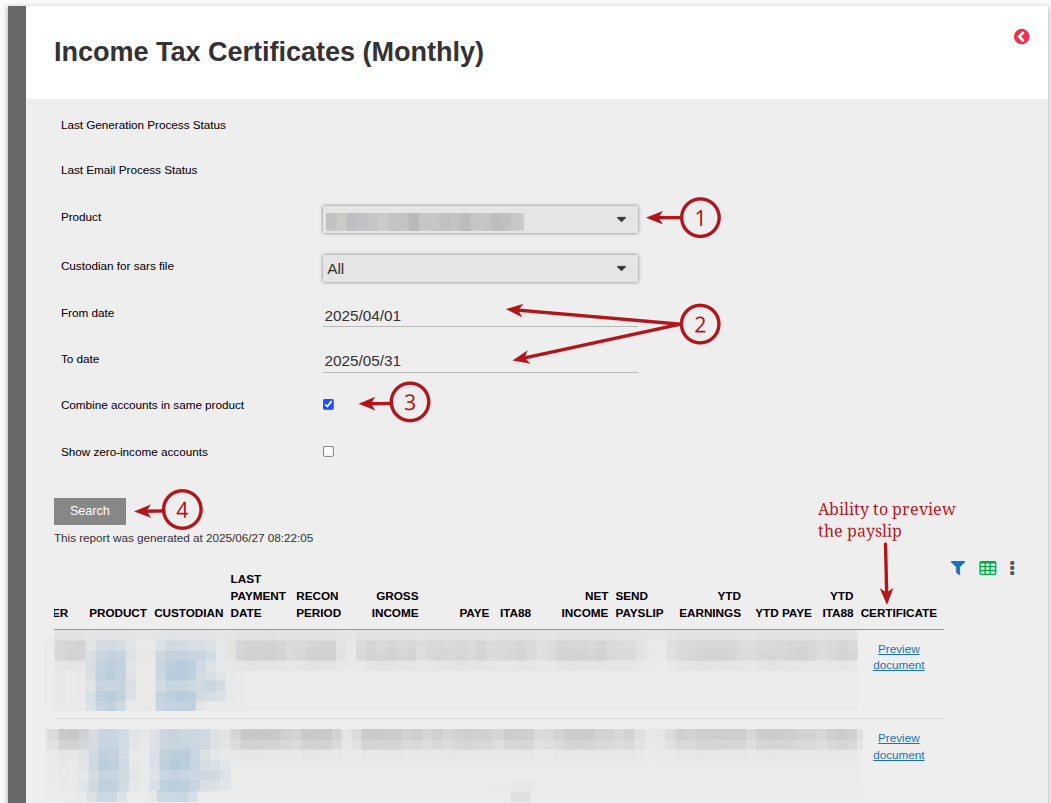
Bulk Processes -> Certificates – Income Tax (Monthly)
Select the (1) Product required, update the (2) From date and To date. If you have Annuitants with more than 1 account in the same product and you wish to provide a combined payslip, select (3) Combine Accounts in Same Product and then (4) Search
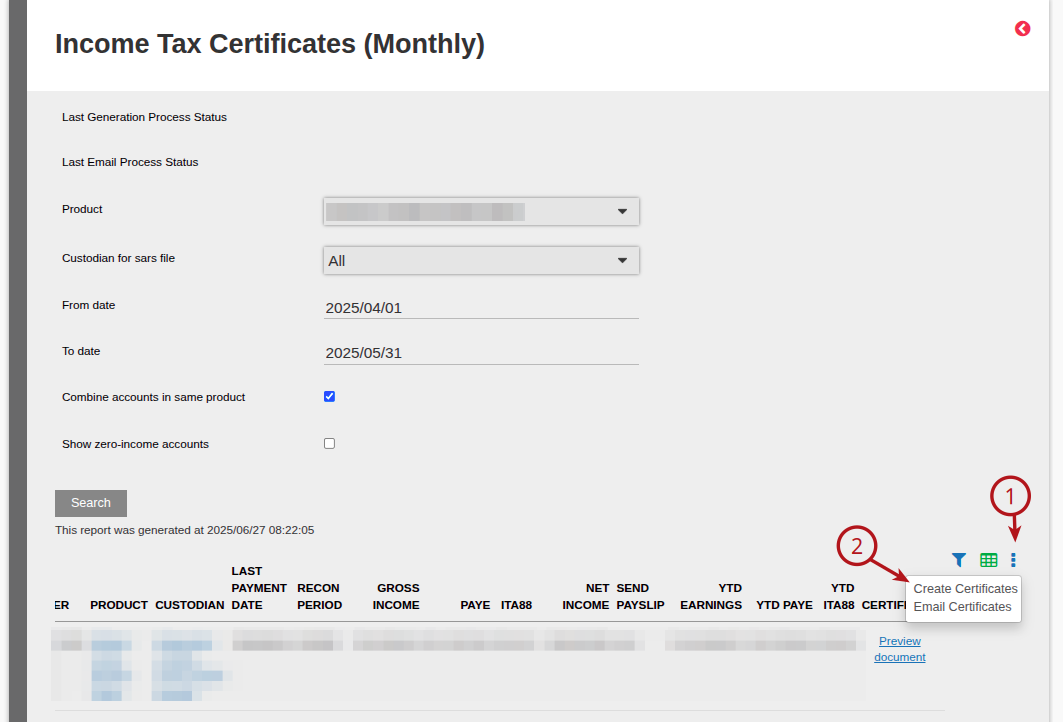
If you are satisfied with Preview, go to (1) More Actions -> (2) Create Certificates
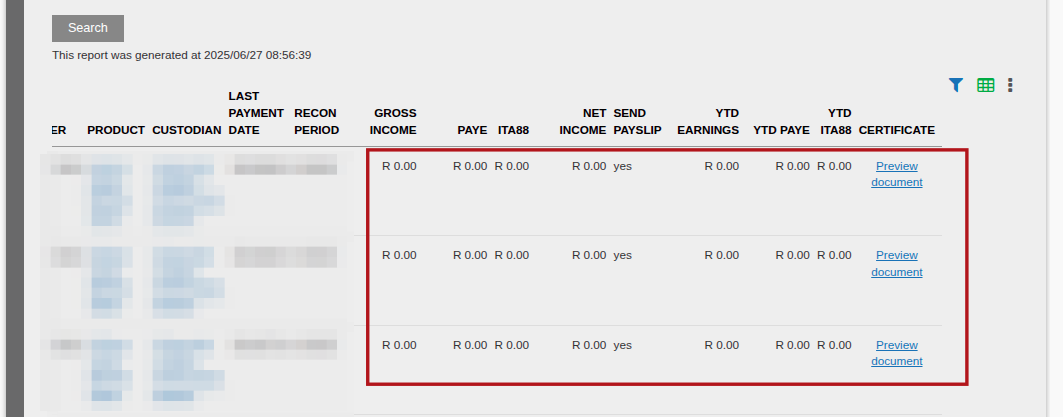
Note: If there was no income paid for an account, a R 0.00 payslip will be available under the Search for preview but will not be generated as a payslip pdf.
Once Certificates are created, the Payslip will also reflect in the Investor Account in the Documents Card.
To email the Payslips, go to More Actions -> Email Certificates
Note: Only payslips in pdfs will be emailed.
Last Updated on 1 year ago by Debra Hart