
Import Employers
The purpose of this functionality is to enable the bulk upload of employers, the bulk upload has now been split into three individual processes, namely “Import Person” , “Import Company” and “Import Employers”.
Note that it’s only required to “Import Person” if the Employers contact person/s do not already exist on the system.
Navigate to (1) “Entities” on the main menu and then select (2) “Entities” second line from the top in the drop-down menu.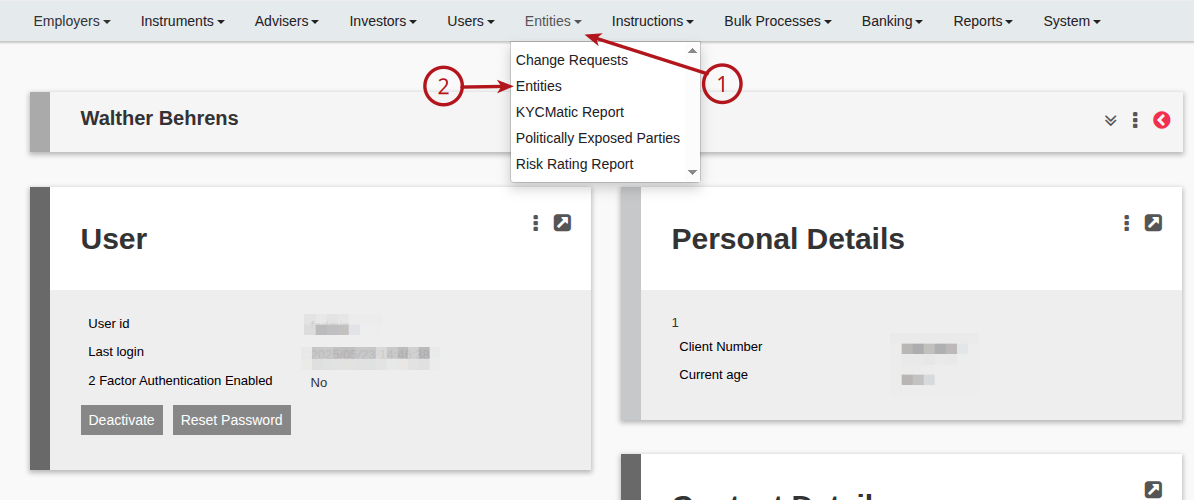
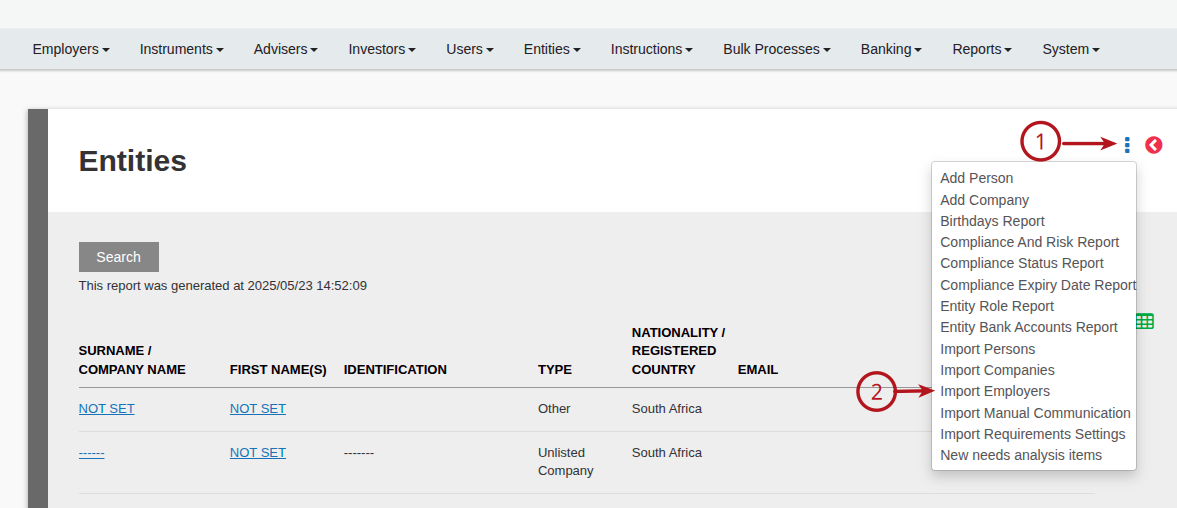
Once on the (1) “Entities” page click on more options and select (2) “Import Employers” from the drop-down menu.
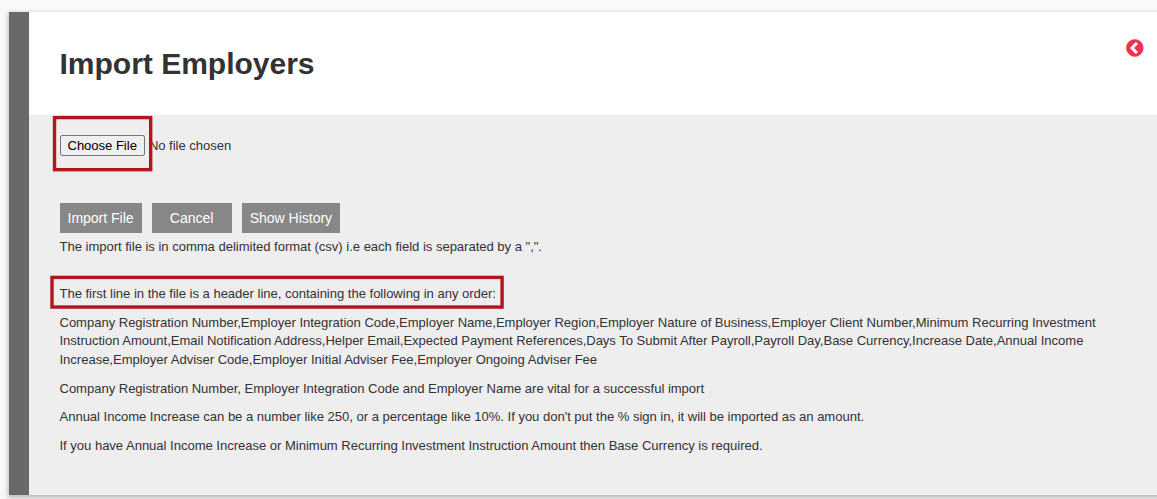
Note that the upload file should be in .CSV format with the first line containing the headers as listed on the import page in any order.
The below page will then open where you click on “Choose File” navigate to where on your file is stored and select it.
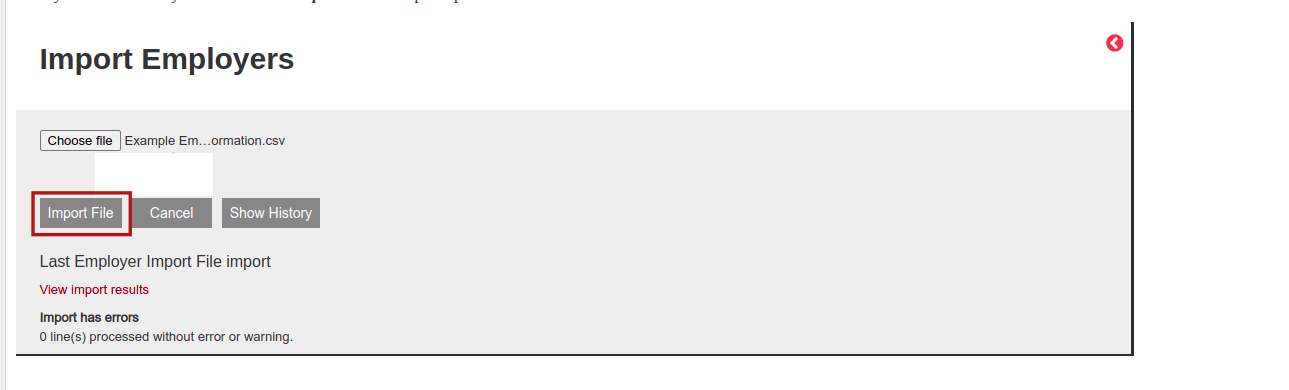
Once you have selected your file click on “Import File” the upload process will then commence.
Last Updated on 1 year ago by Debra Hart