
Limit Cards and – views on adviser and his/her clients
It is possible to limit the cards and details on cards to be displayed if an adviser or his/her clients log into the system. The limited view setup on an adviser will not affect the views of these clients or there accounts when, for instance an administrator logs into the system.
Go to the Adviser Card on an adviser
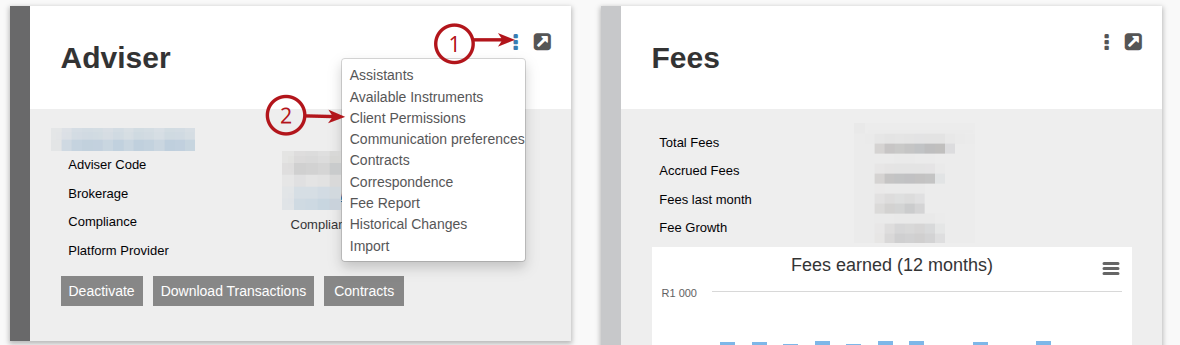
Select/tick the cards to be displayed on the client/entity view and the account view when the adviser or his clients, who are users, log into the system.
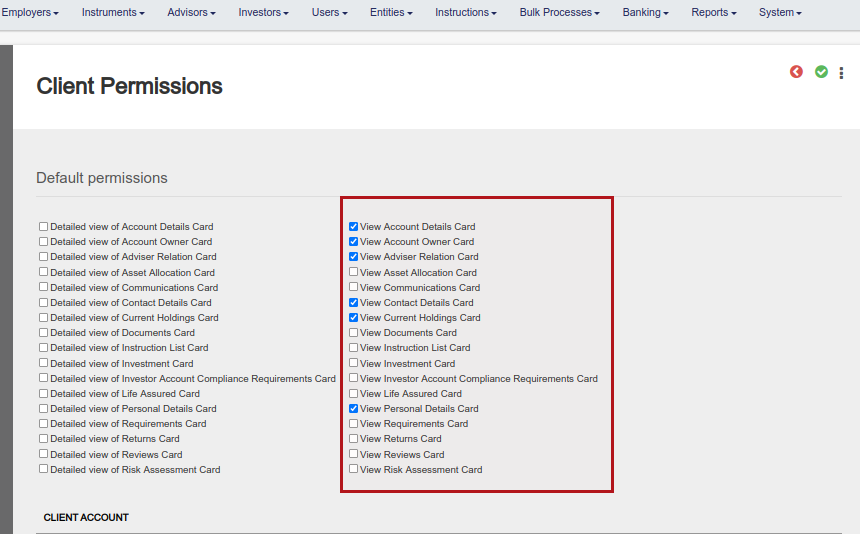
Selecting the ‘View’ option will display the card without the ‘More Actions’ or ‘View Details’ options visible. There is one exception, which is the ‘View Current Holdings Card’, where the option to generate a statement will be available on the card.
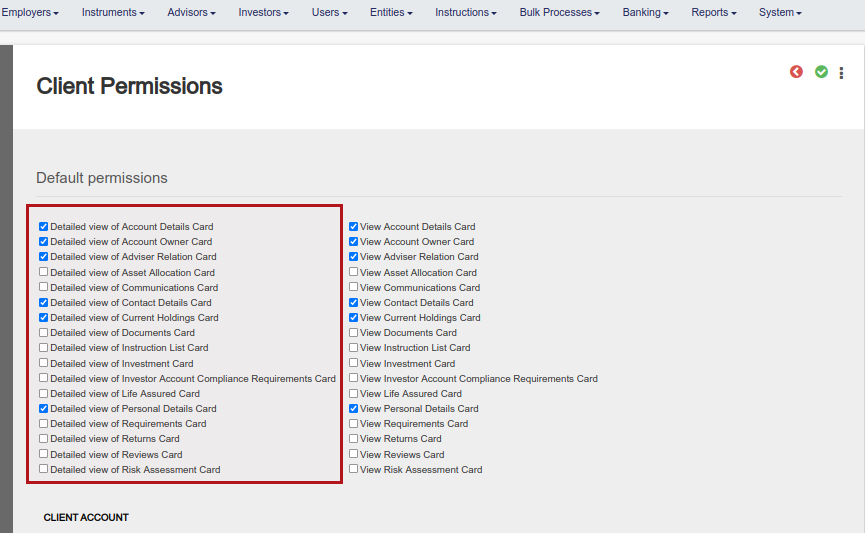
Selecting ‘Detailed view of’ together with ‘View’ will display the card and also make ‘More Actions’ and ‘View Details’ on the card visible. Take note that selecting only ‘Detailed view of’ will not display the card, ‘View’ and ‘Detailed view of’ both need to be selected for a card.
Select ‘Reset Client Permissions’ and save
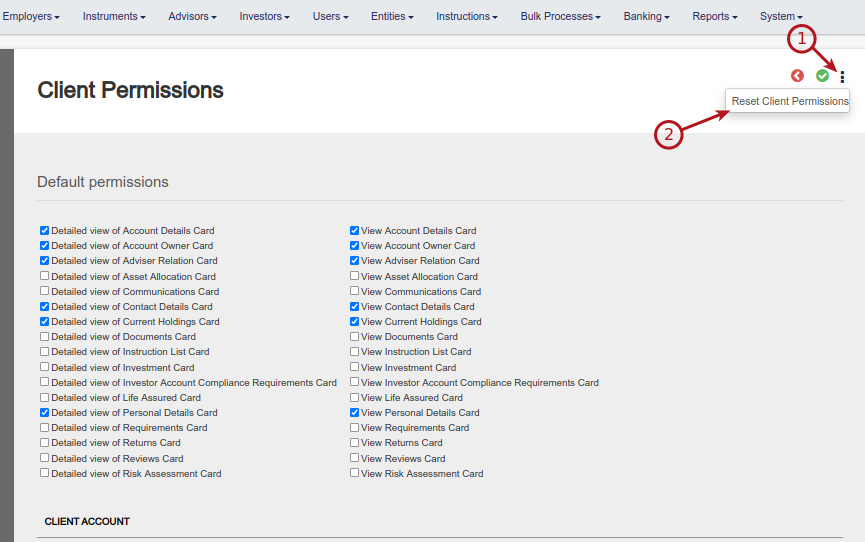
Note: If another user is created or added to an adviser, the reset need to be done again to also apply to the new user on the adviser. The Card setting can also be set individually on an user, irrespective if the user is linked to an adviser.
Last Updated on 1 year ago by Debra Hart