
Logo on Statements and Certificates
A logo can be uploaded on a product to be displayed on Statement and Certificates for the product.

Whether the logo must be aligned left, right or centre, for the product, can also be set.
In instances where no logo is uploaded on the product, the logo as loaded on the Configuration screen will be displayed. The alignment as selected on the product will still be used.


If a logo has been uploaded on a brokerage, statements on the investor will use the logo uploaded on the brokerage company, where the investor is linked to an adviser from the brokerage, instead of the logo on the product.
Go to the Company details card on a brokerage->View Details to upload a logo to be used for clients of advisers linked to the brokerage:
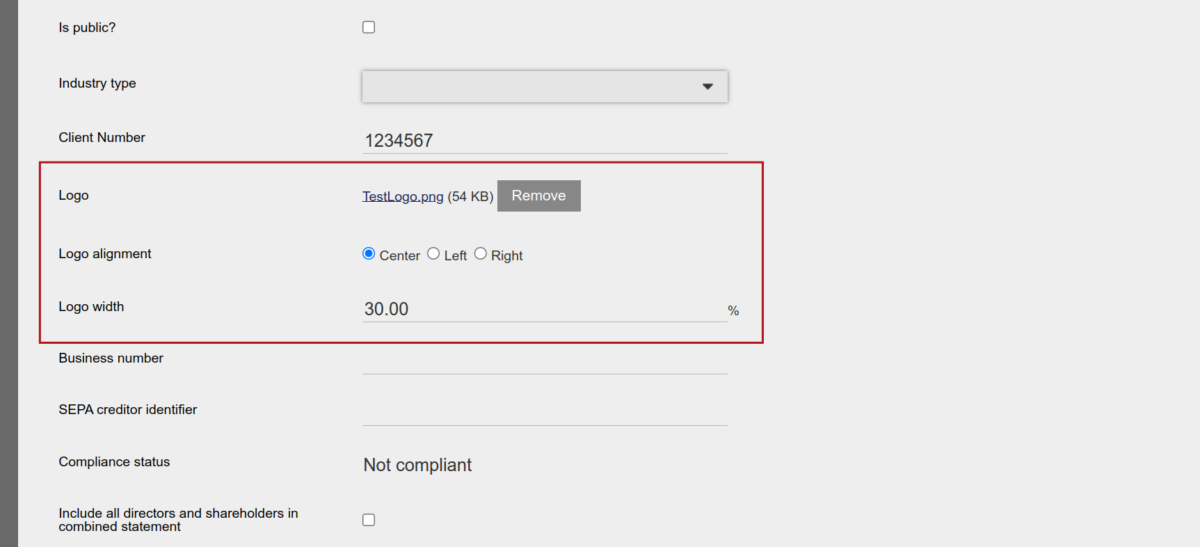
If a logo has been uploaded on the company of an employer, statements on the employees of the employer will use the logo uploaded on the employer company, instead of the logo on the product.
NOTE: Logos must be uploaded as image files and not pdfs and in some instances provision is made on certificate templates to upload a logo for the relevant certificates.
Last Updated on 2 years ago by Antoinette Van Meyeren