
Manage available Investor instruments on contract level
When a contract is opened for a client, the system will allow investments into instruments based on what is linked to a product and advisor and brokerage (if the client has an advisor).
These settings can be overridden on a contract level.
If the settings is ticked under Contract Details >- More Actions >- Override Available Instruments, it will not look at the settings under the Product, Advisor, or Brokerage.
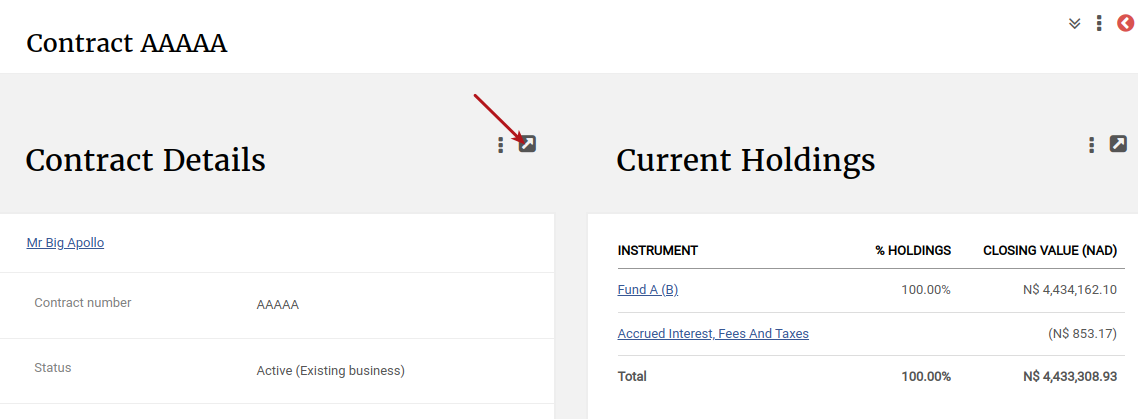
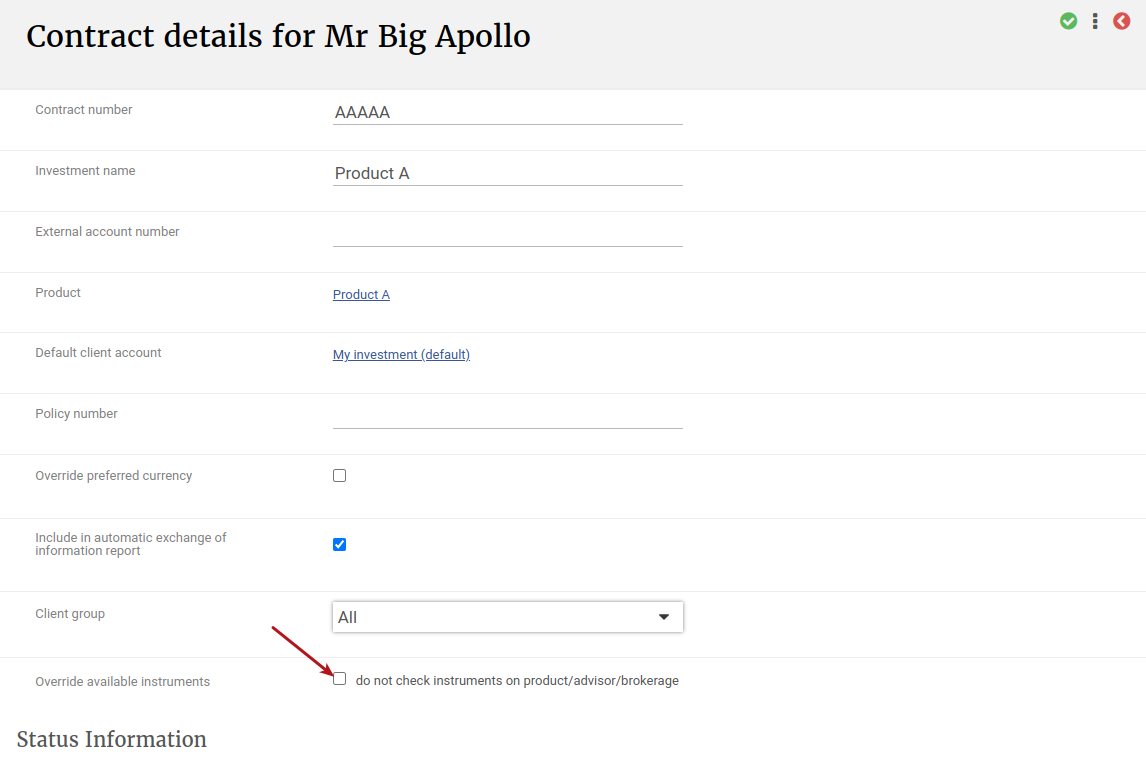 This setting can be used for various reasons, but as an example, this setting can be switched on if a client is only allowed to invest in specific instruments but there are more available on a Product. This will remove the risk of capturing an instruction in an incorrect instrument.
Also, when this setting is ticked for specific instruments, and the instrument has a unit balance, if the instrument is then made unavailable, if would still allow sells out of the instrument but will not allow buys into the instrument.
When ‘Override available instruments’ has been ticked, Available Instruments on the contract will be empty.
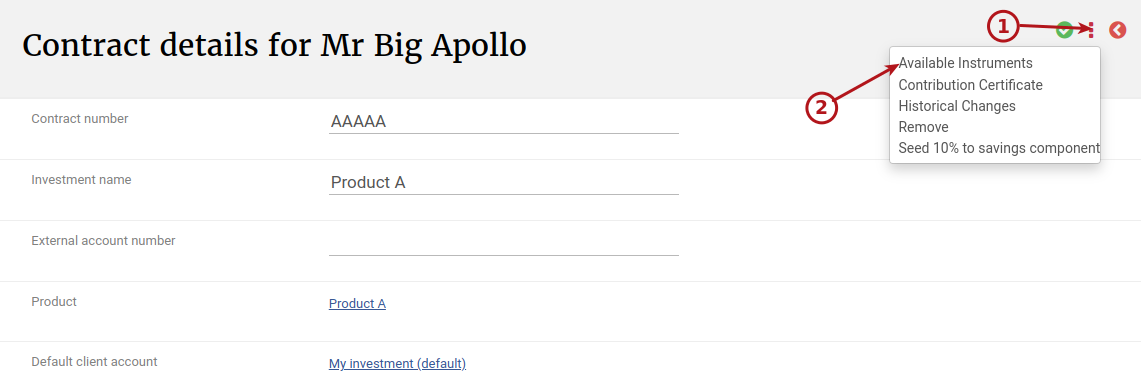
Available instruments can then be added and removed as needed.
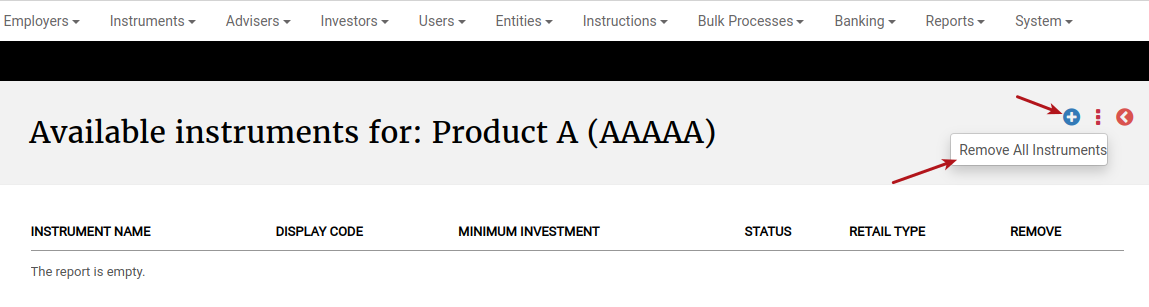
NOTE: Only users with the permission ‘Edit available instruments on contract‘ will be able to use this functionality.
Last Updated on 2 years ago by Antoinette Van Meyeren