
Match deposits in bulk
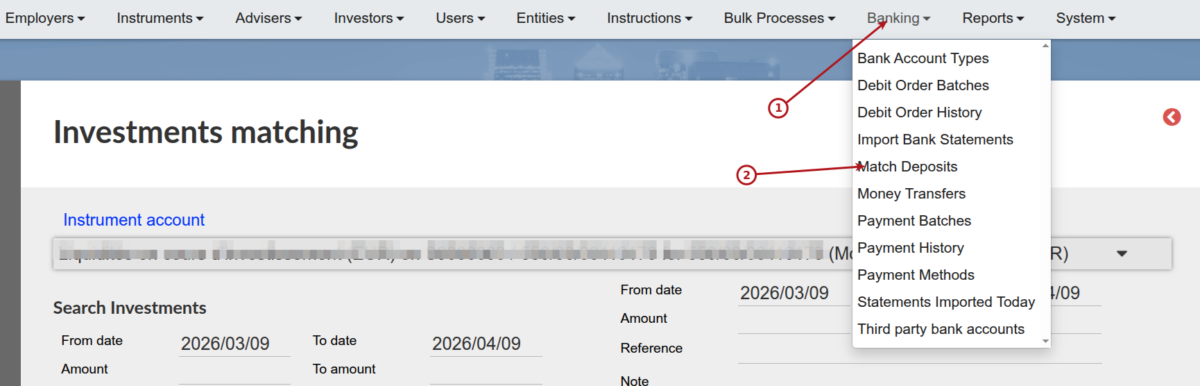
Multiple deposits can be matched with one or more bank entry under the Banking main menu.
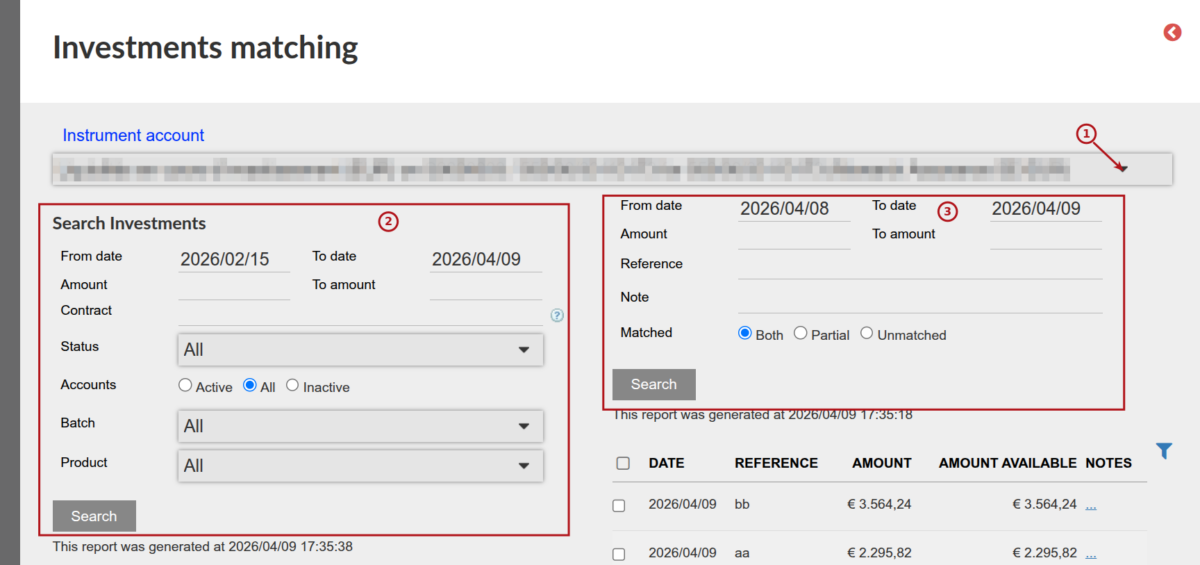
- Use the drop-down list to select the relevant bank account where the deposits are expected
- Use the search functionality on the left to determine which investment instructions must be displayed for possible matching (the from and to date refers to the commencement date of the instruction)
- Use the search functionality on the right to determine which bank entries needs to be displayed for possible matching
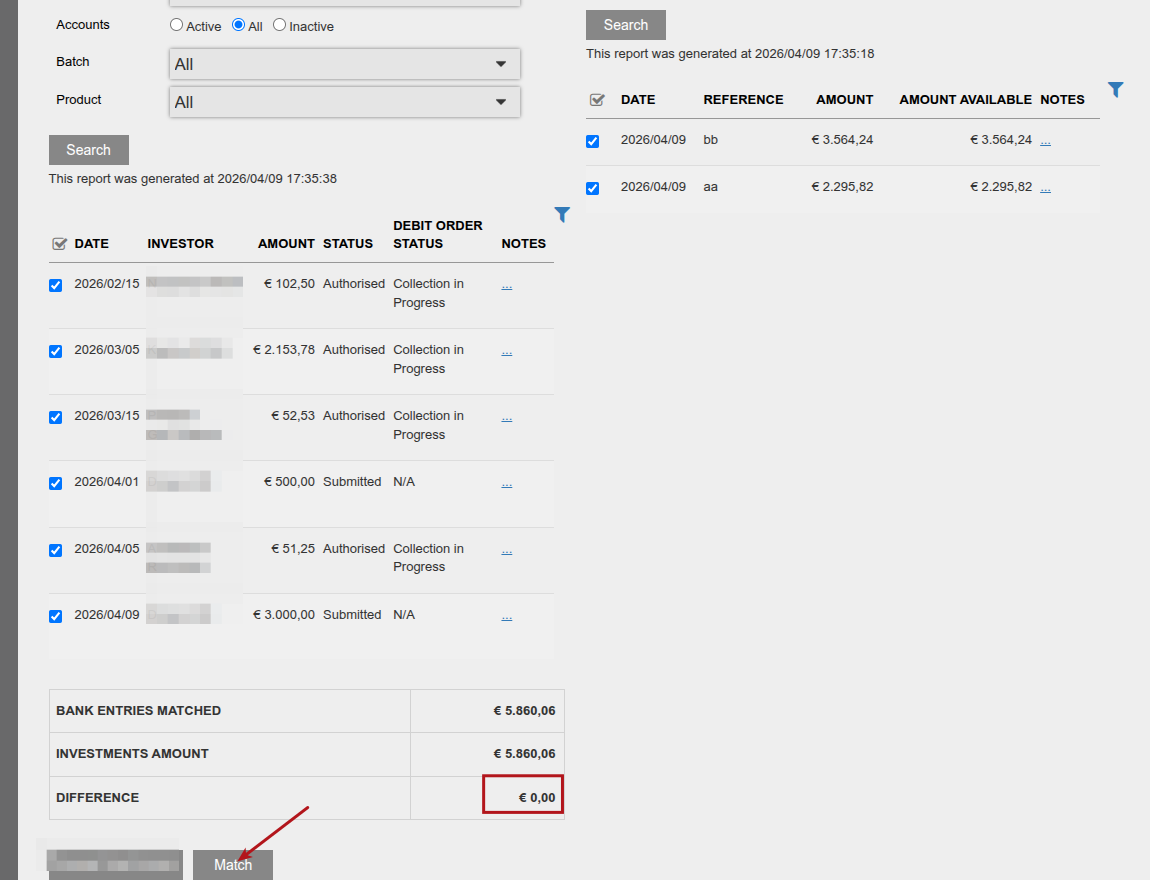
The instructions selected for matching and bank entries to match with must be the same in order to do the matching
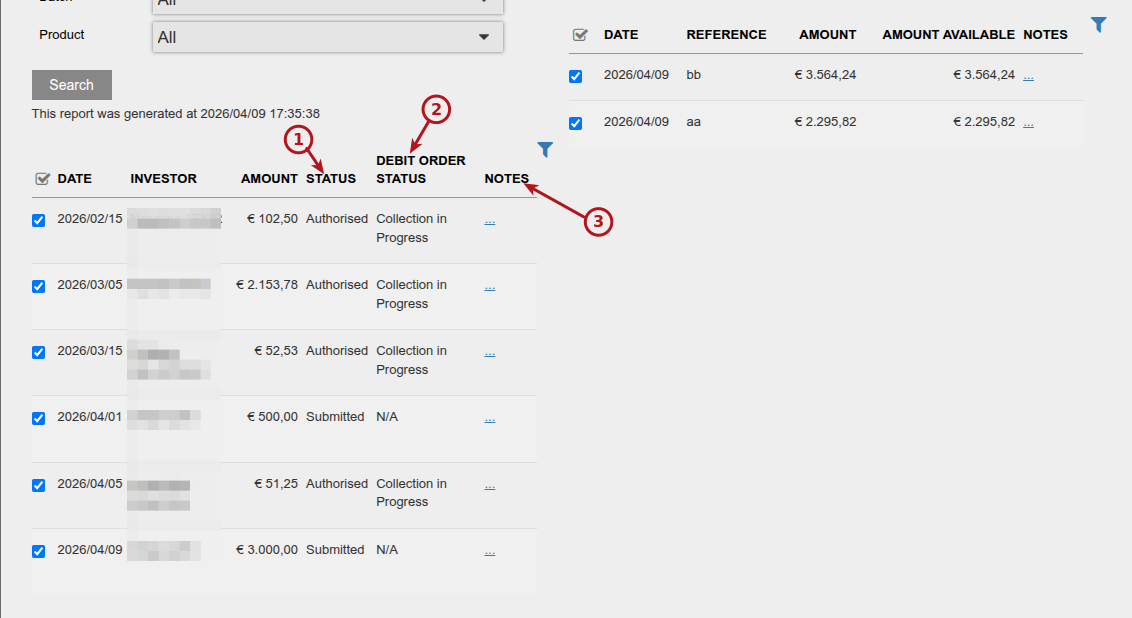
- The status column indicates the status of the investment instruction
- Where the method of payment on the investment instruction is ‘Electronic Collection by the Administrator’ (usually recurring investments) the debit order status on the instruction will be displayed
- The links under notes can be used to navigate to the relevant instruction
Last Updated on 6 months ago by Antoinette Van Meyeren