
Maximums on Tax free Products
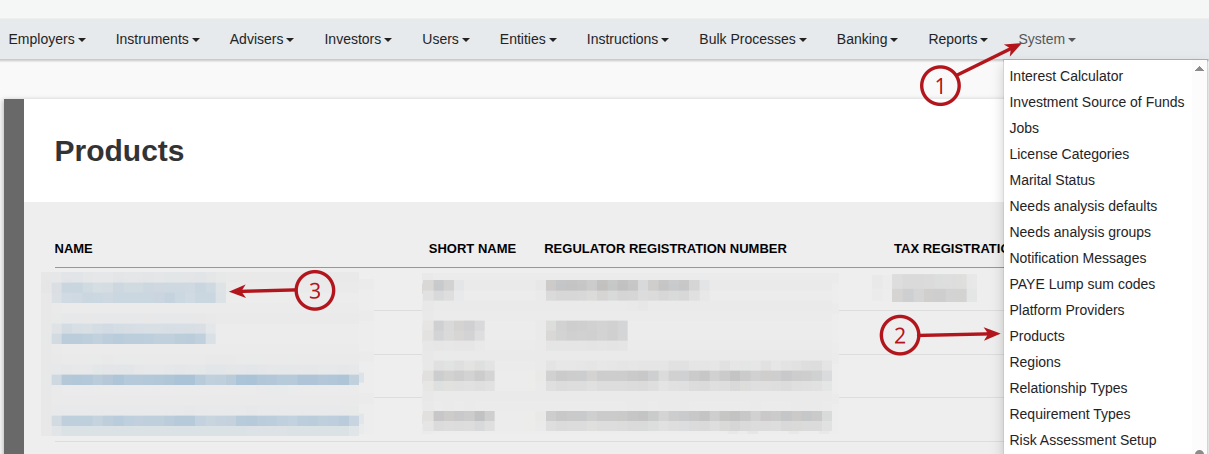
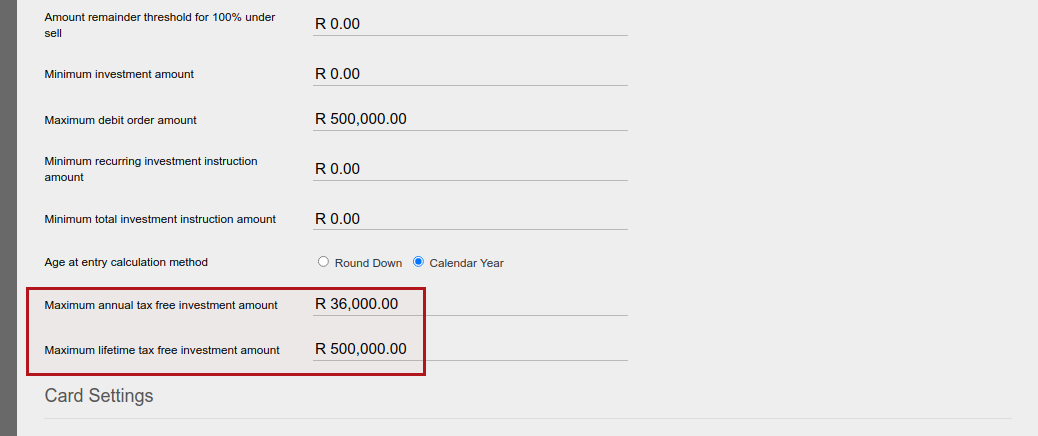
Maximum investment amounts allowed per tax year and over a life time can be set on a tax free product. A tax free product is defined on the system via Products -> select product -> ‘Tax free investment apply’ setting -> enable this setting to identify the product as a tax free product.
The system will keep track of investments (once off, recurring and transfer in) into all contracts in tax-free products in the name of the investor, and will return an error warning against instructions that exceed these limits. Where investors own contracts in different tax-free products, the validation will consider the annual and lifetime limits as they are set up on each product, and validate the instruction amount against the lower set of limits in the event that these differ between the products.
Select the Tax Free Product
Under the Setting section, update the maximums and save
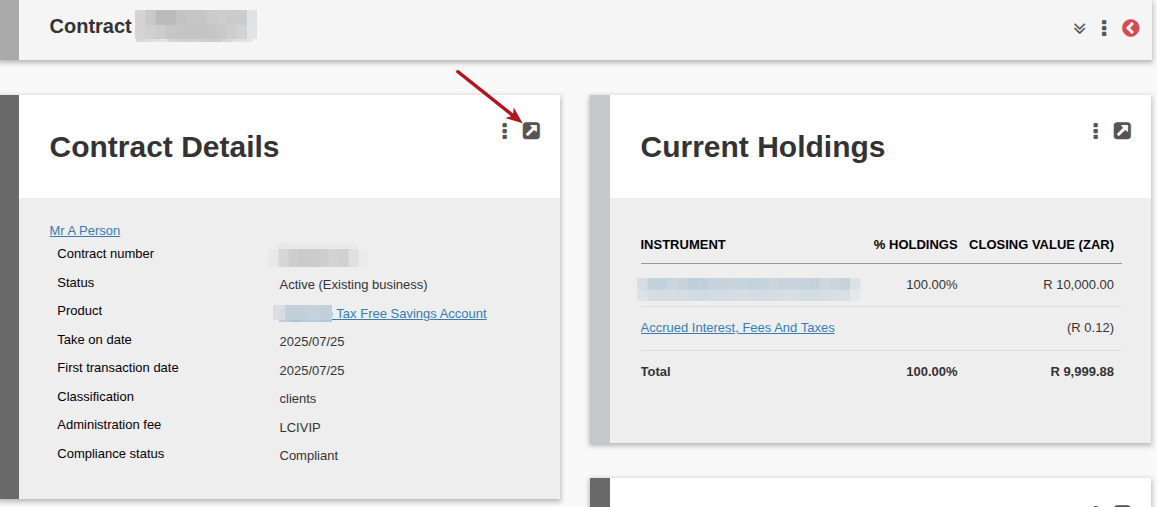
On the investor account
Provision is made to update:
- Total investments sum in product before take on date – investments not done through the Finworks system
- Tax year in which corresponding annual investments before take on were made & Total investments in product in the specified tax year before take on date – specify which portion of the ‘Total investments sum in product before take on date’ as set above has been part of the tax year to be included in the system calculation of the ‘Contributions/Investments over the current tax year’
Contributions/Investments over the current tax year & Contributions/Investments over lifetime are the calculated fields to ensure the maximums are not inadvertently exceeded.
NOTE: ‘Contributions/Investments over lifetime’ will include the value of all authorised and submitted instructions on the account, and it will exclude investment growth, i.e. it should only consider investments purchased and not growth of the investment.
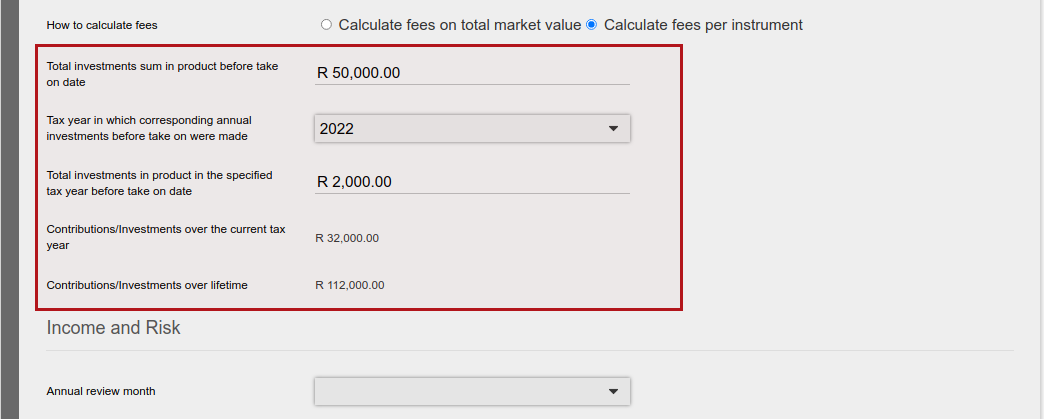
In the example above the client has already invested R 32 000 into the fund for the current tax year, and the annual maximum contribution limit was R 36 000:
- Before take on: R 2000
- Three recurring investments of R 10 000 each
With the next recurring investment of R 10 000, the R 36 000 maximum for the tax year will be exceeded. Therefore, when the previous recurring was authorised, the next recurring was not created with status ‘submitted (auto recur)’, but as status ‘new’. This would also be the case should the next recurring investments exceed the Contributions/Investments over lifetime maximum.
This provides the opportunity for the administrator to make changes to the recurring investment (change amount or commencement date) before submitting and authorising the instruction.
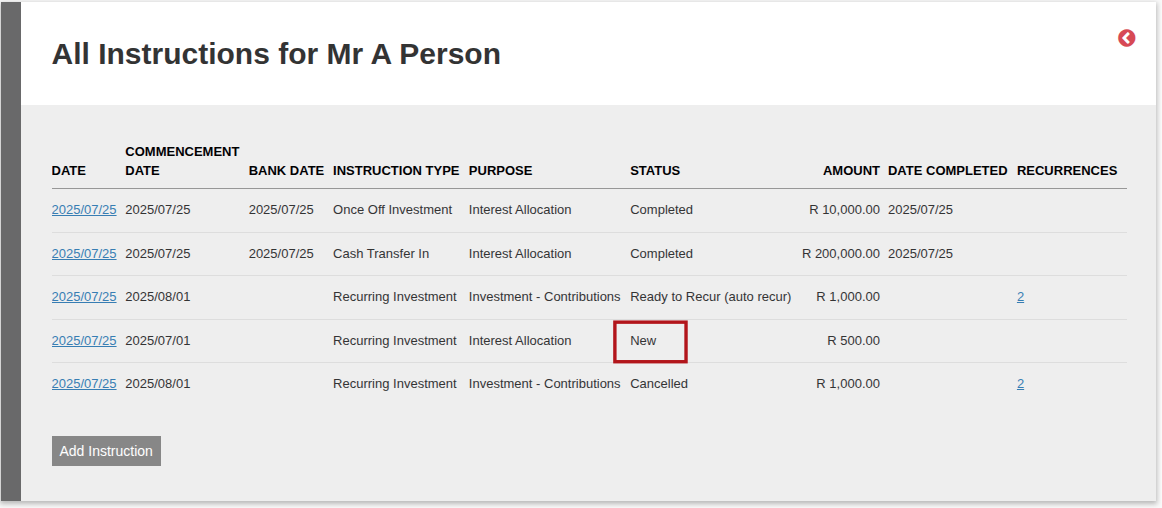
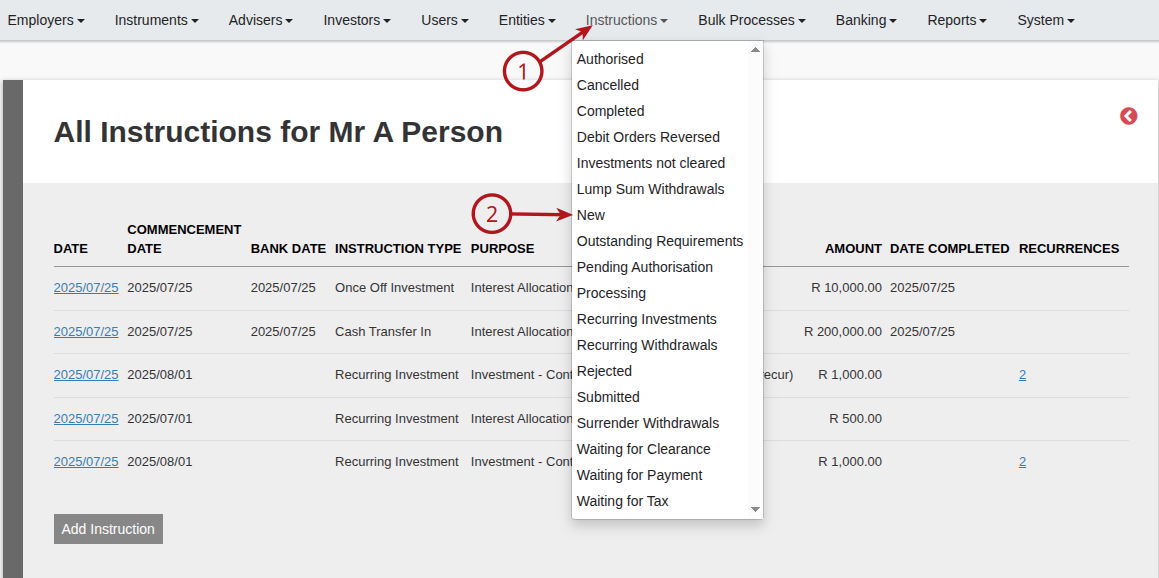
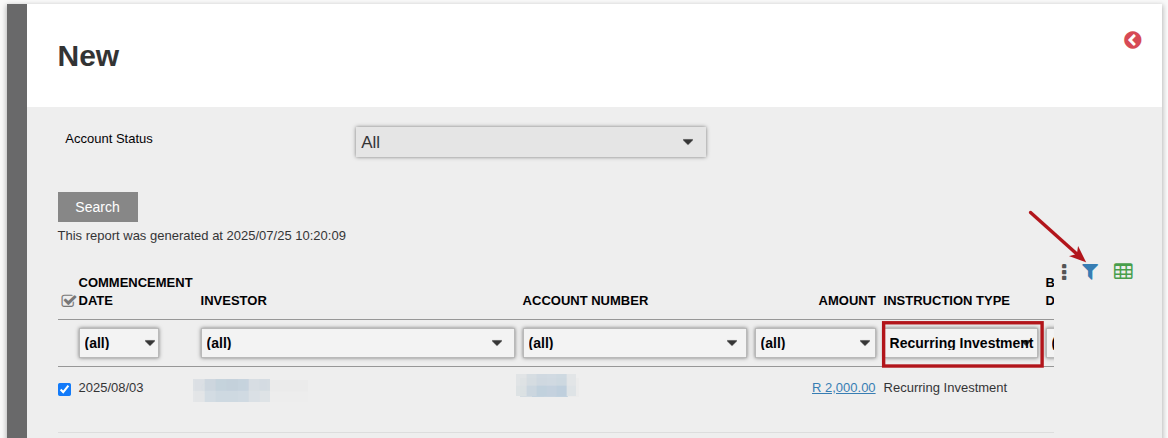
Recurring investments with status new can be monitored under the instructions main menu
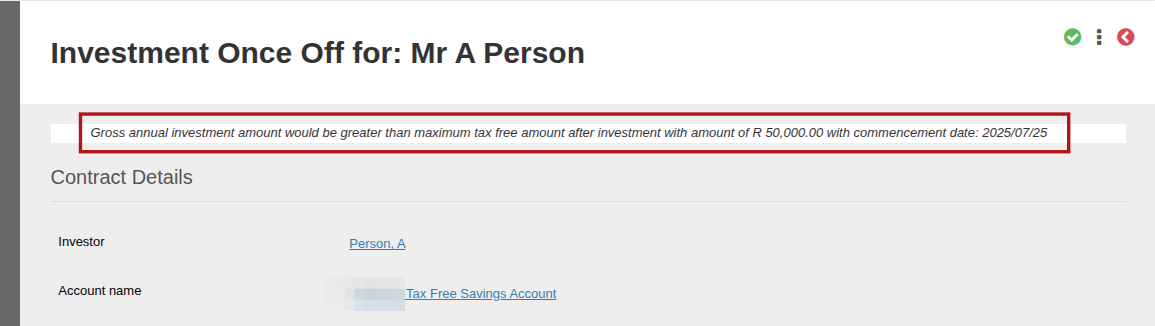
When a once off investment or a Transfer in that will exceed the maximums are submitted, a screen message will be displayed and the instruction will have to be amended to be within the maximum limit to be able to submit it.
Last Updated on 2 months ago by Hayley Jerram