
Merging a Duplicate Person/Company (Entity)
This functionality is only available to users with the Global Permission: Merge, which is under the Company and Person Card
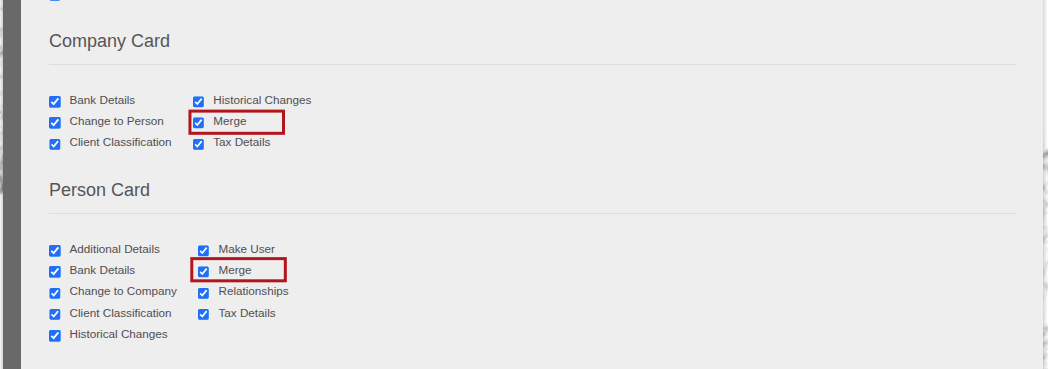
Steps to merge duplicate person/company:
- The contract will be moved from the incorrect person/company to the correct person/company
- The incorrect person/company will be deleted.
- ALL historical changes on the incorrect person/company will no be longer available.
- Communication, documents, bank accounts and workflow tasks will be merged to the correct person/company.
- NOTE: On a Company, if there is a Contact Person loaded, this first needs to be removed.
Search and select the correct person/company under the search menu
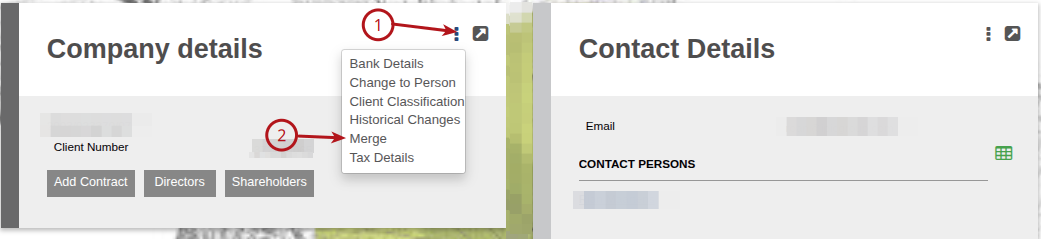
On the Person/Company Card, (1) More options (2) Merge
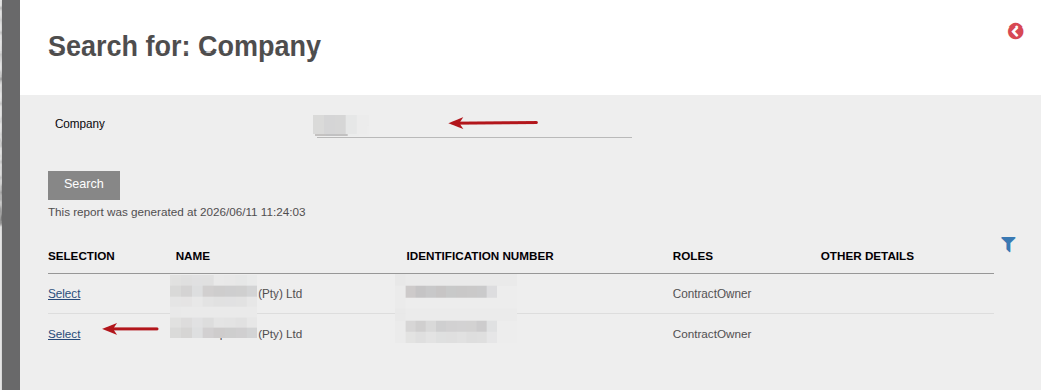
Search for the incorrect duplicate and select
You will receive a warning message. If the selected entities are correct, select ‘Yes’

Searching for the same person/company again will confirm that the incorrect person is deleted
Also see Role conditions for merging of entities
Last Updated on 4 months ago by Debra Hart