SENDING THE REQUEST TO COMPLETE THE ONLINE APPLICATION
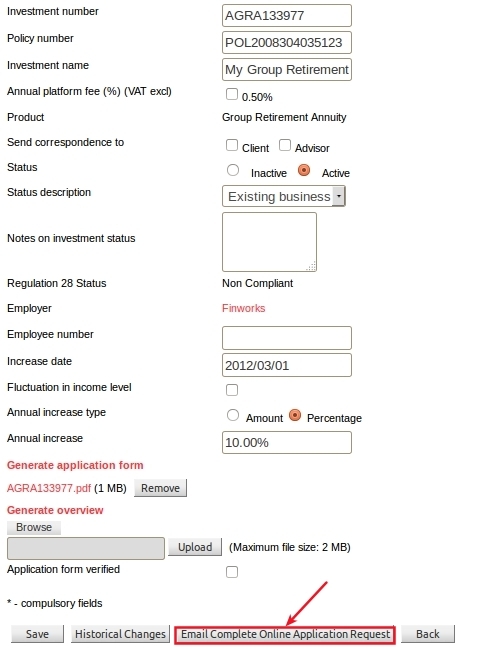
An external request to complete the online application can be send to an investor / member, by clicking on the “Email Complete Online Application Request” button from the details screen for an investor account.
An email will then be send to the email address, as set up in the contact details of the investor / member.
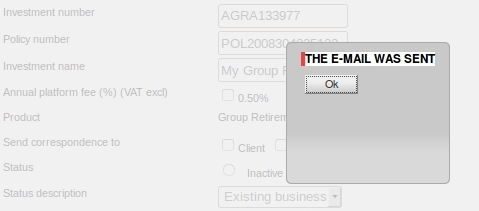
A confirmation message will be displayed that the email has been sent.
NEW BUSINESS APPLICATION WIZARD
On following the link in the email, the investor will be directed to the online application wizard.
The first page will display a summary of the steps to follow.

Select the Next button to proceed to the first step, namely to Choose your funds.
The required minimums on the funds will be validated.

Select the Next button to proceed to the page to Fill in your details.
The form will be populated by default with the details of the existing recurring investment instruction, for this investor, but can be overridden which will then immediately update the system database with the new details.
If there is an Adviser linked on the investor’s account, the adviser details will be displayed as read-only fields, except for the initial- and annual commission percentages, which can be edited.
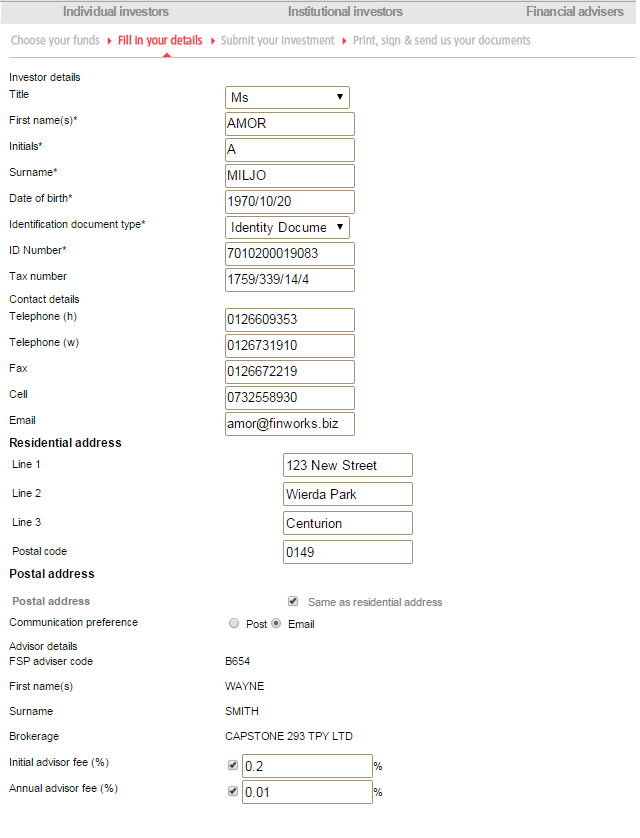
On completion and checking of the investor details, select the Next button to proceed to the Submit your investment page, for final confirmation.
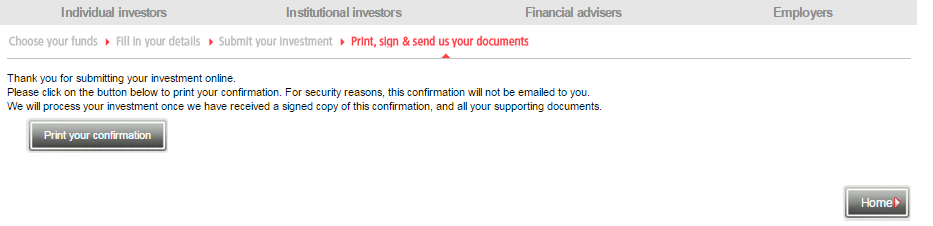
From this page, one can still go Back to any of the previous pages. Once, submitted one can not revert to any of the previous pages, but may Print the the Application form, which needs to be signed and send back for further processing and validation.
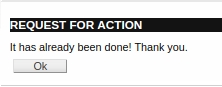
Once the application has been submitted online, a message will be displayed that the request has already been done, if the link is followed again.
MANAGING THE APPLICATION REQUESTS
From the admin portal, the administrator will be able to monitor the progress and status of all external requests:
System -> External Requests
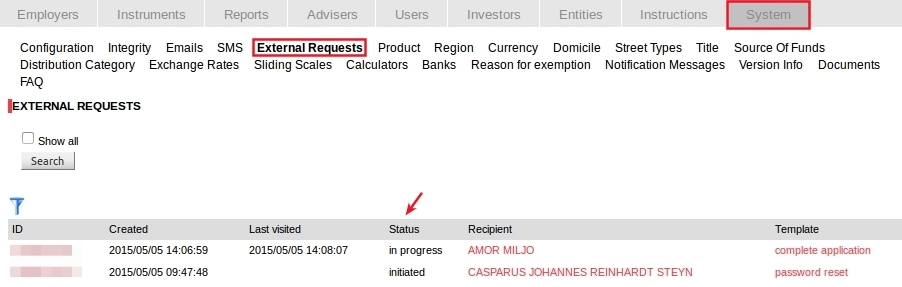
By default, only the requests that are not yet completed, will be listed.
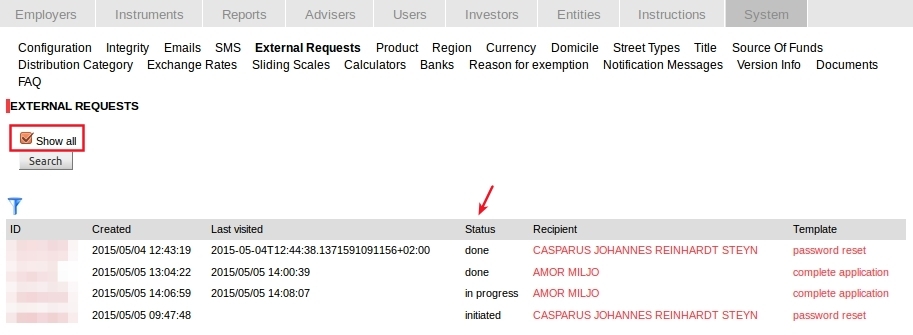
Select the “Show All” checkbox and Search, to list all the external requests, including the ones that are done.
The status of the last external request can also be viewed from the individual investor account.
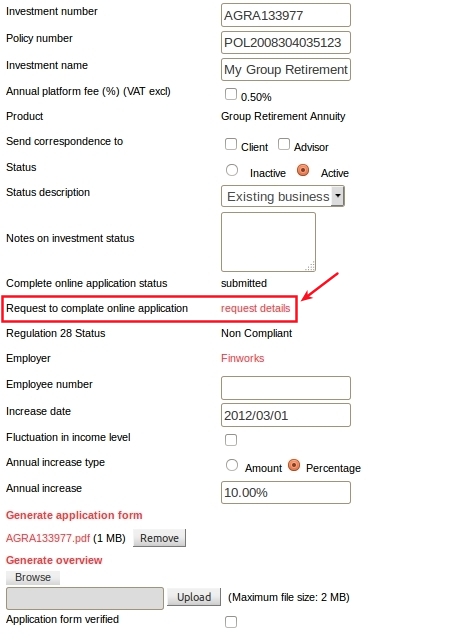
Select the “request details” link from the detail view of an investor account.
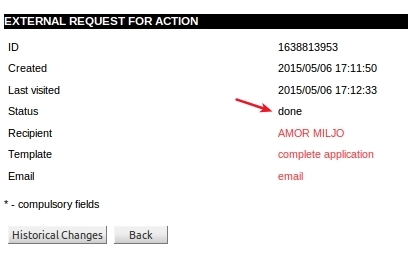
The status of the request will be indicated, as well as the dates created and last changed, with links to the recipient, email template and actual email details.
The Email Template
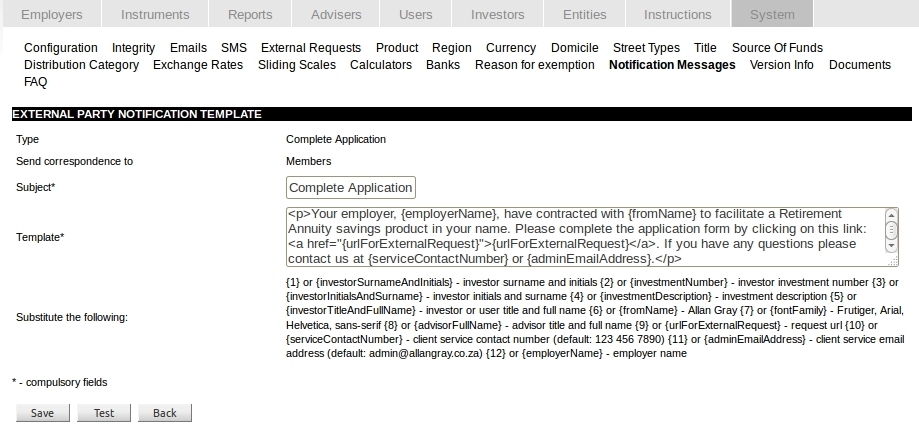
A default template is used for the contents of “Complete Application” email and can be changed under:
System -> Notification Messages -> Complete Application
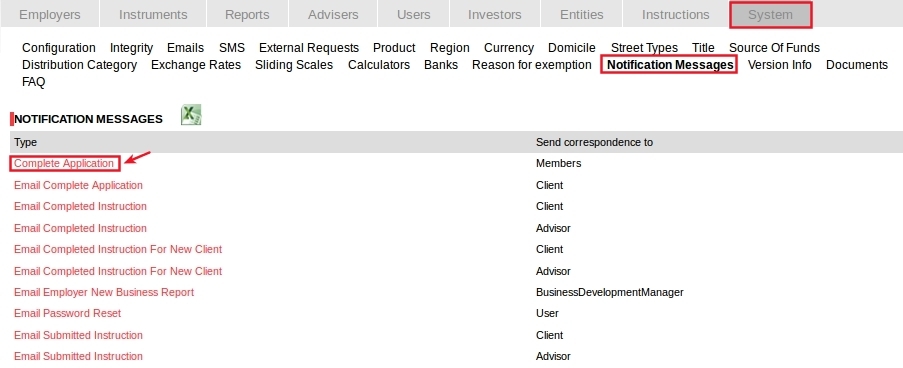
The subject and tempate contents can then be edited, using the key fields as indicated.