
Setup Employer Quote
Before the Employer Quote can be used, some setup is required.
Nature of Business is a required field and can be setup under System->Employer nature of business
Online application process:
A. The relevant email notification messages need to be setup under System main menu->Notification Messages 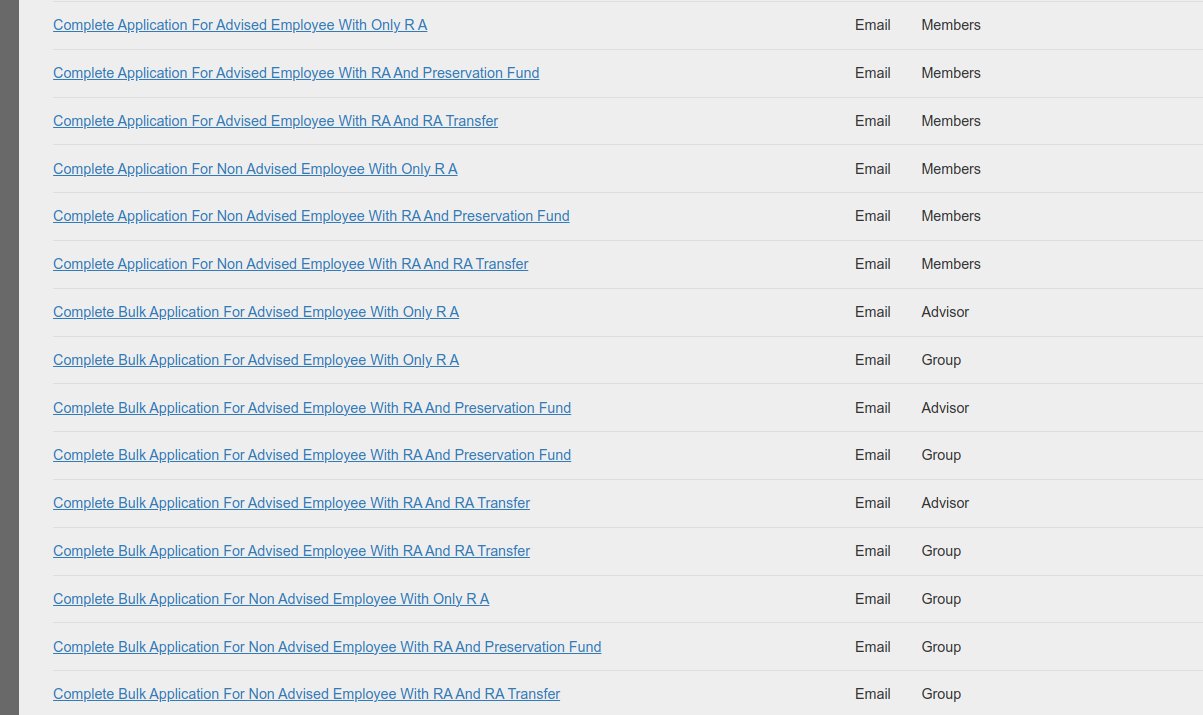
B. Further setup needs to be done on the ‘Default product’ as setup under System main menu->Configuration
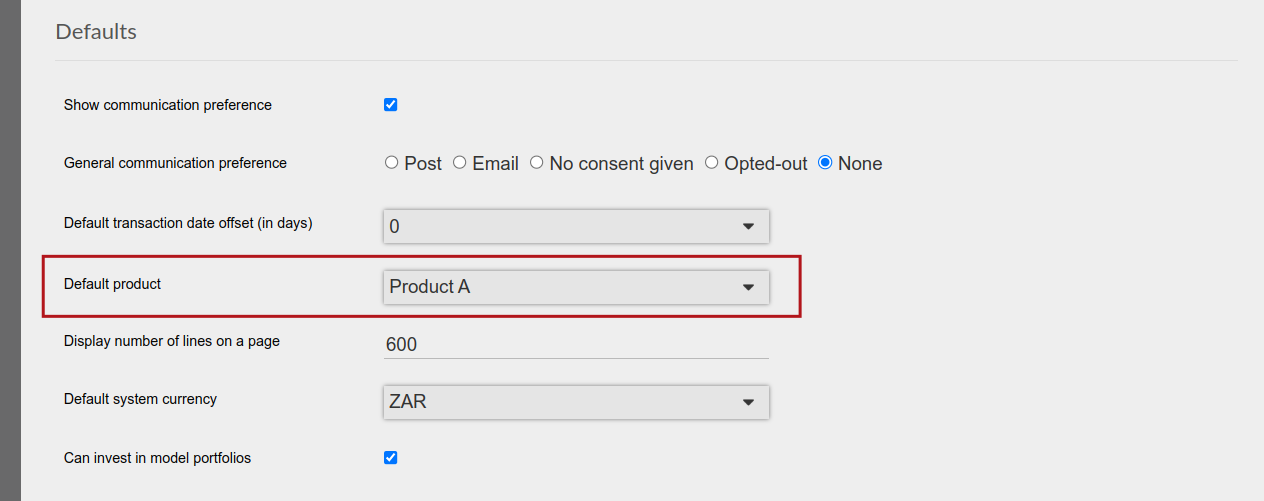
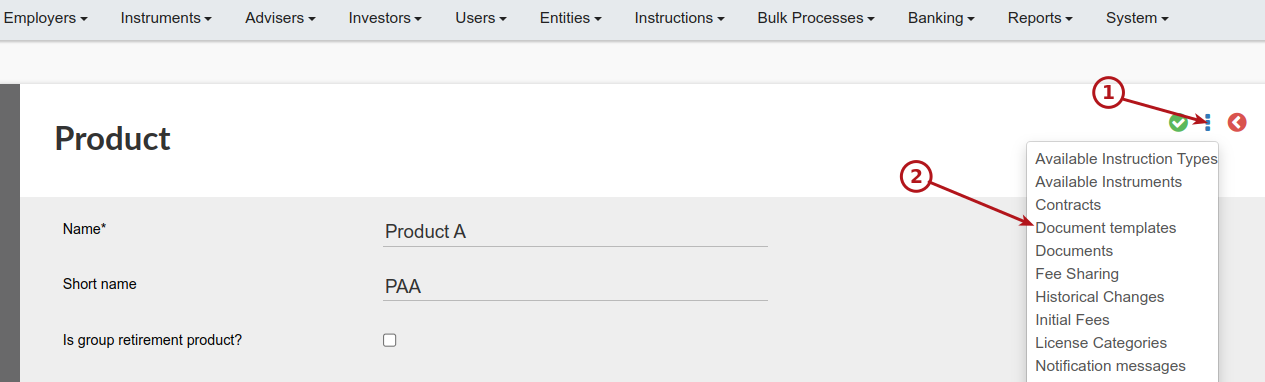
Go to the default product
Required on online application: Industries: System->Industries
Required on online application: Occupation: System->Risk assessment setup->Risk Assessment Occupation Type
Required on quote: Nature of business: System -> Employer nature of business
Not required on quote, but an available field: Regions: System->Regions
Products that can be selected must be ticked as “Is group retirement product”.
ON config, tick Uses online application process & expiry date
Put url link in notification template for online application or remove all text: Choose your unit trusts
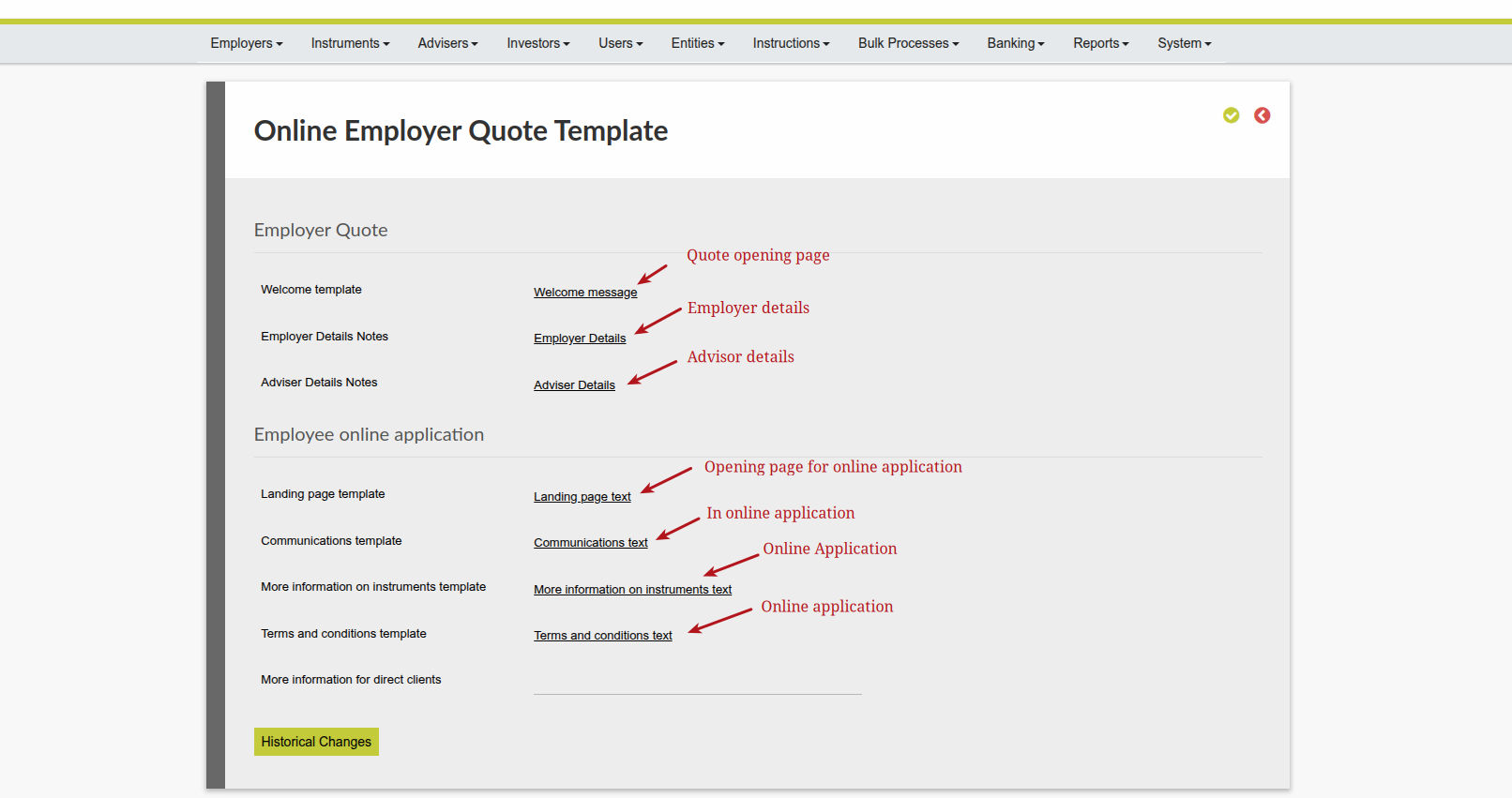
I added 2 fields:
- More information url for clients with an advisor
- More information url for direct clients
to: Default product -> Document templates -> Online Employer Quote Template
Groupra uses 2 links – one for direct clients and 1 for clients with an advisor. If they only want 1 url, they can just use the same url for both fields.
You need to change your template to use the url correctly. It needs to be in an anchor block like this:
<span>For more information on our range of unit trusts please <a href=”{moreInformationUrl}” target=”_blank”>click here</a></span>
Last Updated on 1 year ago by Debra Hart