
Password Protect documents
PDF documents generated by the system can be password protected.
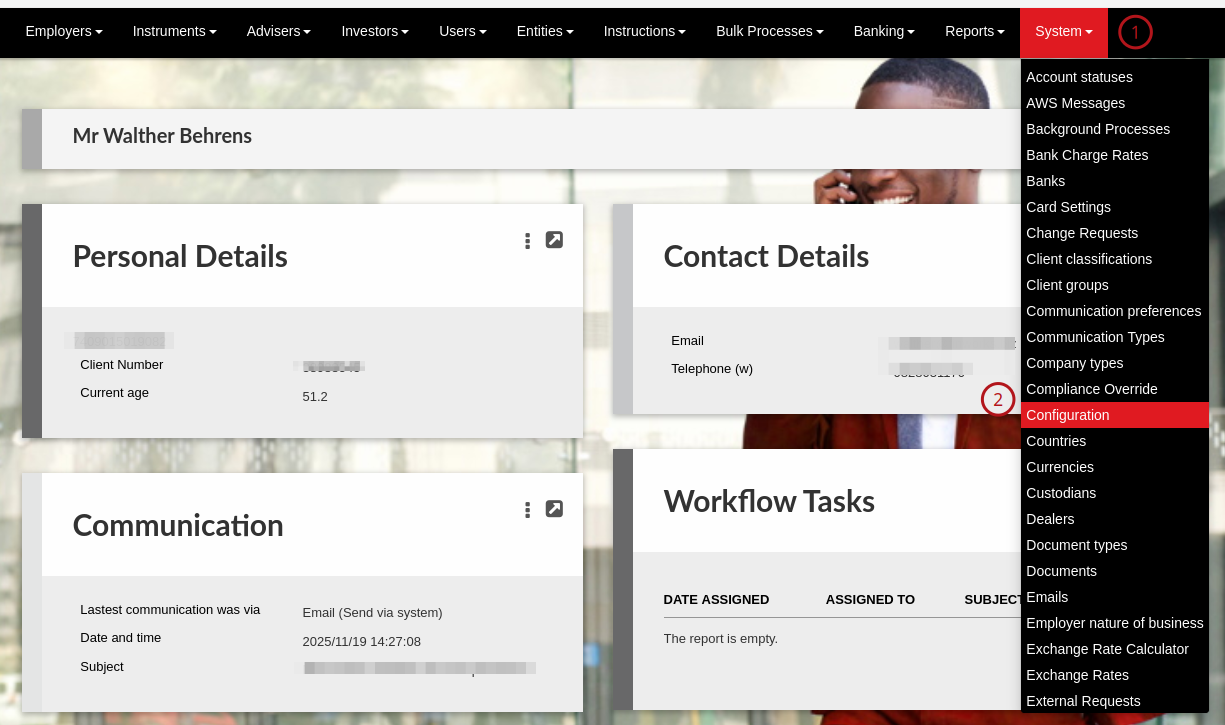
To activate password protection go to configuration:
Navigate down to the the section on the page “Security” here you will find the options to activate.
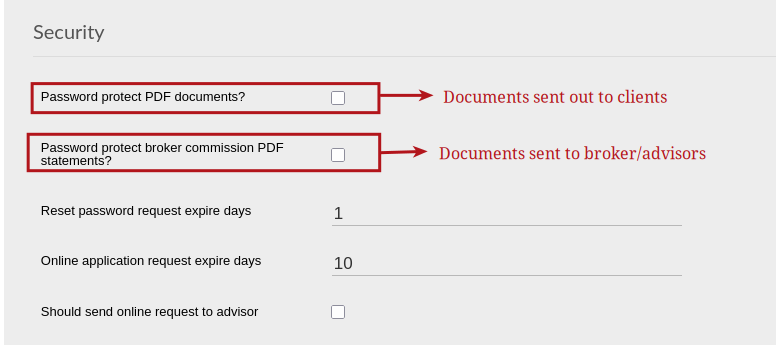
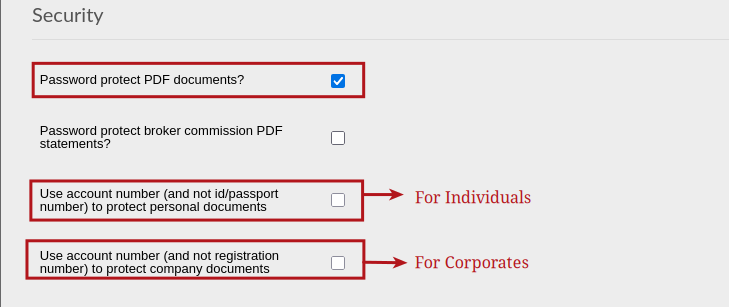
The PDF password will be the ID number of the client, as on the system, in the case of a person. In the case of a company the password will be the registration number of the company, as on the system.When selecting ‘Password protect PDF documents?’ two further tick-boxes will become available, which can be used to change what is used in the system as passwords for entities, persons and companies.
EXCEPTION:
Outstanding requirement pdfs that are password protected, use the following as passwords:
- If we email to the adviser, the adviser code followed by 00 is used as the password
- If we email to the employer, the employer name is used as password
Fee statements pdfs that are password protected, use the following as passwords:
- The brokerage code followed by 00 is used as the password
NOTE: A PDF will not be password protected if the field to be used as the password has not been captured for the entity in the system.