
Policy Data & Annuity Payment Report
Set the Prefixes
Policy Data & Annuity Payment Report Prefixes can be set on the custodian details
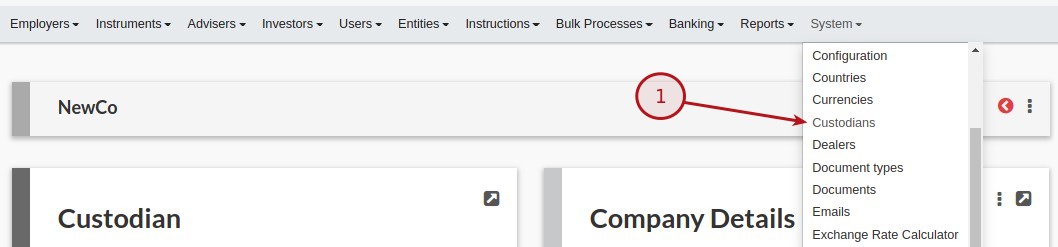
From the menu (1) System -> Custodians, navigate to the specific Custodian
On the Custodian card select (1) View Details

Scroll down to the Reports section, and set the required prefixes, Policy data report prefix & Annuity payment report prefix

Create the reports
To creare a Policy data report or Annuity payment report navigate to:
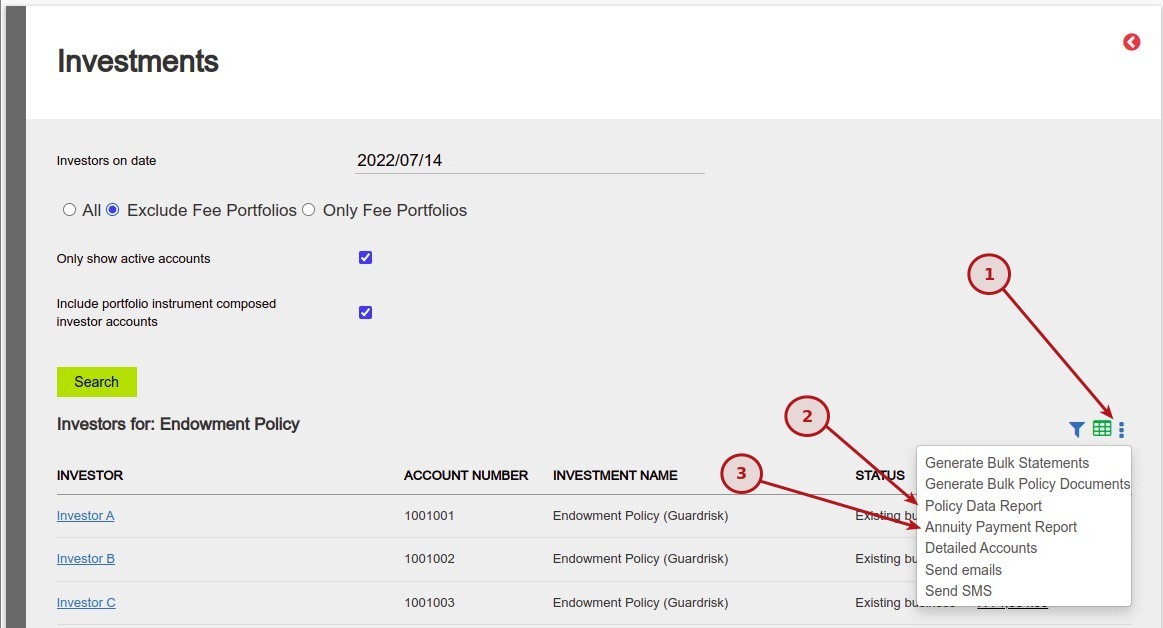
From the Product Card select (1) More Actions then (2) Investor Accounts

From the Investments Card select (1) Mode Actions and (2) Policy Data Report or (3) Annuity Payment Report
Last Updated on 4 years ago by Tinus Burger