
Portfolio Management fees
Portfolio management fees applies to ongoing fees paid to a Model Manager who is managing a Model Portfolio. Fees will be allocated to the relevant Model Manager’s Fee portfolio.
On setting up the Fee type Portfolio management fee (System->Fee Types), there is an option available to select ‘Is a model portfolio fee?’


If ‘Is a model portfolio fee?’ is not selected, Portfolio management fees can not be overridden on a Model manager or a Model portfolio.
The override possibilities will only be Contract->Client Account
If ‘Is a model portfolio fee?’ is selected, Portfolio management fees can be overridden on a Model manager or a Model portfolio as well.
The override possibilities will be Model manager->Model->Contract->Client account.
Using this functionality simplifies the process of having to update the Portfolio management fee on each client account that invest in a model.
NOTE: Setup the Fee type (System->Fee Types) with a zero default value and on the product also with a zero default value. This ensures that the Portfolio management fee is only accrued and taken on client accounts that invest in a model.
On the Model manager, go to the relevant model manager entity

Select View Details on the Model Manager’s Model Portfolio Manager card

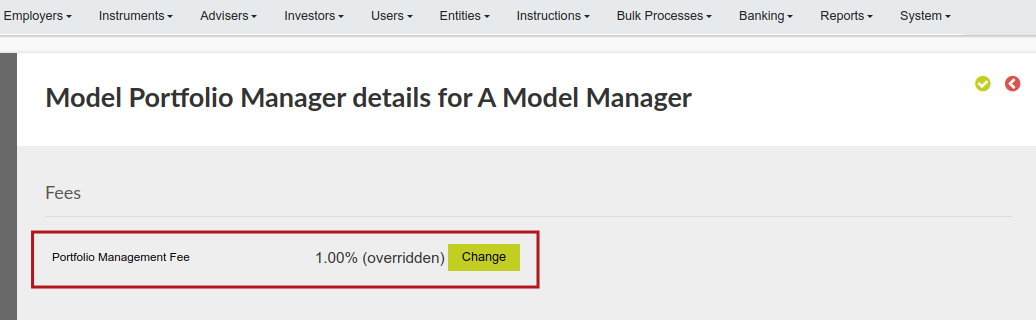
On the Model Portfolio, go to the relevant Model portfolio


Note: The fee type needs to be defined on the product, if it is only on the model, but not in the list of fees allowed for the product, the system will not take the model fee in that product.
Last Updated on 1 year ago by Debra Hart