
Second level authorisation on a withdrawal instruction where an amount or percentage is above a specified threshold
- Navigate to the required Product.
- Go to the Settings section.
- Select “Requires secondary authorisation on withdrawals above a specified threshold?”.
- Enter the required Amount or Percentage Threshold.
Note: Only users with the global permission ‘Can authorise instruction that is pending authorisation’ can approve these pending transactions
`

- Submit: The user creates and submits the instruction. It then moves to:
- Pending Authorisation: once authorised from Pending authorisation, it then moves to:
- Authorise: An authorized user approves and releases the instruction.
On submission of the instruction a pop-up message will appear:
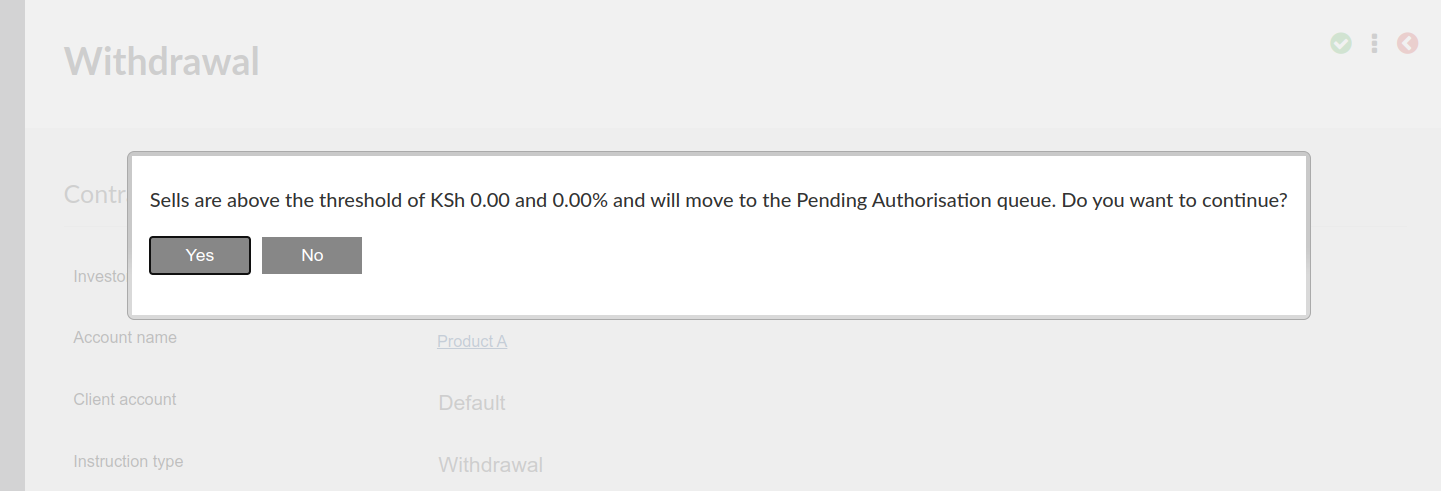
If ‘Yes’ is selected the instruction will be submitted. The instruction can not be directly authorised and must first be set to pending authorisation.
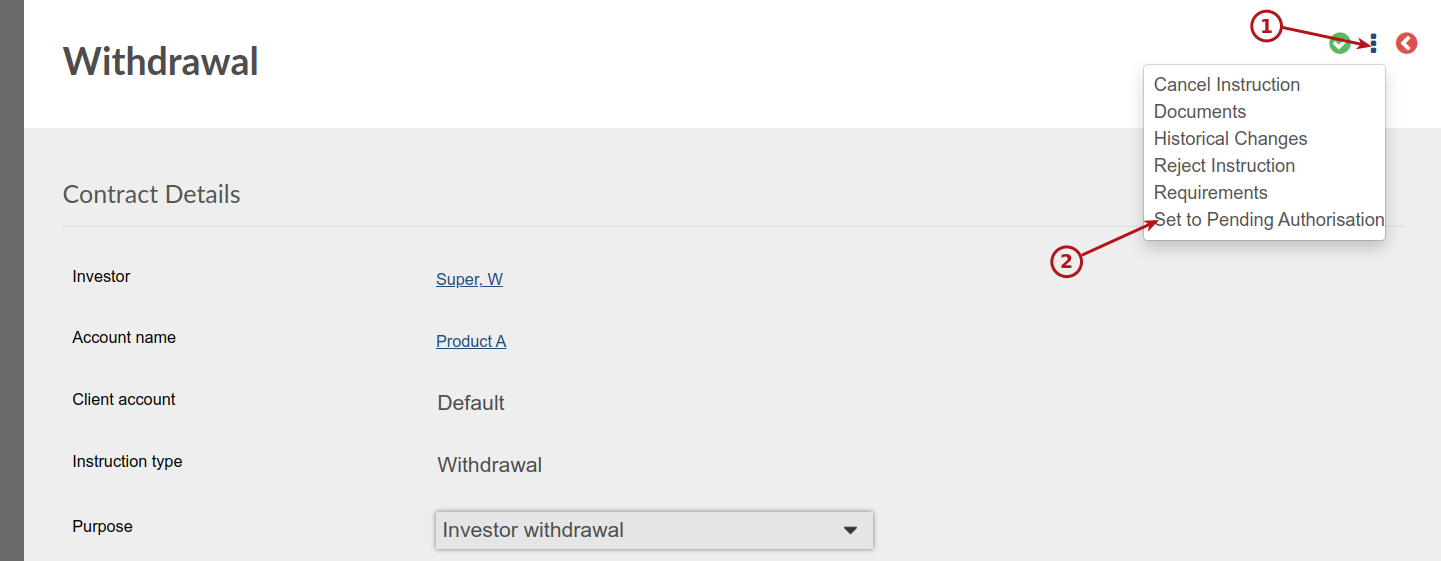

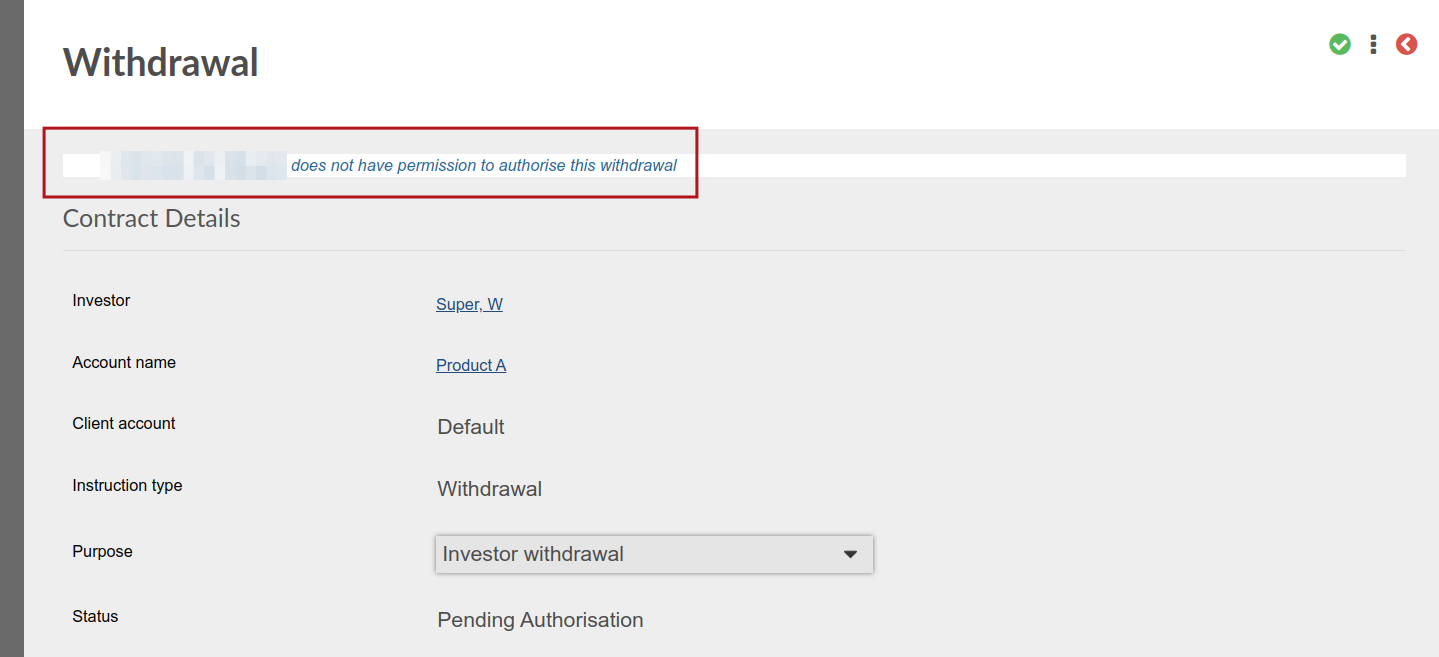
If a user without the global permission ‘Can authorise instruction that is pending authorisation’ attempt to authorise a withdrawal in status ‘Pending Authorisation’, a screen message will be displayed ‘User does not have permission to authorise this withdrawal’
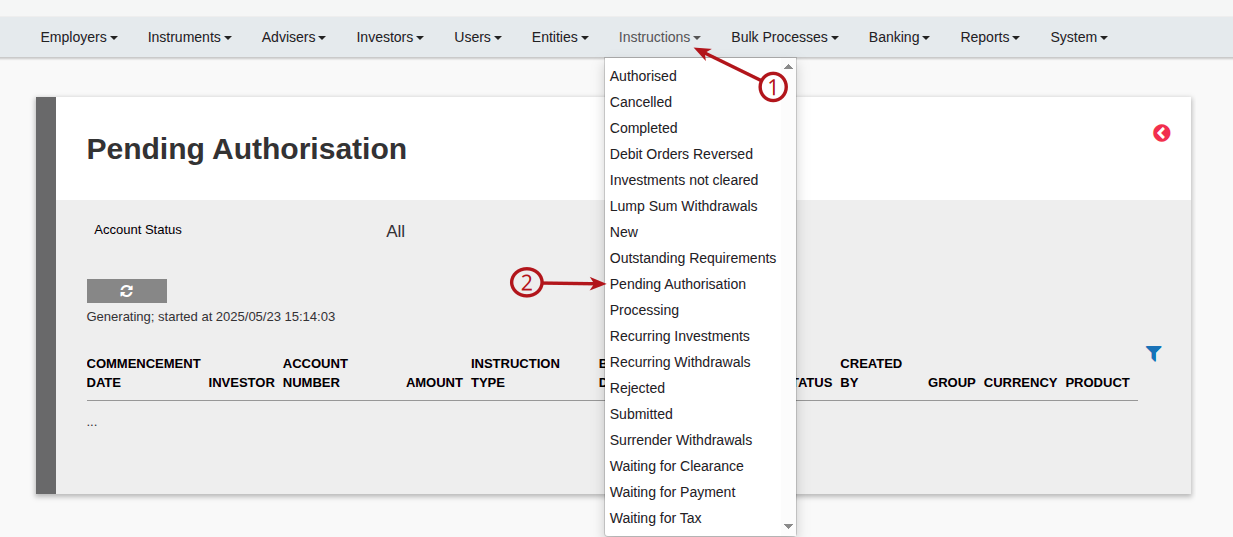
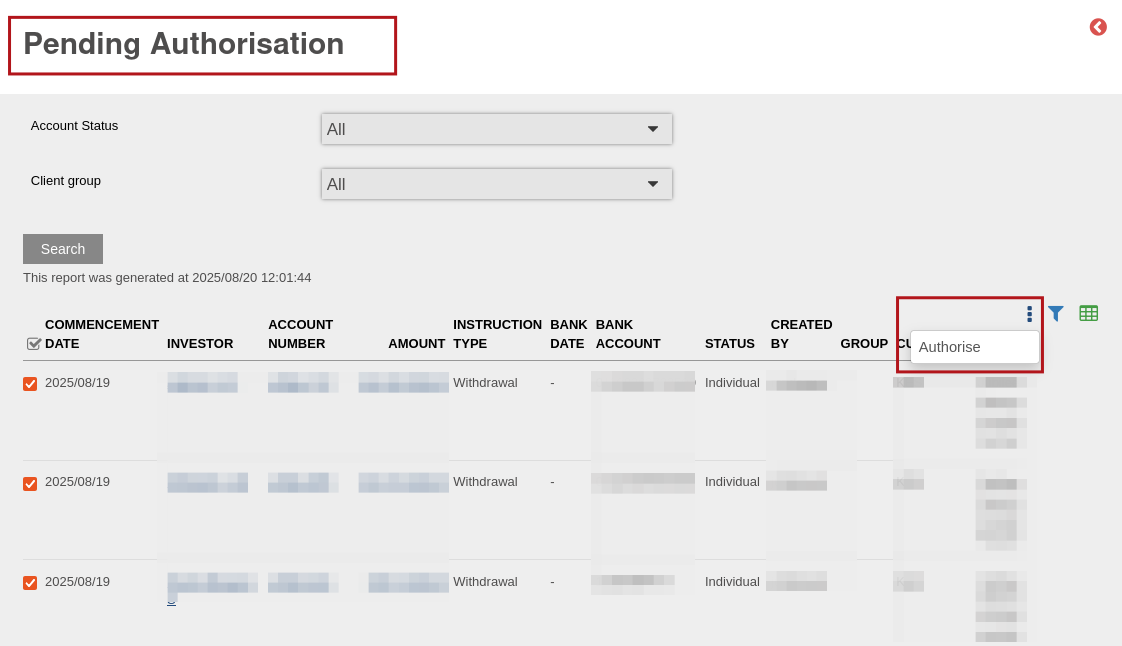
Instructions with status ‘ Pending Authorisation’ will appear under the Instructions (1) Instructions (2) ‘Pending Authorisation’. The instructions on the ‘Pending Authorisation’ screen can be authorised in bulk by selecting menu -> ‘Authorise’.
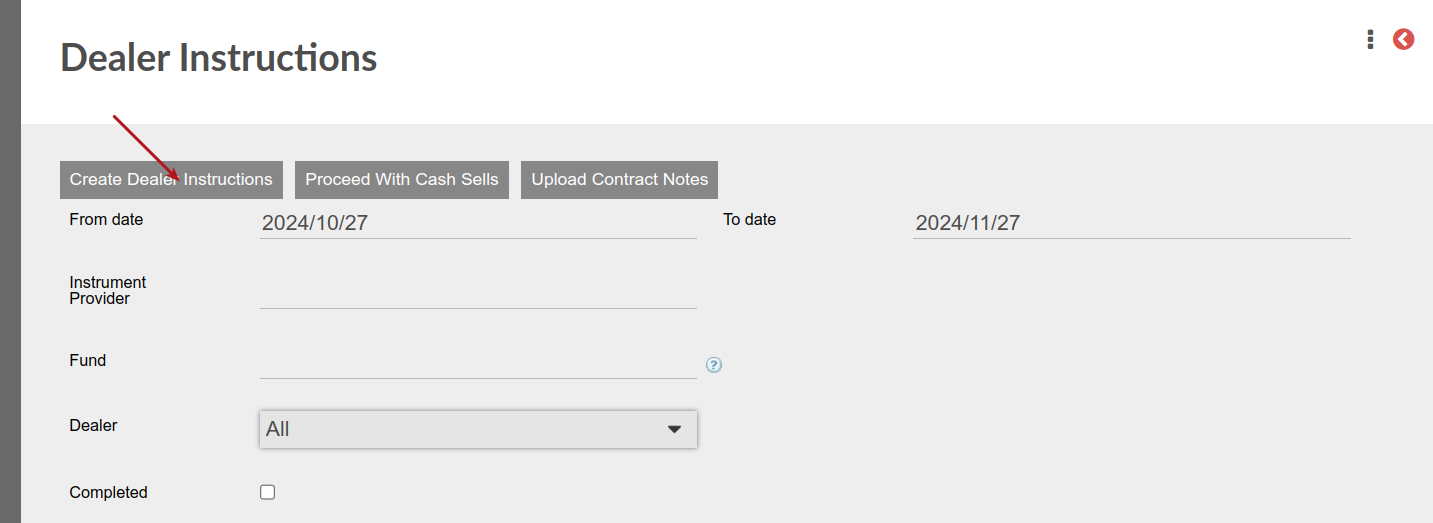
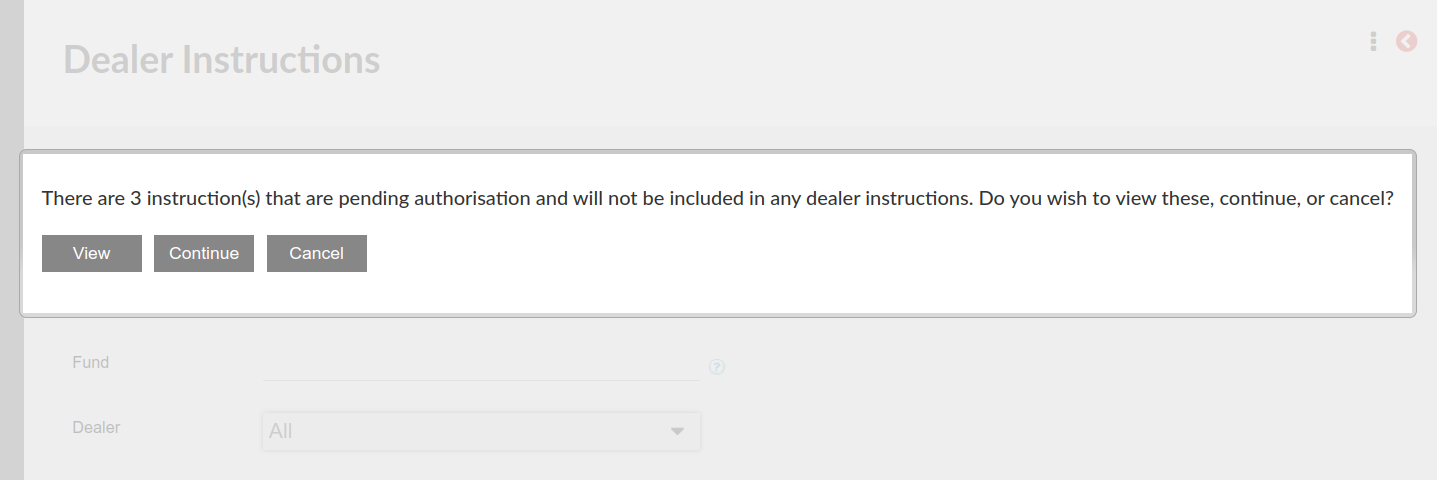
 When Create Dealer Instructions is selected and there are any Pending Authorisation instructions, a message will pop-up warning that there are pending authorisation instructions that will not be included in the dealer instructions created if not first authorised.
The pending authorisation instructions can be viewed, or the dealer instruction creation can be cancelled to allow attendance to the pending authorisation instructions, or the option to continue to create the dealer instructions without the pending authorisation can be selected (Continue)
NOTE: Withdrawals created with the ‘Automatic Payment of fees job’ will not require secondary authorisation and will therefore not move to the ‘Pending Authorisation’ list, but the “Waiting for payment’ list.
Last Updated on 1 month ago by Debra Hart