
Instrument Provider display and graph
- Navigate to the Instrument Provider Card by Instruments -> Instrument Providers and selecting the required Instrument Provider
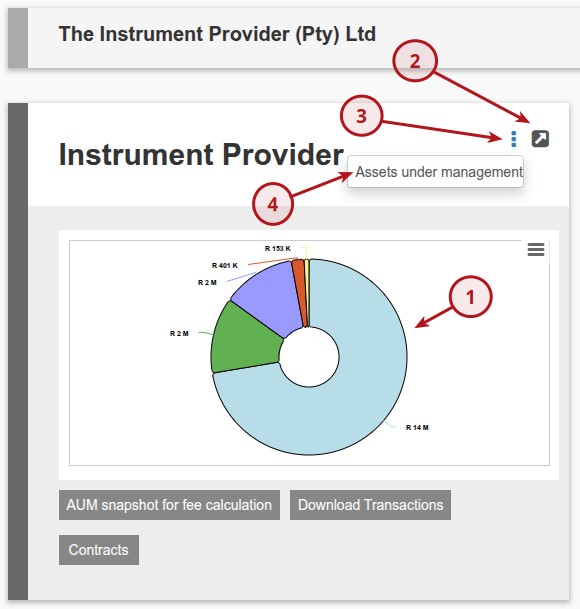
- The Instrument Provider Card displays a graph of the distribution of market values of the Instrument Provider’s Instruments indicated by Item 1 below
- The amount of instruments for which the Market value amount must be displayed in the graph can be set on the System Configuration (System -> Configuration)
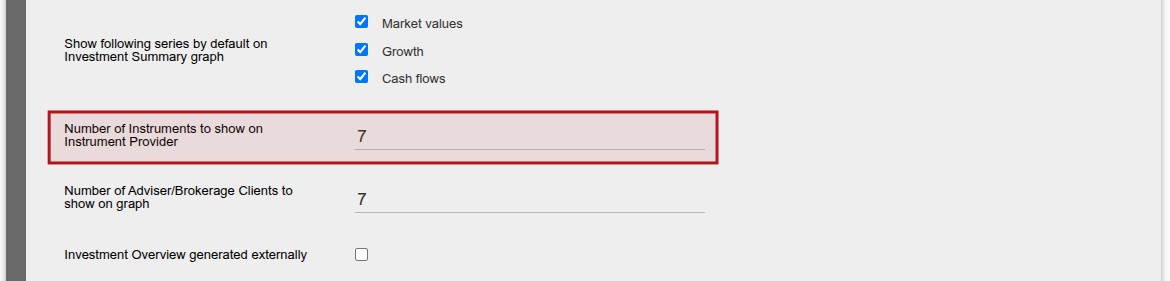
- In instances where the Instrument Provider has more that 10 instruments with market values, only the 10 instruments with the highest market values will be displayed in the graph.
- More information can be obtained by selecting ‘View Details’ (Item 2)
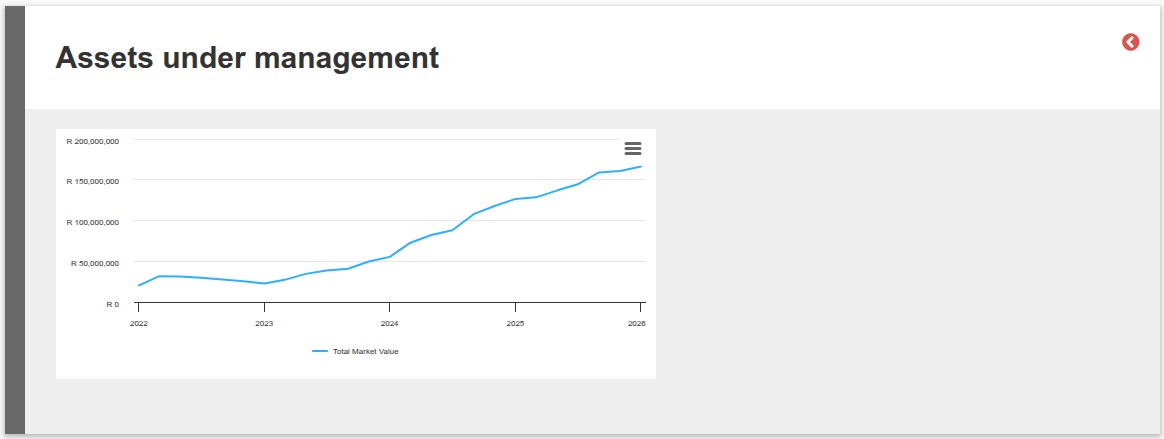
- Assets under management can be obtained by selecting ‘More Actions’ (Item 3) -> Assets under management (Item 4), sample graph below
Last Updated on 8 months ago by Adrienne Dill