
Setting up a Trading Account
When buying through a trading Account, first buy into the trading account and when the buy allocates, the confirmed amount is taken from the trading account and units are given in the Instrument bought.
When selling through a Trading Account, the proceeds first go to the trading account.
Setting up a Trading Account
1. On the Dealer
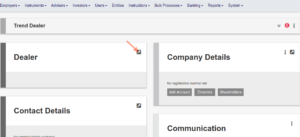
Go to the Dealer of the Instrument that will be dealing through the Trading Account

Add the bank details of the Trading Account to the Dealer


If the bank account already exists, ensure that the bank account is verified

2. As a Cash Instrument
Go to ‘Cash Instruments’ and add a new Cash Instrument

Name the Trading Account, ensure that the correct Dealer, currency and Bank Account is set and Save

3. Return to the dealer
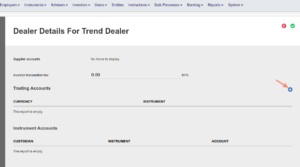
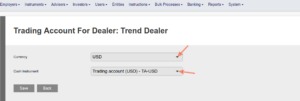
Select the currency from the drop-down list and the trading account that was created and save
4. On the Instrument that will be dealing through the Trading Account
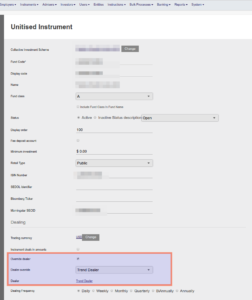
Ensure that the relevant Dealer is set on the Instrument. When dealing happens on the instrument, the system would detect that there is a trading account set on the dealer and dealing will happen through the trading account.
Last Updated on 4 years ago by Antoinette Van Meyeren