
Setting up Transaction Fees
A. Fee type
Add one or more fee type as ‘Transaction Fee’


B. Dealer
The transaction fee as set on the dealer will affect the deal amount on new investor – and dealer instructions as follow:
Buy: This will reduce the deal amount and net deal amount so that the instruction to the dealer is for less, but the amount deducted from the investor is still the original buy amount.
Sell: The net dealer instruction amount will be more on an AMOUNT sell. i.e more is sold to cover this fee. On a UNIT sell, less is paid out to the client. i.e we get money for the units, but lower the price to pay out less to the client.
NOTE: Set transaction fees up as zero on the dealer if the deal amount to the dealer must not be affected by the transaction fee.
The transaction fee can then still be changed on the dealer instruction before confirming it.
Transaction fees can be set on the dealer as a percentage, amount or sliding scale, with a minimum or maximum fee.
In the case of an amount fee or where minimums or maximums applies, there are 2 options available:
- the amount can be applied to each investor in the dealer instruction, or
- the amount can be applied to the total amount of the dealer instruction and divided proportionately between clients in the dealer instruction. To activate this option select ‘Should take fee proportionally’
The receiving entity of the fee can be specified on the dealer.
VAT will be added to the transaction fee if a VAT percentage has been set on the registered country of the receiving entity and the receiving entity is marked as ‘VAT registered’
Go to the relevant Dealer: System->Dealers and select View Details on the Dealer Card and set the default transaction fees to be applied.
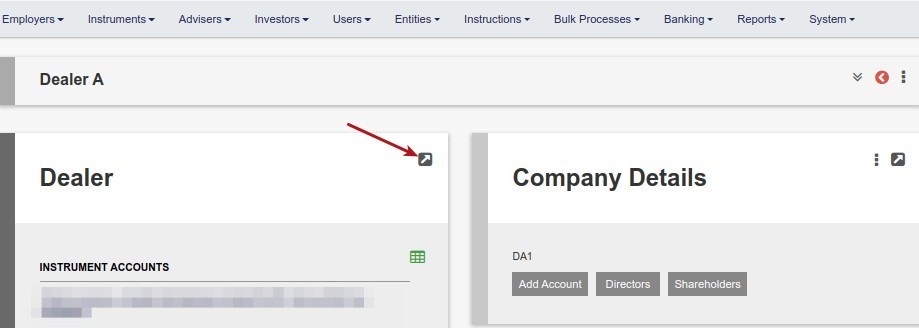


Update Investor Transaction fee and save
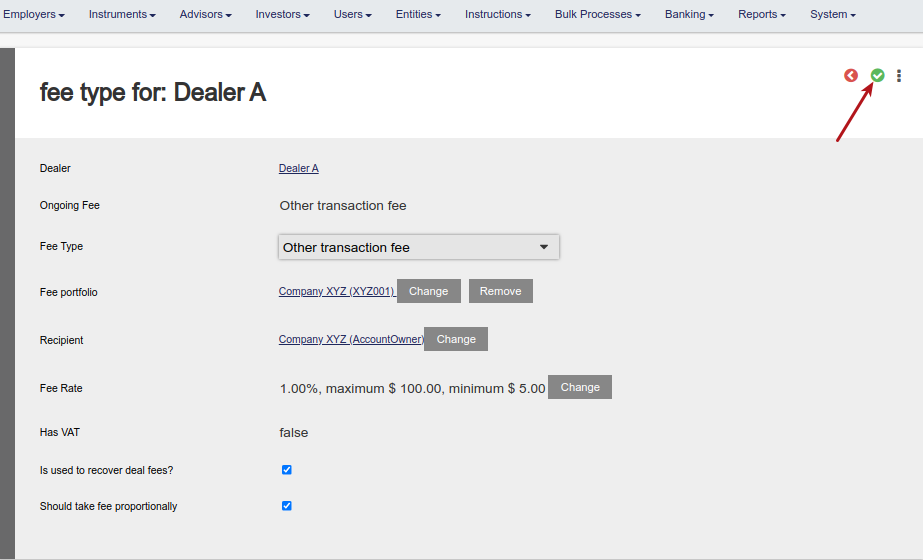
Tick ‘Is used to recover deal fees?’ to:
- identify the transaction fee to be used in instances where dealer instructions are confirmed with an import
- identify the transaction fee to be used where ‘override transaction fee rate’ on the dealer instruction is used to collect the exact deal fee on the dealer instruction from the clients
See Application of transaction/deal fees
Last Updated on 5 years ago by Antoinette Van Meyeren