
Setting up an annual Platform Instrument fee discount
An Instrument fee discount can only be applied to an Ongoing Fee type that uses the Administration Fee Calculation Method. To set up this fee type, see link
No fee overrides are applicable if a discount is loaded on an instrument, therefore contracts cannot be excluded from this applied discount. (The current override levels are as follows: Product> Instrument> Brokerage> Adviser> Contract> Client Account).
To load the discount on the required Instrument, select the Fees section of the Instrument card.

Under the Administrator discount, select Change

Select the Override tick box>- Type: Percentage/Amount drop down>- Enter the required percentage/amount value>- Save
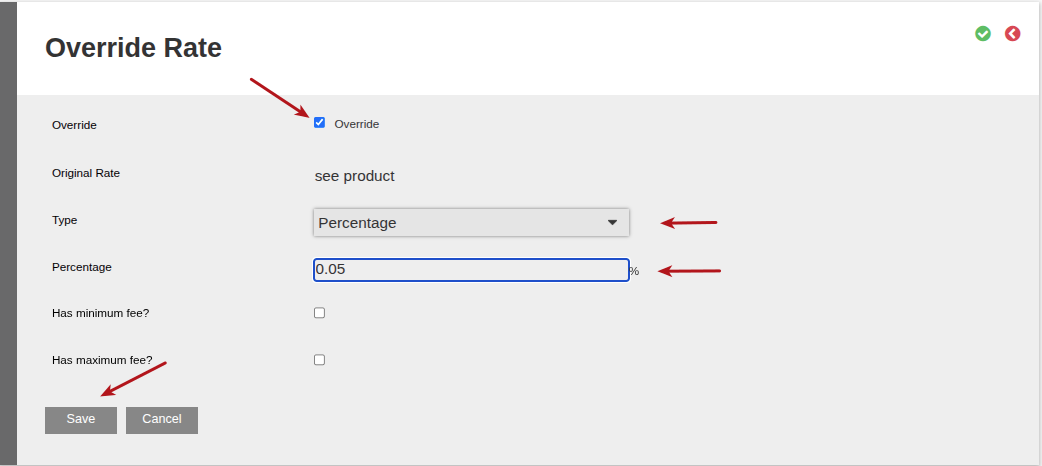
When applying an Instrument discount, the contracts linked to the related instrument must individually be set up to “Calculate fees per instrument”.
On the Contract details card>- View Details>- Under the Fees and Taxes section>- How to calculate fees, select “Calculate fees per instrument”

Last Updated on 2 months ago by Debra Hart