
Sharia Indicator
On an instrument, you can indicate whether the instrument is classified as compliant with Sharia legislation or not. You can add this by navigating to any Instrument -> Instrument Card -> View Details -> Is Sharia:
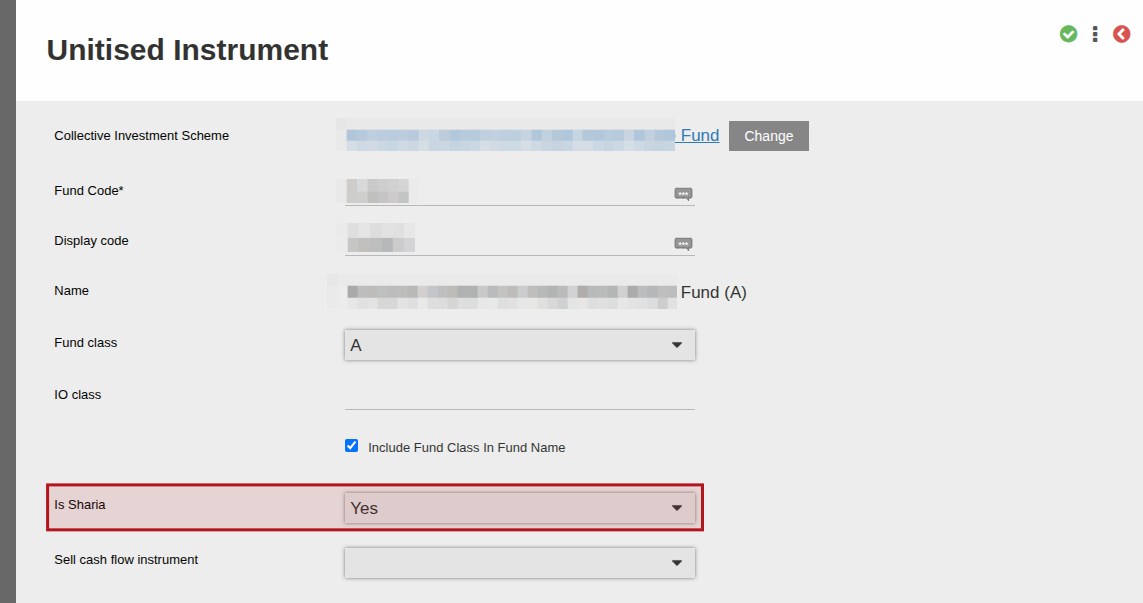
When an instrument is created, this will be set to No by default.
In SARS IT3 files the Sharia indicator is populated where required as per SARS specification. Rules are as follows:
- If contract level or data consolidated across instruments is reported on (such as Account Holder Financial Data in the IT3B file) then we will only populate Sharia Indicator as “Y” if all instruments that are consolidated have Is Sharia marked as Yes. In the case of the IT3B file, only instruments where dividends/interest have been earned are considered, but since this is a consolidated view across instruments we will consider the Is Sharia for all instruments even if only one instrument earned dividends/interest in the period.
- If instrument level data is reported on (such as IT3C Account Holder Financial Data) then the Is Sharia indicator as per the instrument will be used as-is
Last Updated on 6 months ago by Adrienne Dill